
Audit log
The Audit Log records changes and activity in your Buildkite organization. Use it to review and export logged events.
Enterprise plan feature and storage period
Only Buildkite organization administrators on the Enterprise plan can access the audit log. Events are stored indefinitely.
The available history depends on how you access events:
| Access method | Available history |
|---|---|
| Browse in the Buildkite Pipelines web interface | Up to 12 months |
| Search events in the Events tab | Last 90 days |
| Query using GraphQL | All stored events, including events older than 12 months |
You can also retrieve audit log events programmatically using the REST API, or query them using the GraphQL API.
To access the Audit Log feature:
Select Settings in the global navigation to access the Organization Settings page.
Select Audit > Audit Log to access your organization's Audit Log page.
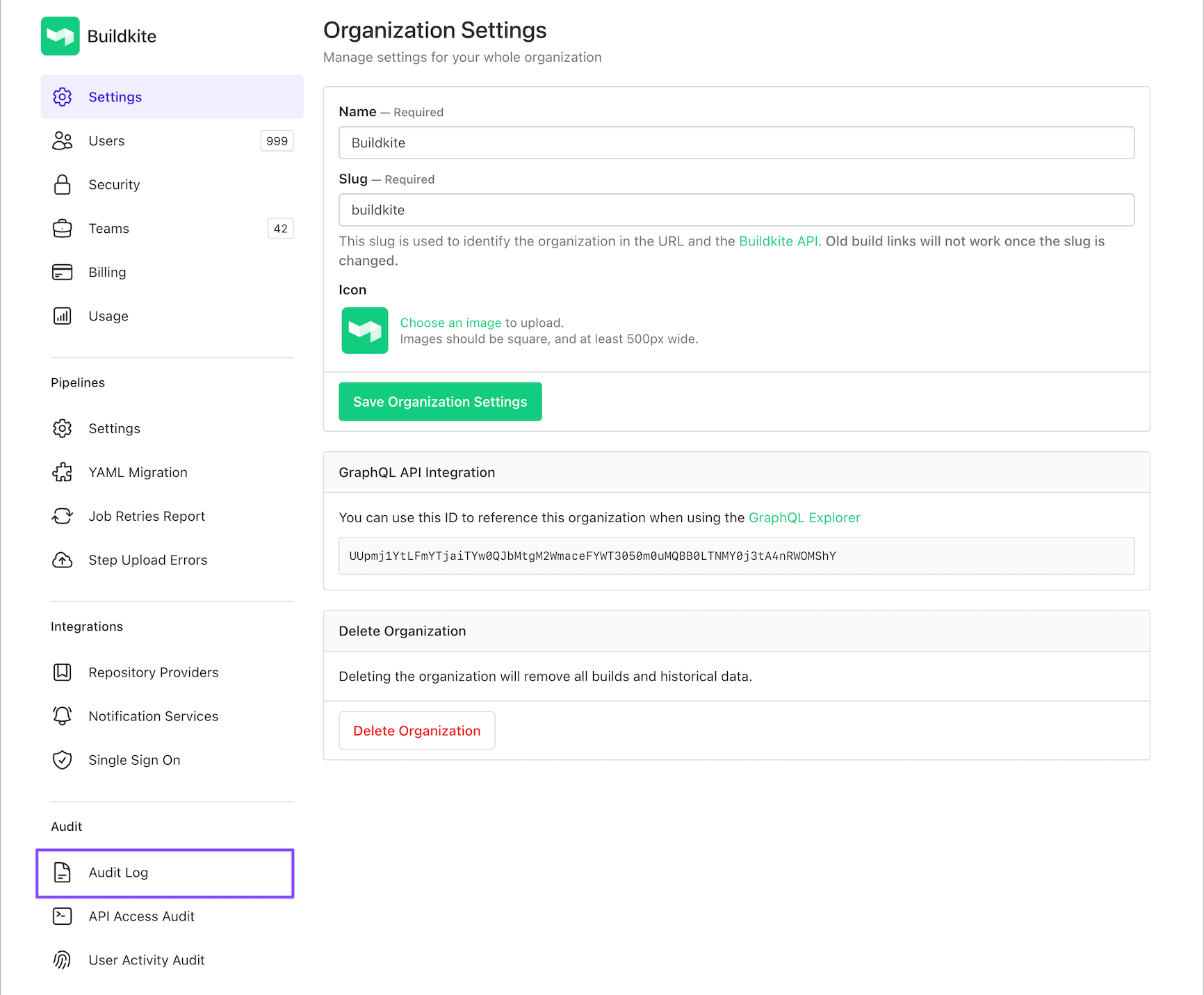
The Audit Log contains two tabs:
-
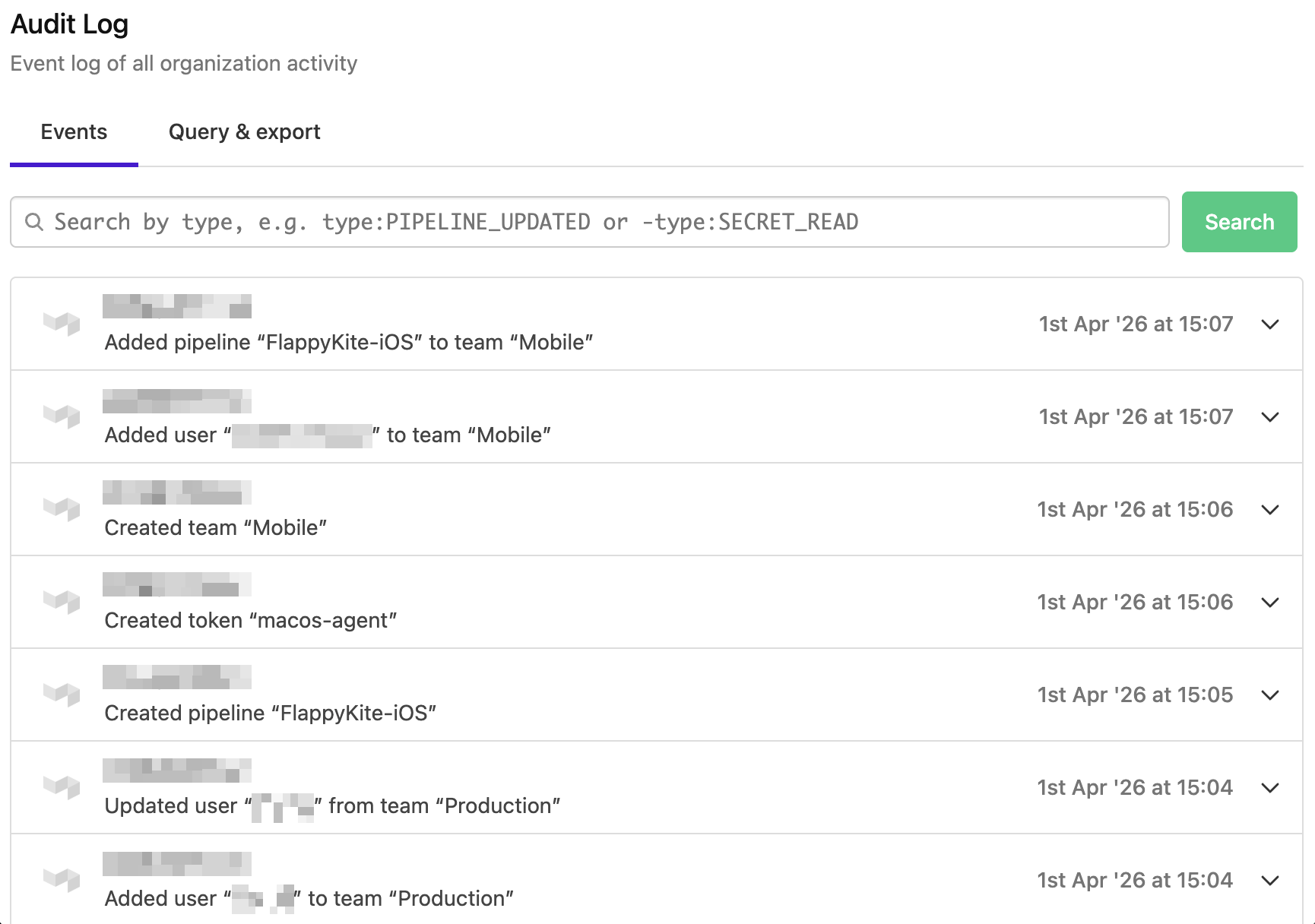
Events: Browse and search organization activity. See Logged events for the event types.
-
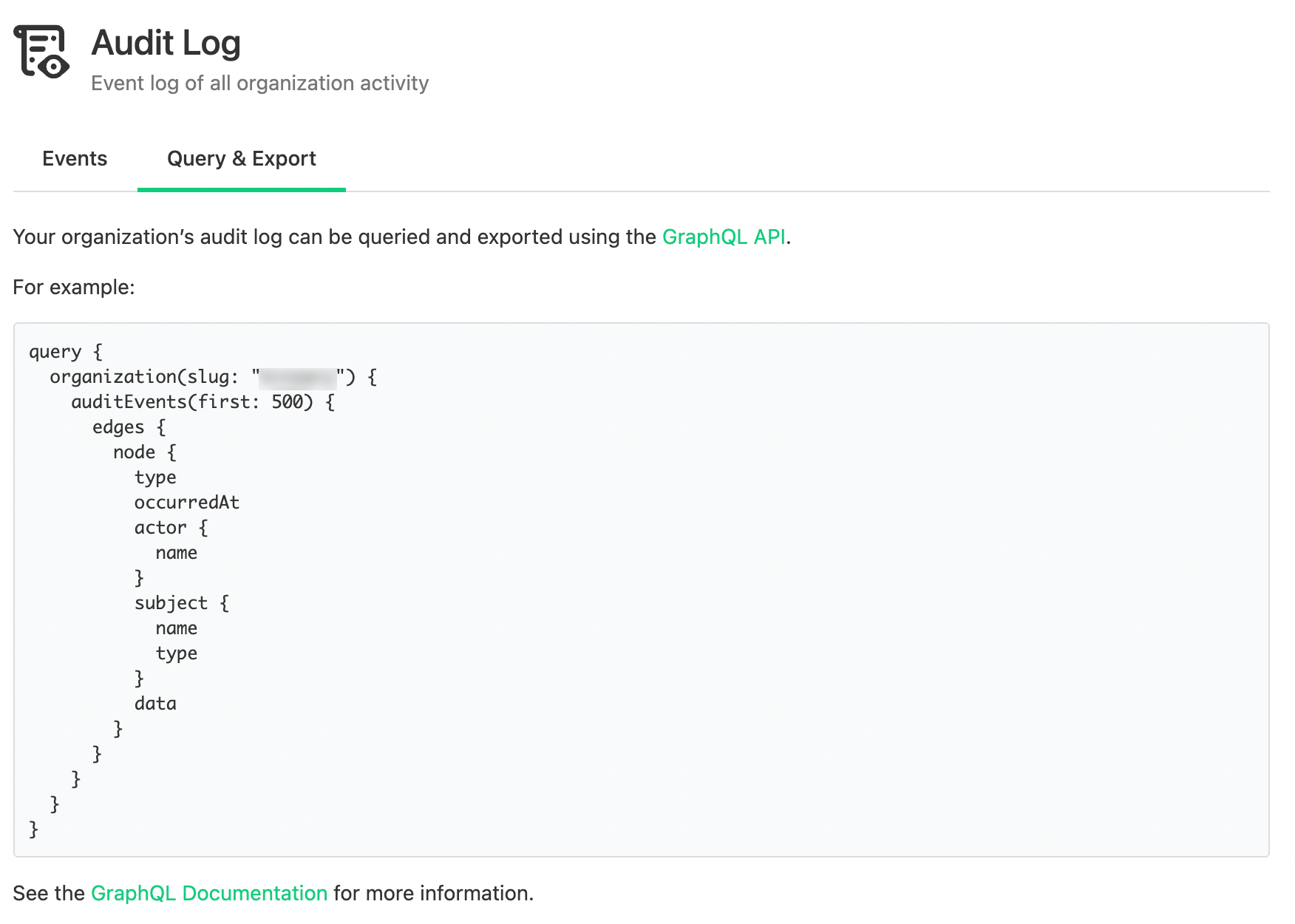
Query & Export: Query and export your organization's audit log using the GraphQL API.
Search events
Search the Events tab to filter the last 90 days of activity. For example, type:PIPELINE_UPDATED pipeline:my-app finds configuration changes to the my-app pipeline.
| Filter | Matches | Example | |||
|---|---|---|---|---|---|
| Filter | type:EVENT_TYPE |
Matches | An event type, matched case-insensitively | Example | type:PIPELINE_CREATED |
| Filter | pipeline:PIPELINE_SLUG |
Matches | A pipeline, identified by slug or UUID | Example | pipeline:my-app |
| Filter | actor:EMAIL_OR_UUID |
Matches | A user, identified by email address or UUID | Example | actor:sam@example.com |
| Filter | subject:SUBJECT_TYPE |
Matches | A kind of record, matched case-insensitively | Example | subject:CLUSTER |
Prefix any filter with - to exclude matches. For example, -type:SECRET_READ excludes secret-read events, and -actor:sam@example.com excludes events performed by that user.
Searches have these limits:
- Maximum of three unique terms (positive and negative combined)
- Maximum of 250 characters for the query string
- Only events from the last 90 days
Combine filters
Separate terms with spaces. The combination depends on the keys and prefixes:
-
Repeated positive keys: Match any value (
OR). For example,type:TEAM_CREATED type:TEAM_DELETEDfinds either event type. -
Different positive keys: Match both conditions (
AND). For example,type:PIPELINE_UPDATED pipeline:my-appfinds only updates to that pipeline. -
Negative terms: Exclude every specified value (
AND-NOT). For example,subject:PIPELINE -type:PIPELINE_CREATED -type:PIPELINE_DELETEDfinds pipeline events except creation and deletion.
Filter behavior
Filters match the event's subject or actor, not every related resource:
-
pipeline:: Matches events about the pipeline itself, not its schedules or other related records. Deleted pipeline slugs still resolve. If several pipelines have used a slug, the search uses the current pipeline or the last one to use it. -
actor:: Matches user actors only. Agents and API applications are neither matched nor excluded. Email addresses resolve current and removed organization members. UUIDs match as given, without a membership check. -
subject:: Matches a kind of record rather than one resource. For example,subject:PIPELINEmatches events for all pipelines. Values come from theAuditSubjectTypeGraphQL enum, such asCLUSTER,PIPELINE, orSCM_SERVICE.
Search errors
Invalid queries return an error instead of results. Check for these causes:
- Free text, an unsupported key, or a term with no value
- An unknown event type, such as
type:PIPLINE_UPDATED. A close match produces a suggestion:Unknown event type "PIPLINE_UPDATED". Did you mean PIPELINE_UPDATED? - An unknown pipeline slug or UUID. For example, an unrecognized
pipeline:my-appreturnsUnknown pipeline "my-app". - An email address that does not match a current or removed member. For example, an unrecognized
actor:sam@example.comreturnsUnknown user "sam@example.com". - An unknown subject type, such as
subject:CLUSTR. A close match produces a suggestion:Unknown subject type "CLUSTR". Did you mean CLUSTER?
These checks also apply to negative terms, such as -type:, -pipeline:, -actor:, and -subject:.
An unmatched user UUID is not an error. An actor: filter with that UUID returns no events; a -actor: filter excludes no events.
To find valid filter values, use the controls below the search bar:
- Browse available event types: Select a type from the grouped categories to insert it into the search field. See Logged events for the full list.
- Browse available subjects: Select a subject to insert it into the search field.
Logged events
The following event types are logged by Buildkite. For GraphQL type details, use the GraphQL explorer.
Unclustered agent tokens
AGENT_TOKEN_CREATED
AGENT_TOKEN_REVOKED
AGENT_TOKEN_UPDATED
Access tokens
API_ACCESS_TOKEN_CREATED
API_ACCESS_TOKEN_DELETED
API_ACCESS_TOKEN_ORGANIZATION_ACCESS_REVOKED
API_ACCESS_TOKEN_UPDATED
USER_API_ACCESS_TOKEN_ORGANIZATION_ACCESS_ADDED
USER_API_ACCESS_TOKEN_ORGANIZATION_ACCESS_REMOVED

AUTHORIZATION_CREATED
AUTHORIZATION_DELETED
OAuth applications
OAUTH_APPLICATION_AUTHORIZED
Records a successful OAuth authorization-code exchange, including browser-based authorization for remote MCP and the Buildkite CLI. Device login and token refresh do not create this event. See OAuth audit visibility for event details and coverage.
User account management
USER_EMAIL_CREATED
USER_EMAIL_DELETED
USER_EMAIL_MARKED_PRIMARY
USER_EMAIL_VERIFIED

USER_PASSWORD_RESET
USER_PASSWORD_RESET_REQUESTED

USER_TOTP_ACTIVATED
USER_TOTP_CREATED
USER_TOTP_DELETED

USER_UPDATED
Notifications
NOTIFICATION_SERVICE_BROKEN
NOTIFICATION_SERVICE_CREATED
NOTIFICATION_SERVICE_DELETED
NOTIFICATION_SERVICE_DISABLED
NOTIFICATION_SERVICE_ENABLED
NOTIFICATION_SERVICE_UPDATED
Organization management
ORGANIZATION_CREATED
ORGANIZATION_DELETED
ORGANIZATION_SSO_SESSIONS_REVOKED
ORGANIZATION_TEAMS_DISABLED
ORGANIZATION_TEAMS_ENABLED
ORGANIZATION_UPDATED

ORGANIZATION_BANNER_CREATED
ORGANIZATION_BANNER_DELETED
ORGANIZATION_BANNER_UPDATED

ORGANIZATION_INVITATION_ACCEPTED
ORGANIZATION_INVITATION_CREATED
ORGANIZATION_INVITATION_RESENT
ORGANIZATION_INVITATION_REVOKED

ORGANIZATION_MEMBER_CREATED
ORGANIZATION_MEMBER_DELETED
ORGANIZATION_MEMBER_UPDATED

ORGANIZATION_BUILD_EXPORT_UPDATED
Buildkite subscriptions
SUBSCRIPTION_PLAN_CHANGED
SUBSCRIPTION_PLAN_CHANGE_SCHEDULED

SUBSCRIPTION_PLAN_ADDED
Pipelines
PIPELINE_CREATED
PIPELINE_DELETED
PIPELINE_UPDATED
PIPELINE_WEBHOOK_URL_ROTATED

PIPELINE_SCHEDULE_CREATED
PIPELINE_SCHEDULE_DELETED
PIPELINE_SCHEDULE_UPDATED

PIPELINE_TEMPLATE_CREATED
PIPELINE_TEMPLATE_DELETED
PIPELINE_TEMPLATE_UPDATED

PIPELINE_VISIBILITY_CHANGED

JOB_TERMINAL_SESSION_STARTED
JOB_TERMINAL_SESSION_STARTED records SSH and VNC access to a running job from the Buildkite interface or Buildkite CLI.
Team management
TEAM_CREATED
TEAM_DELETED
TEAM_UPDATED

TEAM_MEMBER_CREATED
TEAM_MEMBER_DELETED
TEAM_MEMBER_UPDATED
For Buildkite Pipelines
TEAM_PIPELINE_CREATED
TEAM_PIPELINE_DELETED
TEAM_PIPELINE_UPDATED
For Buildkite Package Registries
TEAM_REGISTRY_CREATED
TEAM_REGISTRY_UPDATED
TEAM_REGISTRY_DELETED
For Buildkite Test Engine
TEAM_SUITE_CREATED
TEAM_SUITE_UPDATED
TEAM_SUITE_DELETED
Single-sign on provider
SSO_PROVIDER_CREATED
SSO_PROVIDER_DELETED
SSO_PROVIDER_DISABLED
SSO_PROVIDER_ENABLED
SSO_PROVIDER_UPDATED
Source control management
SCM_SERVICE_CREATED
SCM_SERVICE_DELETED
SCM_SERVICE_UPDATED

SCM_REPOSITORY_HOST_UPDATED
SCM_REPOSITORY_HOST_CREATED
SCM_REPOSITORY_HOST_DESTROYED

SCM_PIPELINE_SETTINGS_CREATED
SCM_PIPELINE_SETTINGS_DELETED
SCM_PIPELINE_SETTINGS_UPDATED
Test Engine
SUITE_API_TOKEN_REGENERATED_EVENT
SUITE_CREATED
SUITE_DELETED
SUITE_UPDATED
SUITE_VISIBILITY_CHANGED

SUITE_MONITOR_CREATED
SUITE_MONITOR_DELETED
SUITE_MONITOR_UPDATED

SUITE_WORKFLOW_CREATED
SUITE_WORKFLOW_DELETED
SUITE_WORKFLOW_UPDATED
SUITE_WORKFLOW_CREATED, SUITE_WORKFLOW_UPDATED, and SUITE_WORKFLOW_DELETED record the workflow's condition thresholds, actions, notification templates, and tag filters. Send webhook notification action endpoints are redacted in the recorded snapshot.
Buildkite secrets
SECRET_CREATED
SECRET_DELETED
SECRET_QUERIED
SECRET_READ
SECRET_UPDATED
Cluster management
CLUSTER_CREATED
CLUSTER_DELETED
CLUSTER_UPDATED

CLUSTER_QUEUE_CREATED
CLUSTER_QUEUE_DELETED
CLUSTER_QUEUE_UPDATED

CLUSTER_QUEUE_MIGRATION_CREATED
CLUSTER_QUEUE_MIGRATION_UPDATED

CLUSTER_TOKEN_CREATED
CLUSTER_TOKEN_DELETED
CLUSTER_TOKEN_UPDATED

CLUSTER_QUEUE_TOKEN_CREATED
CLUSTER_QUEUE_TOKEN_UPDATED
CLUSTER_QUEUE_TOKEN_DELETED

CLUSTER_PERMISSION_CREATED
CLUSTER_PERMISSION_DELETED
Buildkite Package Registries
REGISTRY_CREATED
REGISTRY_UPDATED
REGISTRY_DELETED

STORAGE_CREATED
Other systems
You can also set up Amazon EventBridge to stream Audit Log events.