
GitHub Actions
For a comparison of Buildkite Pipelines and GitHub Actions, see Buildkite vs. GitHub Actions.
Migrating from GitHub Actions to Buildkite
Buildkite Pipelines now supports many of the same GitHub webhook events that GitHub Actions uses as workflow triggers, making incremental migration easier.
To run supported GitHub Actions workflows as jobs in Buildkite during an incremental migration, use the GitHub Actions Buildkite plugin.
Webhook event triggers
The following GitHub webhook events can trigger Buildkite Pipelines builds:
- Pull request reviews (
pull_request_review) - Pull request review comments (
pull_request_review_comment): inline diff comments - Check runs (
check_run) - Releases (
release) - Issue comments (
issue_comment) - Issue activity (
issues, private preview) - Deployment statuses (
deployment_status) - Branch/tag creation (
create)
Expanded pull request actions
In addition to builds created when a pull request is opened or updated, Buildkite Pipelines supports these actions: edited, reopened, labeled, unlabeled, ready_for_review, converted_to_draft, review_requested, and dequeued.
Conditional variables
Use the following variables to write fine-grained build filters similar to the GitHub Actions on.<event>.types filtering:
-
build.source_event: the GitHub webhook event that triggered the build. -
build.source_action: the specific action within that event. -
build.pull_request.label: the specific label that was just added or removed, so you can filter on exactly which label changed.
For full configuration details, see the GitHub integration docs.
Triggering pipelines using GitHub Actions
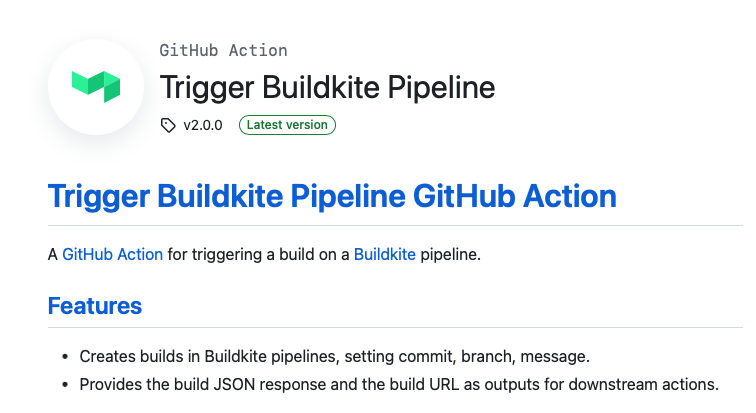
GitHub Actions is a GitHub-based workflow automation platform. You can use the GitHub actions Trigger Buildkite Pipeline to trigger a build on a Buildkite pipeline.
The Trigger Buildkite Pipeline GitHub Action allows you to:
- Create builds in Buildkite pipelines and set
commit,branch,message. - Save the build JSON response to
${HOME}/${GITHUB_ACTION}.jsonfor downstream actions.
Find the Trigger Buildkite Pipeline on GitHub Marketplace or follow this link directly.
Before you start
This tutorial assumes some familiarity with GitHub and using GitHub Actions. Learn more about GitHub Actions from their documentation.
Creating the workflow for Buildkite GitHub Actions
- If a workflow directory does not exist yet, create the
.github/workflowsdirectory in your repo to store the workflow files for Buildkite Pipeline Action. - Create a Buildkite API access token with
write_buildsscope, and save it to your GitHub repository's Settings in Secrets. Learn more about this in Creating secrets for a repository in GitHub's documentation. - Define your GitHub Actions workflow with the details of the pipeline to be triggered. To ensure that the latest version is always used, click "Use latest version" on the Trigger Buildkite Pipeline page. Copy and paste the code snippet provided.
- Configure the workflow by setting the applicable configuration options.
Example workflow
The following workflow creates a new Buildkite build on every commit (change my-org/my-deploy-pipeline to the slug of your org and pipeline, and TRIGGER_BK_BUILD_TOKEN to the secrets env var you have defined):
on: [push]

steps:
   - name: Trigger a Buildkite Build on Push using v2.0.0
        uses: buildkite/trigger-pipeline-action@v2.0.0
        with:
          buildkite_api_access_token:  ${{ secrets.TRIGGER_BK_BUILD_TOKEN }}
          pipeline: "lzrinc/experimental-pipeline"
          branch: master
          commit: HEAD
          message:  "<img class="emoji" title="buildkite" alt=":buildkite:" src="https://buildkiteassets.com/emojis/img-buildkite-64/buildkite.png" draggable="false" /><img class="emoji" title="github" alt=":github:" src="https://buildkiteassets.com/emojis/img-buildkite-64/github.png" draggable="false" /> 🚀🚀🚀 Triggered from a GitHub Action"
Configuring the workflow
Refer to the action.yml for the input parameters required.
See Trigger-pipeline-action for more details, code, or to contribute to or raise an issue for the Buildkite GitHub Action.