
Flaky tests
Flaky tests produce inconsistent results when run against the same code and environment. They can block builds, waste investigation time, and reduce confidence in your test suite.
Test Engine uses workflows to detect flaky tests, quarantine them so they stop blocking builds, notify the relevant teams, and track when the tests become reliable again.
Detect flaky tests
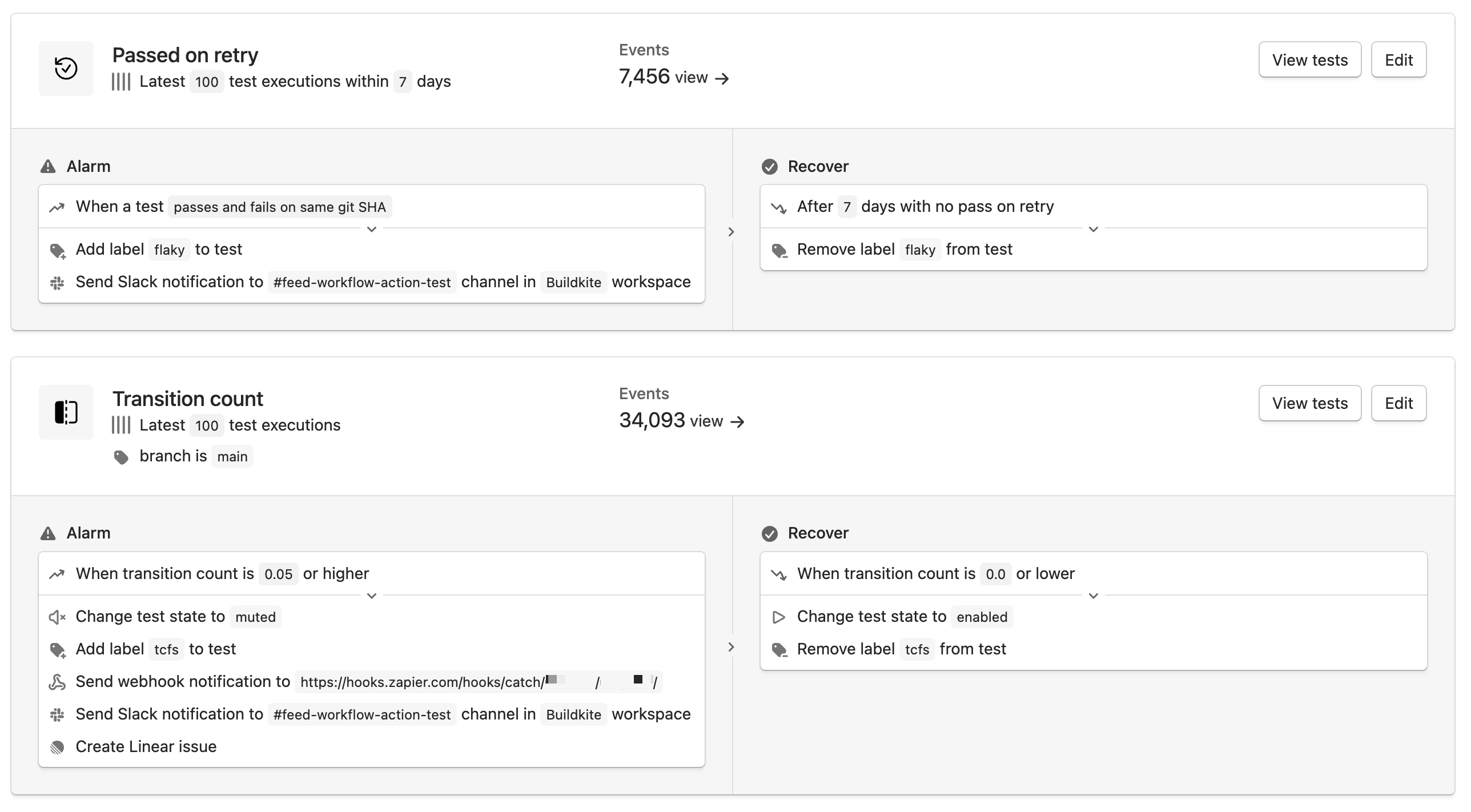
A Test Engine workflow uses a monitor to evaluate test execution data and trigger actions when a test meets the monitor's alarm or recovery conditions.
Choose the flaky test monitor that best matches your test data and pipeline configuration. If you are unsure which monitor to use, start with the transition count monitor on your test suite's default branch. The transition count monitor works without job retries and is resilient to infrastructure-related failures that can affect test results.
Configure the workflow's alarm action to add the flaky label to tests that meet the monitor's alarm conditions. This label can trigger other automated actions and makes unreliable tests easier to find in Test Engine and on the Tests tab of a build. The default Flaky saved view lists tests with this label.
Quarantine flaky tests
If test state is enabled for the test suite, quarantine a flaky test by changing its state to muted or skipped. You can change its state manually in Test Engine, using the Test Engine API, or automatically with a workflow action.
Prefer muted over skipped. Muted tests continue running without affecting the build result, so Test Engine can collect execution data and detect when they become reliable. Use skipped only when the test must not run. Skipped tests do not produce the execution data that Test Engine needs to detect recovery.
Use bktec to apply test states during test execution. Depending on the state, bktec prevents a quarantined test failure from failing the build or excludes the test from the run. Support for muting and skipping varies by test framework. Check the supported runners and features table for your framework's current support.
Notify the responsible team
Add workflow alarm actions that notify the team responsible for fixing the test. Test Engine can automatically:
- Send a webhook.
- Post a Slack message.
- Create a Linear issue.
See Alarm and recover actions for configuration details. These notifications surface new flaky tests without requiring teams to monitor Test Engine manually.
Track recovery
Configure the workflow's recover actions to remove the flaky label after the test meets an acceptable reliability threshold. If the workflow quarantined the test, add a recover action that changes its state back to enabled.
Alarm and recover actions create a closed process: Test Engine identifies and contains an unreliable test, routes it for remediation, and restores it after its reliability improves.