
Retry
The retry attribute of a command step controls whether and how a job can be retried. You can configure automatic retries for transient failures, manual retries for user-initiated reruns, or both.
steps:
  - label: "Tests"
    command: "tests.sh"
    retry:
      automatic: true

  - wait: ~

  - label: "Deploy"
    command: "deploy.sh"
    retry:
      manual: false
Retry behavior
If you retry a job, the information about the failed job(s) remains, and a new job is created. The history of retried jobs is preserved and immutable. For automatic retries, the number of possible retries can be set with a limit attribute on the job's step. When a limit is not specified, the default limit is two.
For jobs in a concurrency group, both automatic and manual retries retain the original job's scheduling timestamp, but do not hold a concurrency slot between attempts. See Retries and concurrency groups for queue ordering and an example.
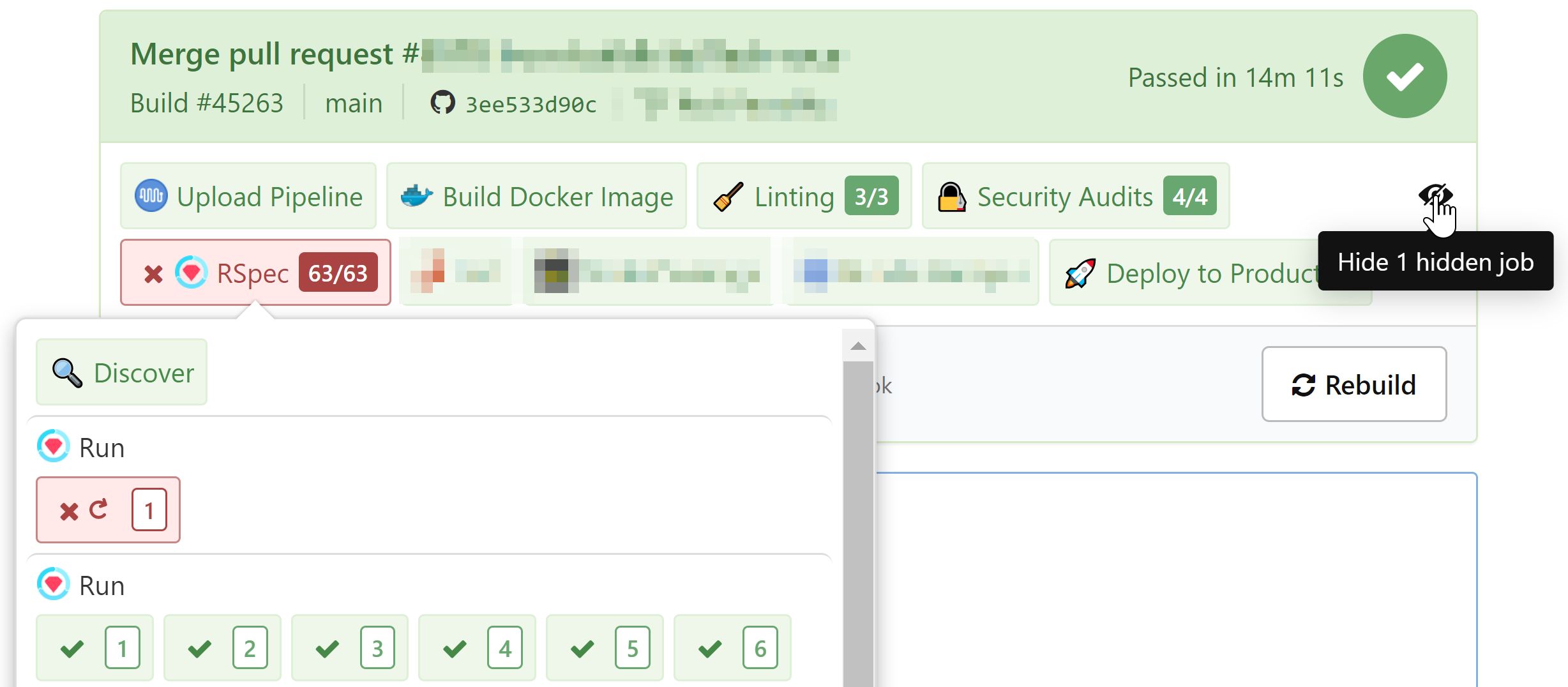
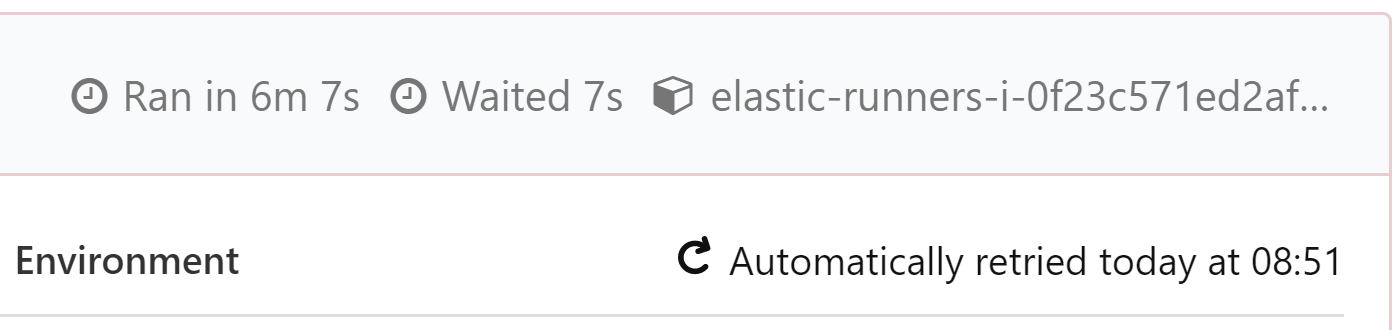
You can also see when a job has been retried and whether it was retried automatically or by a user. Such jobs are hidden by default—you can expand and view all the hidden retried jobs.
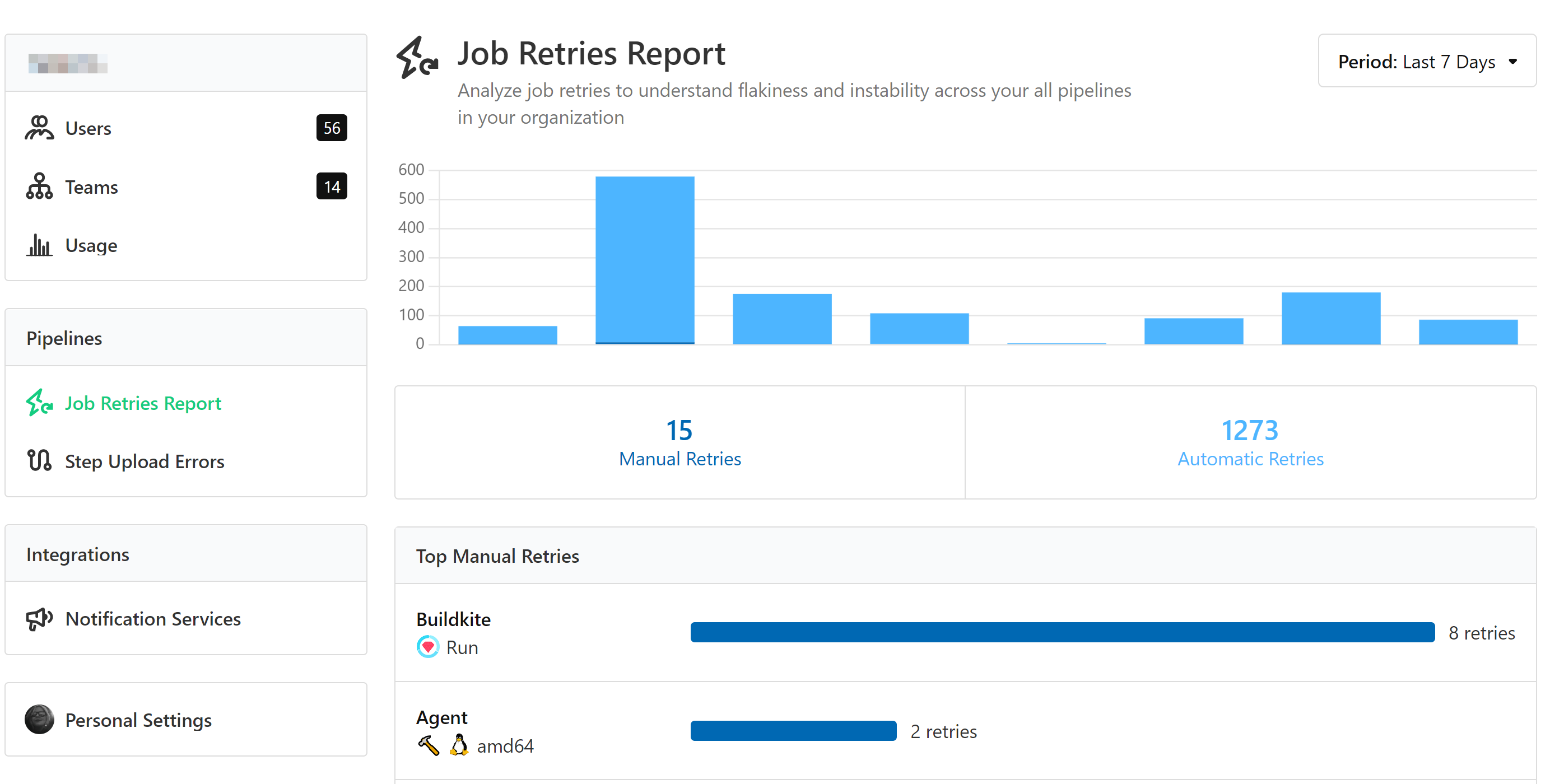
In the Buildkite web interface, there is a Job Retries Report section where you can view a graphic report on jobs retried manually or automatically within the last 30 days. This can help you understand flakiness and instability across all of your pipelines.
Retry attributes
The retry attribute requires one of the following attributes:
automatic |
Whether to allow a job to retry automatically. This field accepts a boolean value, individual retry conditions, or a list of multiple different retry conditions. If set to true, the retry conditions are set to the default value.Default value: exit_status: "*"signal: "*"signal_reason: "*"limit: 2Example: true
|
manual |
Whether to allow a job to be retried manually. This field accepts a boolean value, or a single retry condition. Default value: trueExample: false
|
Conditions on retries can be specified. For example, it's possible to set steps to be retried automatically if they exit with particular exit codes, or prevent retries on important steps like deployments. The following example shows different retry configurations:
steps:
  - label: "Tests"
    command: "tests.sh"
    retry:
      automatic:
        - exit_status: 5
          limit: 2
        - exit_status: "*"
          limit: 4

  - wait: ~

  - label: "Deploy"
    command: "deploy.sh"
    branches: "main"
    retry:
      manual:
        allowed: false
        reason: "Deploys shouldn't be retried"
Automatic retry attributes
The retry.automatic attribute has the following optional attributes:
exit_status |
The exit status number or numbers that cause this job to be retried. This attribute accepts a single integer, an array of integers, or "*" (wildcard). Valid exit status values are between 0 and 255, plus -1 (the value returned when an agent is lost and Buildkite no longer receives contact from the agent). A "*" matches any value between 1 and 255 (excluding 0).Default value: "*"
Examples:
|
signal |
The signal that causes this job to be retried. This attribute accepts a string, an array of strings, or "*" (wildcard). This signal only appears if the agent sends a signal to the job and an interior process does not handle the signal. SIGKILL propagates reliably because it cannot be handled, and is a useful way to differentiate graceful cancelation and timeouts. Signal matching is case-insensitive and the SIG prefix is optional (for example, SIGKILL and kill are equivalent). Use "none" to match jobs that received no signal.Default value: "*"
Examples:
|
signal_reason |
The reason associated with a job failure. This attribute accepts a string, an array of strings, or "*" (wildcard). Use "none" to match jobs with no signal reason.Some signal reasons represent cases where a running job was signaled to stop, for example, cancel or agent_stop. Other signal reasons indicate that the job never ran in the first place, for example, signature_rejected, agent_incompatible, or stack_error.Default value: "*"
Available values:
|
limit |
The number of times this job can be retried. The maximum value this can be set to is 10. Each retry rule tracks its own count independently. Default value: 2Example: 3You can also set this value to 0 to prevent a job from being retried. This is useful if, for example, the job returns a signal_reason of stack_error. Learn more about this in the Retry attributes section of the Stacks API.
|
Canceled jobs are not retried automatically
Automatic retries never run for jobs that finish in the canceled state, or for any job in a canceled build. Canceling is a deliberate action, so canceled jobs can only be retried manually, and only while their build is not canceled. A retry rule with the cancel signal reason matches jobs that were stopped through cancellation but still finished in a retryable state. In practice, these are jobs that timed out.
When a single retry rule specifies multiple conditions (exit_status, signal, and signal_reason), all conditions must match for that rule to trigger a retry. If you define multiple retry rules, they are evaluated in the order they appear, and the first matching rule is applied. Exit statuses not matched by any rule are not retried, so you don't need to explicitly set limit: 0 for unmatched statuses.
steps:
  - label: "Tests"
    command: "tests.sh"
    retry:
      automatic:
        - exit_status: -1  # Agent was lost
          limit: 2
        - exit_status: 255 # Forced agent shutdown
          limit: 2
A job will fail with an exit status of -1 if communication with the agent has been lost (for example, the agent has been forcefully terminated, or the agent machine was shut down without allowing the agent to disconnect). See Exit codes for information on other such codes.
The following example shows a step with combined retry conditions. The first rule retries up to three times when the agent refuses the job (both the exit status and signal reason must match). The second rule retries up to two times for any other failure.
steps:
  - label: "Tests"
    command: "tests.sh"
    retry:
      automatic:
        - exit_status: -1
          signal_reason: agent_refused
          limit: 3
        - exit_status: "*"
          limit: 2
Manual retry attributes
The retry.manual attribute has the following optional attributes:
allowed |
A boolean value that defines whether or not this job can be retried manually. Default value: trueExample: false
|
permit_on_passed |
A boolean value that defines whether or not this job can be retried after it has passed. Example: false
|
reason |
A string displayed in a hover card on the disabled **Retry** button in the Buildkite interface. This only appears if the allowed attribute is set to false.Example: "No retries allowed on deploy steps"
|
steps:
  - label: "Tests"
    command: "tests.sh"
    retry:
      manual:
        permit_on_passed: true

  - wait: ~

  - label: "Deploy"
    command: "deploy.sh"
    retry:
      manual:
        allowed: false
        reason: "Sorry, you can't retry a deployment"
Apply the same retry policy across multiple steps
You can use YAML anchors to define a retry policy once and reuse it across multiple steps. This keeps your pipeline configuration consistent and reduces repetition.
For example:
retry_policy: &retry_policy
  automatic:
    - exit_status: -1
      limit: 2
    - exit_status: 255
      limit: 2

steps:
  - label: "Test 1"
    command: "test1.sh"
    retry: *retry_policy

  - label: "Test 2"
    command: "test2.sh"
    retry: *retry_policy

  - label: "Test 3"
    command: "test3.sh"
    retry: *retry_policy
The anchor (&retry_policy) in the example defines the retry configuration, and the alias (*retry_policy) applies it to each step. Updating the anchor updates every step that references it.
You can also generate steps programmatically using dynamic pipelines for more advanced retry configuration patterns.