IP limiting for self hosted source code
To help increase the security between Buildkite and your Github Enterprise, Gitlab Community/Enterprise, or Bitbucket Server, you can now limit which IP address ranges are allowed to send build events to Buildkite 🚧
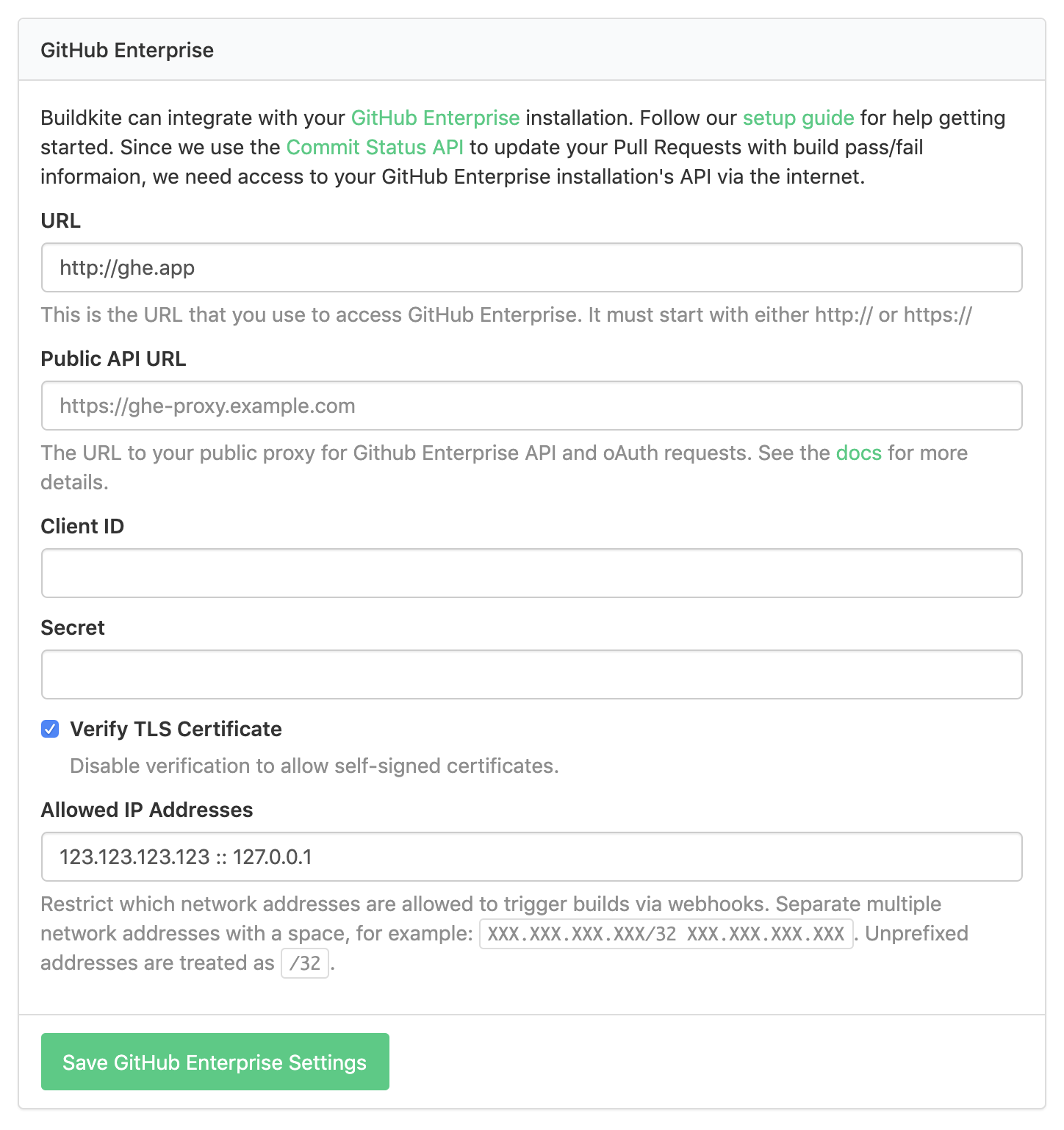
You can configure the new IP restrictions using the "Allowed IP Addresses" fields in your Buildkite Organization Settings.
Justin
Compromised password protection
To protect accounts from being accessed using compromised passwords, we've integrated haveibeenpwned.com into all of our authentication systems, allowing us to verify that known compromised passwords can't be used to access Buildkite data 🚷
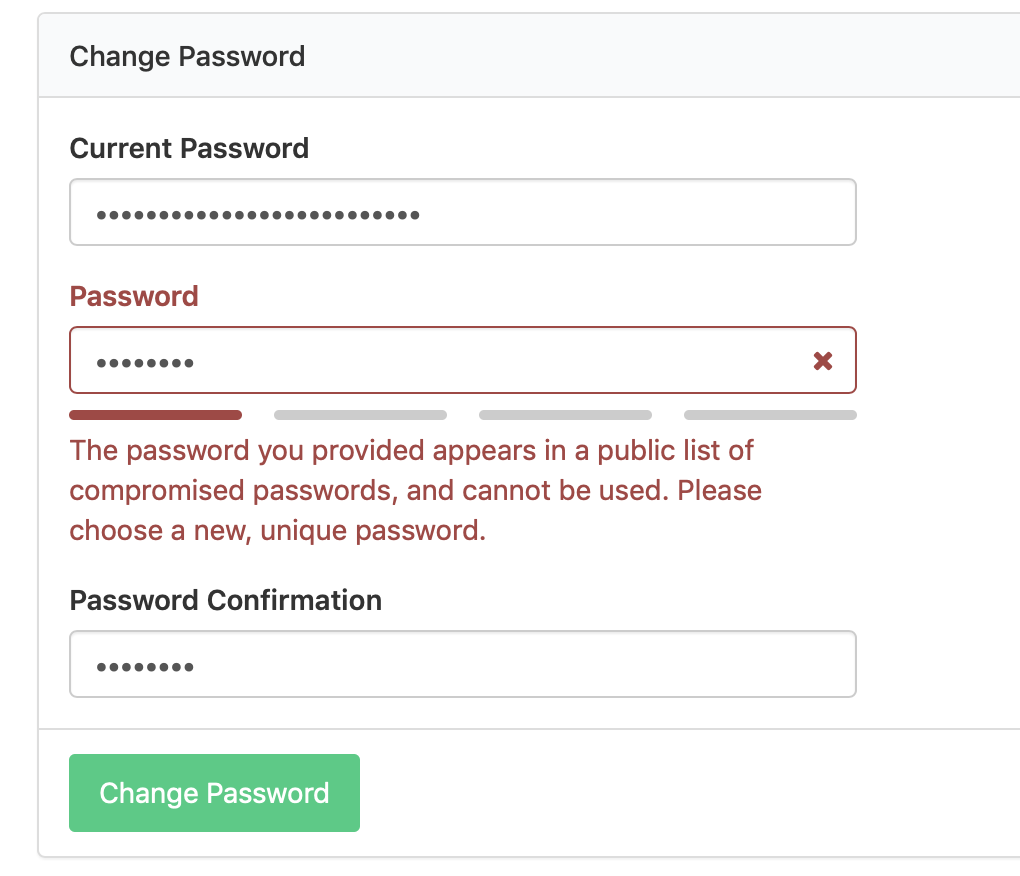
The integration with haveibeenpwned.com uses a technique called k-anonymity hashes, which hashes the password and sends only the first few characters, ensuring there's little risk of disclosing information about your password.
Lachlan
Trigger builds on GitHub fork creation
In addition to running builds when code is pushed to GitHub forks, you can now trigger builds when forks are created 🍽🤖
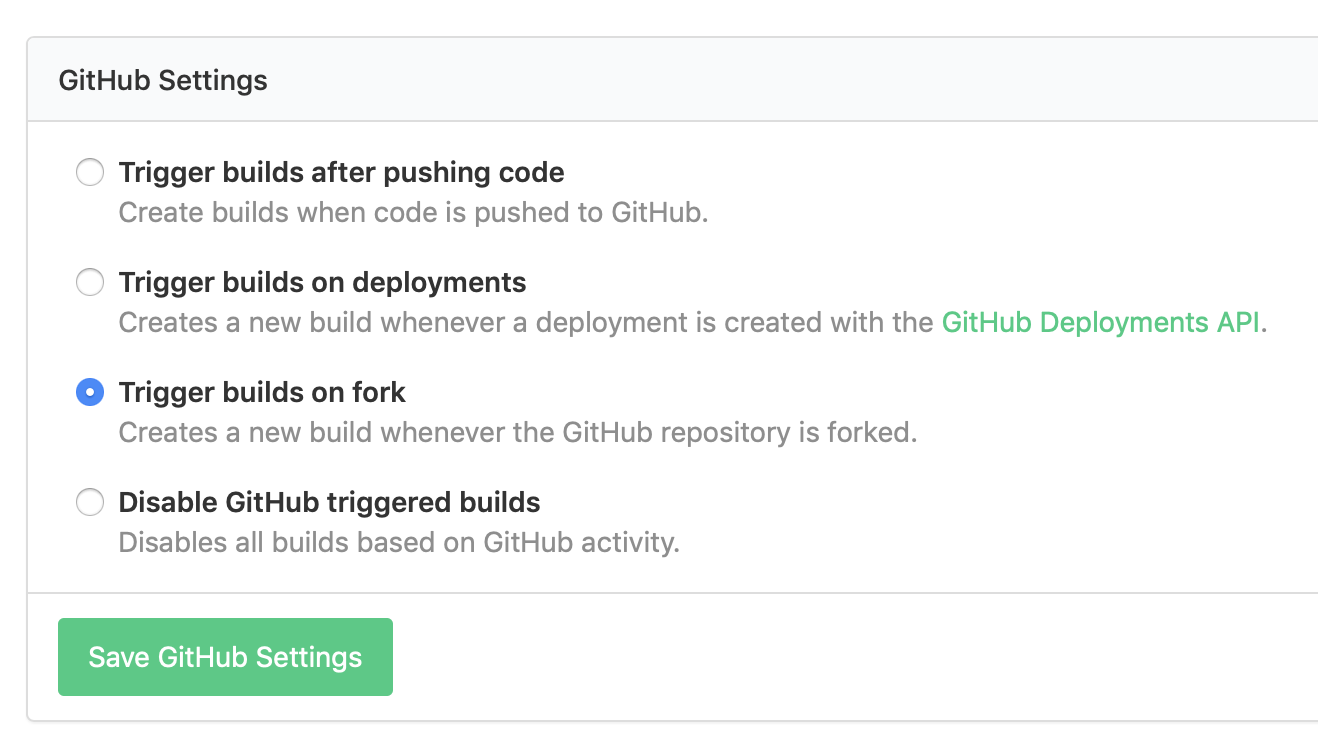
You can use fork events to automatically provision staging environments for example, or to automate other aspects of your fork-based workflows.
Support for the fork event is supported for both GitHub and GitHub Enterprise, and can be configured from your pipeline’s GitHub or GitHub Enterprise Settings.
Justin
New in the Elastic Stack: Experimental Lambda-based Scaler
The latest version of the stack, v4.3.1, introduces a new parameter: EnableExperimentalLambdaBasedAutoscaling.
When set to true it will disable the default Amazon-AutoScaling-powered scaling behavior in favor of a Lambda that handles the scale-out.
The result is a much, much faster scale-out and a much simpler scale-in process that no longer requires lifecycled 🎉
For more information on this parameter, check out our Forum post about it: Experimental Lambda-based Scaler.
Harriet
Command steps can now be made to soft fail
We've added a new soft_fail property to command steps, so you can ensure that some jobs never fail the build 🎈
steps:
  - label: '💨 Smoke Test'
    command: smoke-test.sh
    soft_fail:
      - exit_status: 1
To ensure you're not swallowing unintended errors, soft failures can be configured to handle specific exit statuses. And if a job soft fails, it'll be marked in the pipeline with a red warning icon, letting you keep an eye on it:
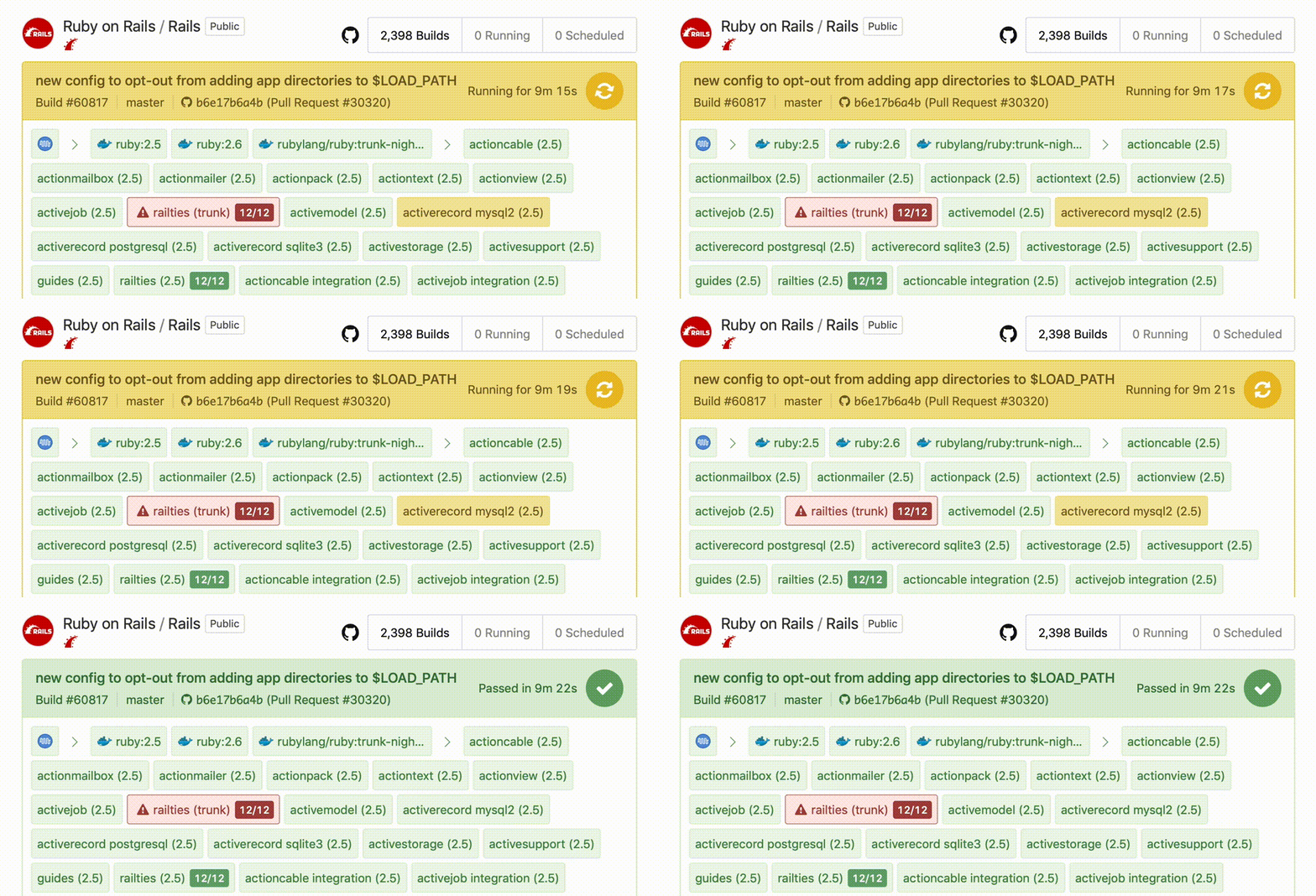
You can read more about the new soft_fail property in the Command Step documentation.
Justin
View pipeline uploads in the job Timeline tab
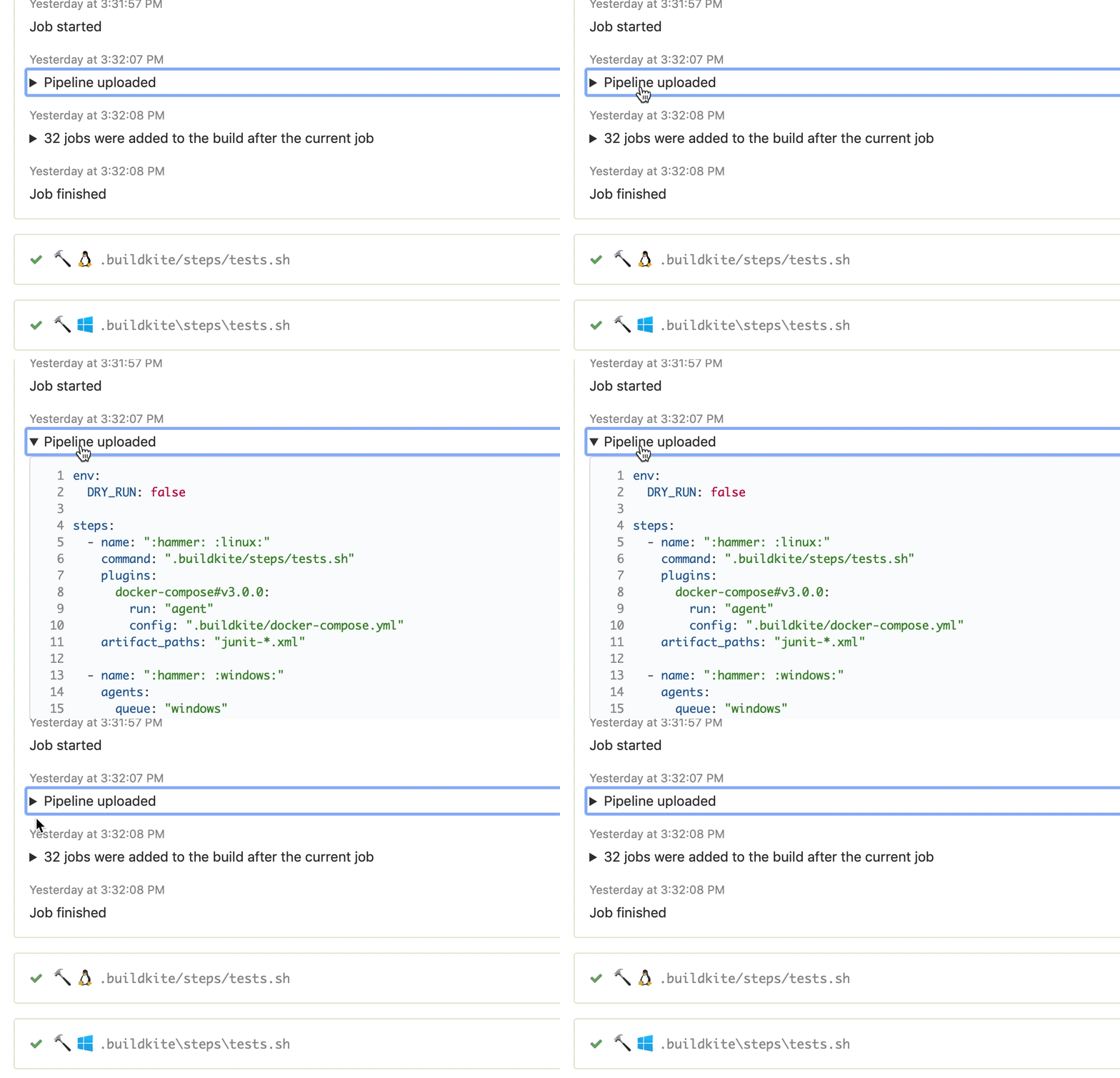
To help debug your dynamic pipeline uploads you can now view pipeline uploads in the job Timeline tab 🆙
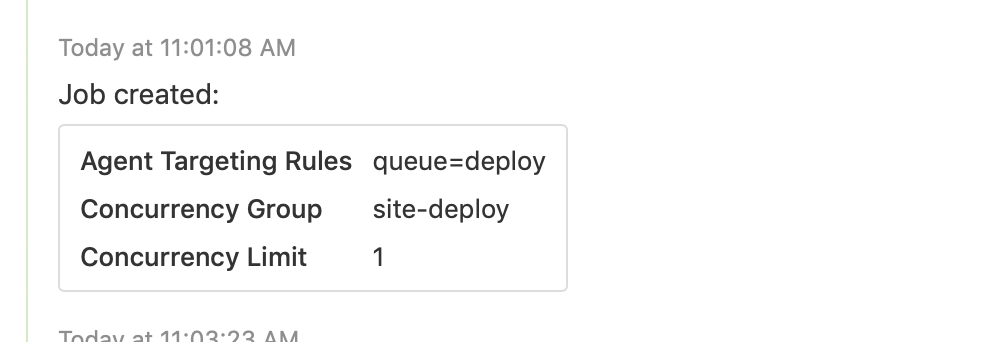
We've also made the job concurrency configuration clearer, by including the concurrency group and limit in the "Job created" timeline item:
Tim
Buildkite Changelog now has an Atom feed
You can now pipe updates from the Buildkite Changelog directly into your Slack channels, or other team chat tool, using the new Atom feed 🐶🗞
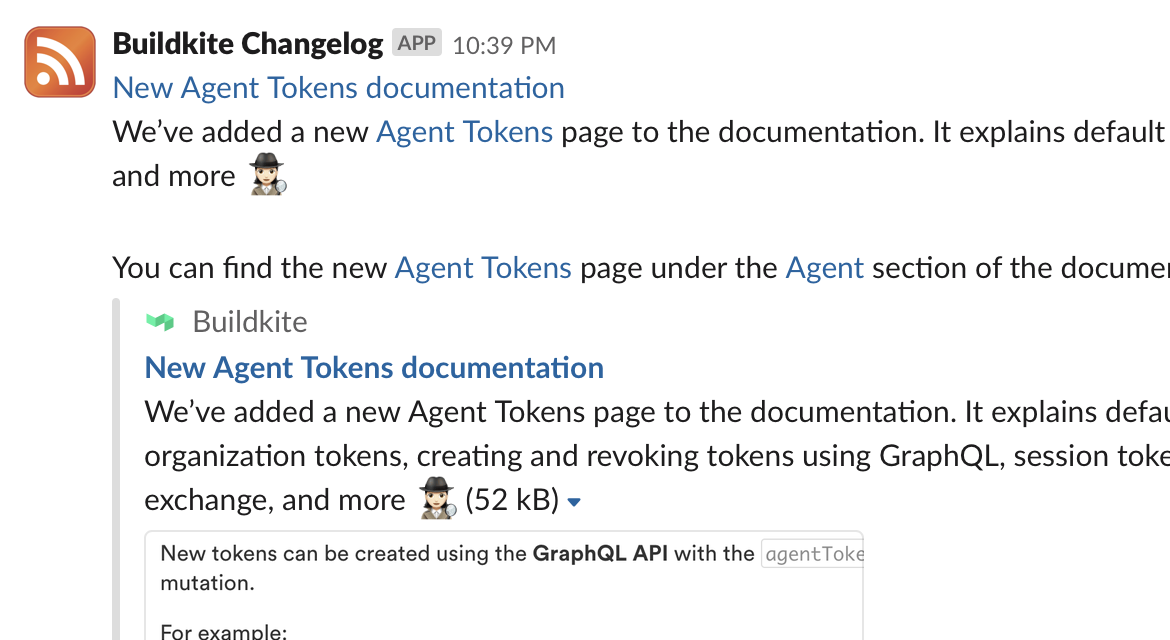
If you use Slack, see Slack’s guide to adding feeds. If you use other tools, or you need the full feed URL, you can access the new feed at https://buildkite.com/changelog.atom ✨
Lachlan
Public build pages for open source
Buildkite pipelines can now made publicly visible, allowing them to be opened up to the world for the first time! 🌏
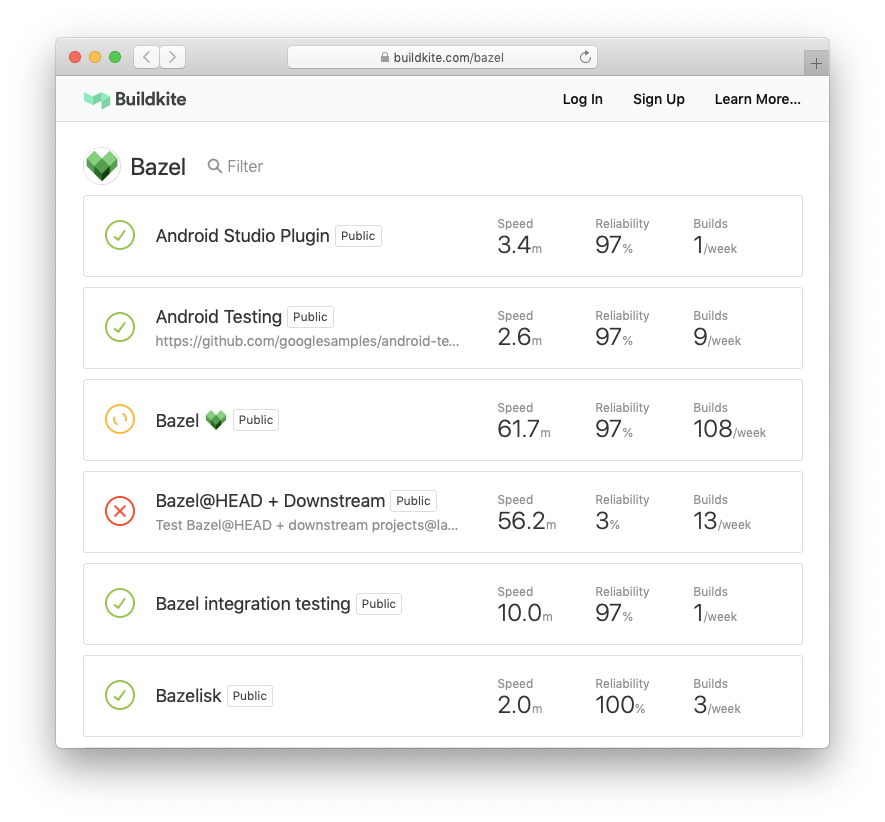
If you’re an account admin, you can enable read-only public access for a pipeline from the pipeline settings page.
Many customers and projects are already using them, such as Angular.js and Bazel, and we'd love to read any feedback or ideas you might have on our new beta community forum.
Public pipelines are just the first in a series of improvements we have coming for open-source projects—we’re just getting started!
p.s. Did you know we offer free plans for open source projects? 😘
Justin
Run pipelines locally with bk cli 🤖
We've been working on a command-line tool for Buildkite for a while. Recently it's been upgraded with a local pipeline runner for testing out pipelines locally on your development machine.
We use this for testing plugins, and quickly iterating on pipelines in development. Secretly, it was just an experiment to use the image support in iTerm 2 for rendering inline custom emojis 😉💥
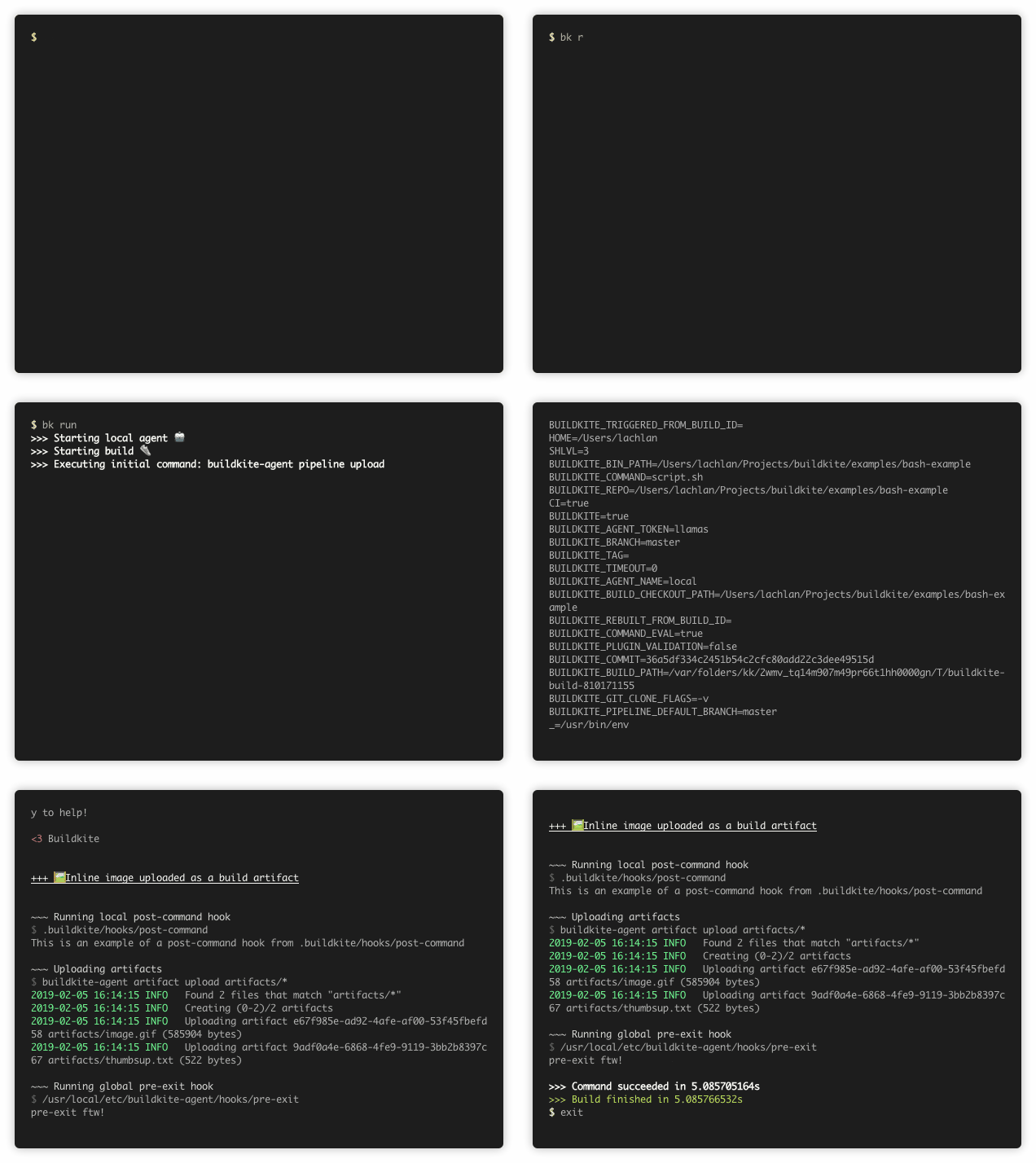
Download the latest release and let us know what you think.
Lachlan
A new artifact delete button and two new delete APIs
You can now delete artifacts that you no longer want stored on Buildkite with the new delete button in the Artifacts tab:
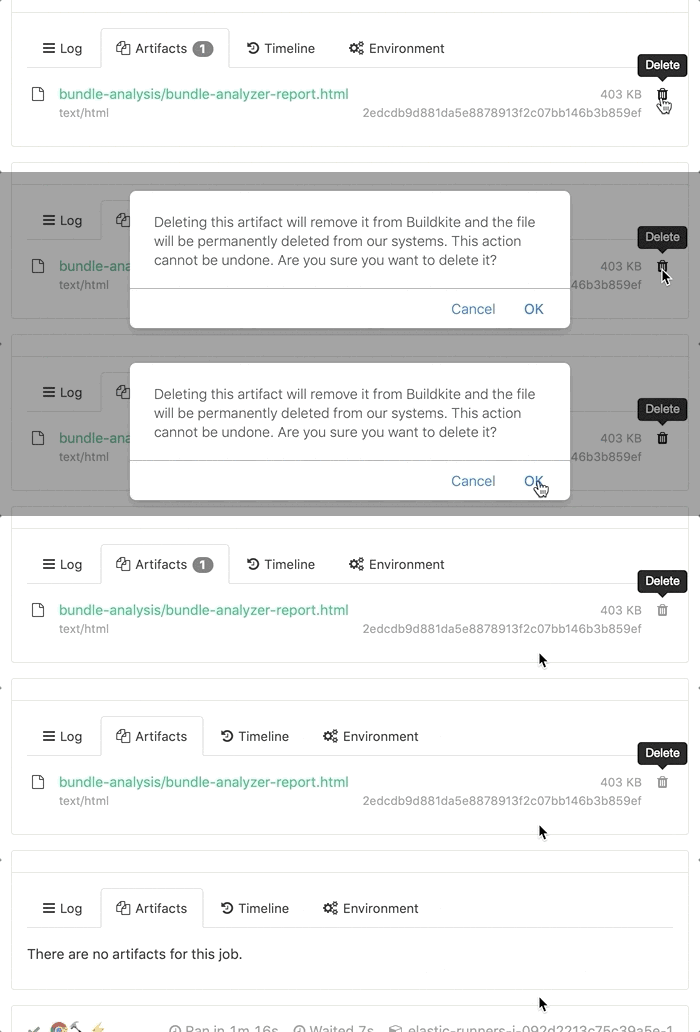
When you delete an artifact, it's permanently deleted from our AWS S3 storage and removed from the job’s artifact list. If you’re using your own S3 bucket or Google Cloud Storage bucket for artifact storage, you'll need to manually remove them from your artifact store (don’t worry, we'll remind you to do this in the confirmation message).
If you’re performing deletions over a large number of builds, or wanting to automate deletion in general, we've updated the REST APIs to add support both artifact deletion and job log deletion.
Eleanor
Parallel jobs now show as a single group
We’ve updated the pipeline view of parallel jobs, so instead of showing every individual job they’re now shown as a single, expandable group 🎲
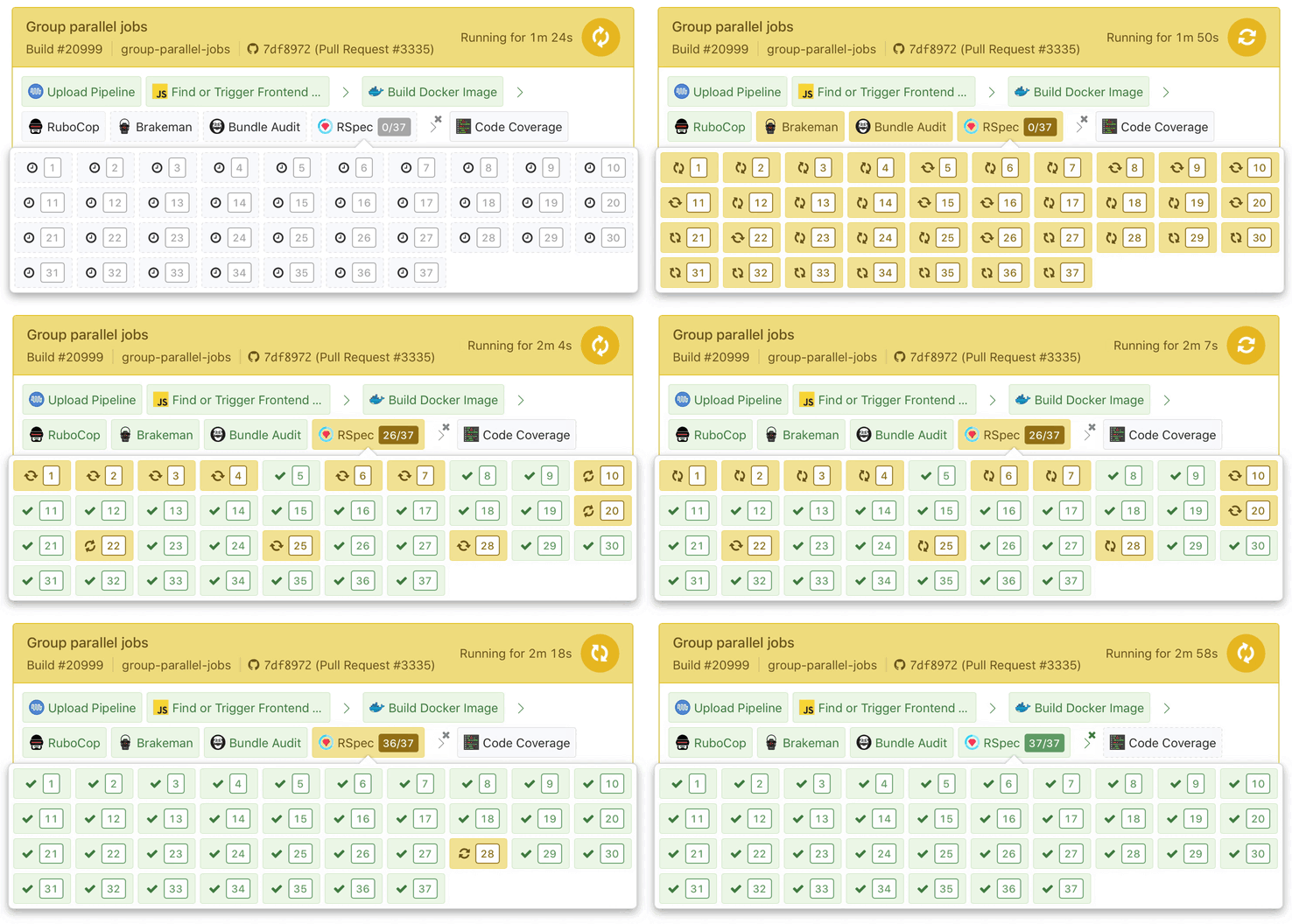
Each parallel job on the build page now also shows their number, and the parallel group size, alongside their label 🏷
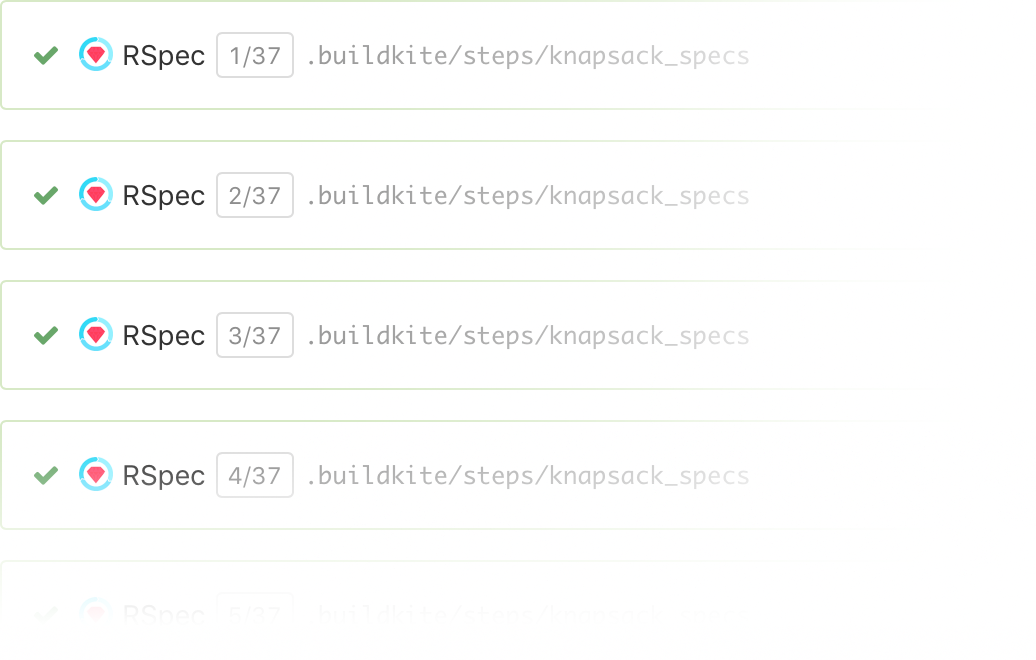
Parallel jobs are a powerful way to reduce your build time by distributing your tests across agents 🌪 You can read about them in the parallel job documentation, or see them in action in the parallel testing screencast.
Jessica
Upload user avatars and organization icons
You can now upload a user avatar directly on Buildkite. 🤳🏻 You’ll find the option to either drag-and-drop, or browse for an avatar in your Personal Settings!
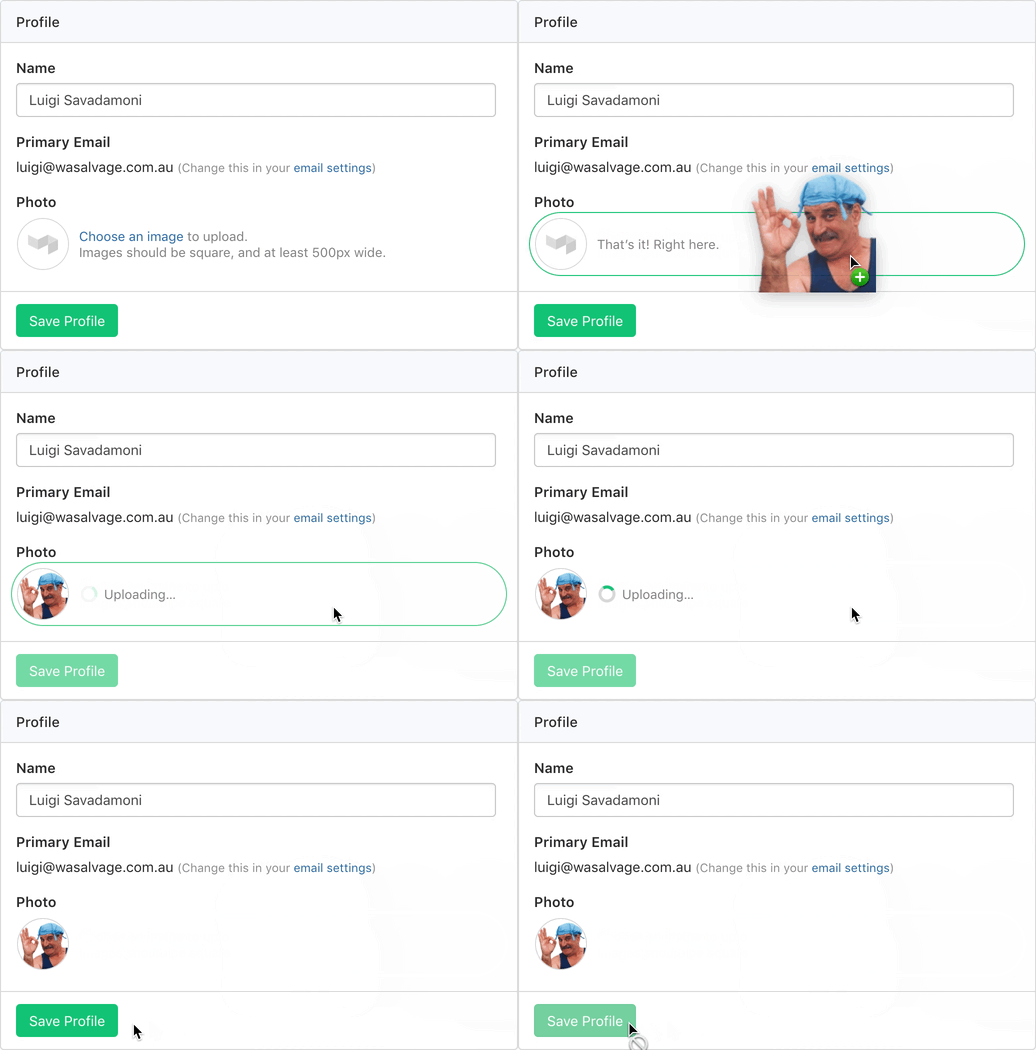
If you don’t upload an avatar directly, we’ll continue to use your Gravatar, or if you use Buildkite via Single Sign-On, the avatar from your SSO provider.
Finally, organization admins can find a new option to upload an icon under Organization Settings. 🖼 That icon will be used in the organization switcher, as well as shown alongside Single Sign-On prompts.
Jessica
Autocomplete for your pipeline.yml files
The Buildkite pipeline schema is now available in the JSON Schema Store and on GitHub, allowing you to autocomplete and validate your pipeline YAML files as you write them 📝✨
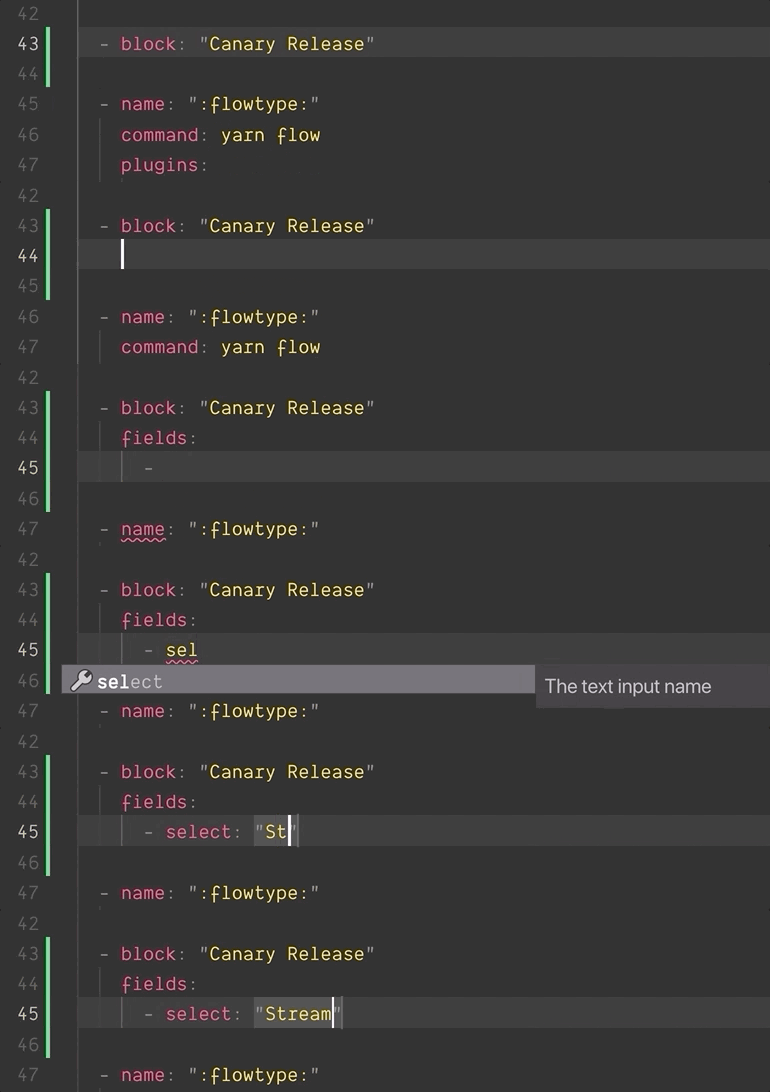
Any editor extension that supports RedHat YAML Language Server will automatically pick up support, including:
- vscode-yaml for VS Code
- ide-yaml for Atom
- coc-yaml for vim and neovim
- Eclipse Che
If you’ve built your own dynamic pipeline tools or plugins you can use the full JSON schema in your tests, or to validate your pipelines before uploading them to Buildkite.
Tim
Beta: Defining Pipeline Build Steps with YAML
We've just shipped a new beta feature giving you the ability to define your initial build steps using the same pipeline YAML format that you use in source code.
This means that you can now configure trigger steps, block steps with input fields, and plugins independently of your pipeline’s source repository. YAML steps will become the default for all new pipelines once the beta is complete.
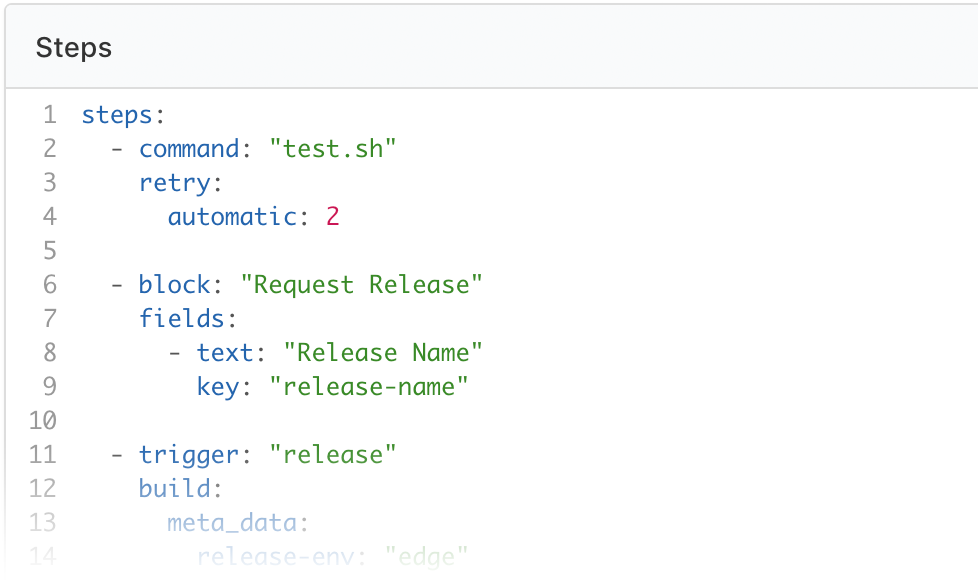
Head on over to your "Pipeline Settings" page to convert your pipeline to YAML Steps.
You can read more about the feature and give us feedback in the Buildkite Community Forum
Keith
Two-Factor Authentication
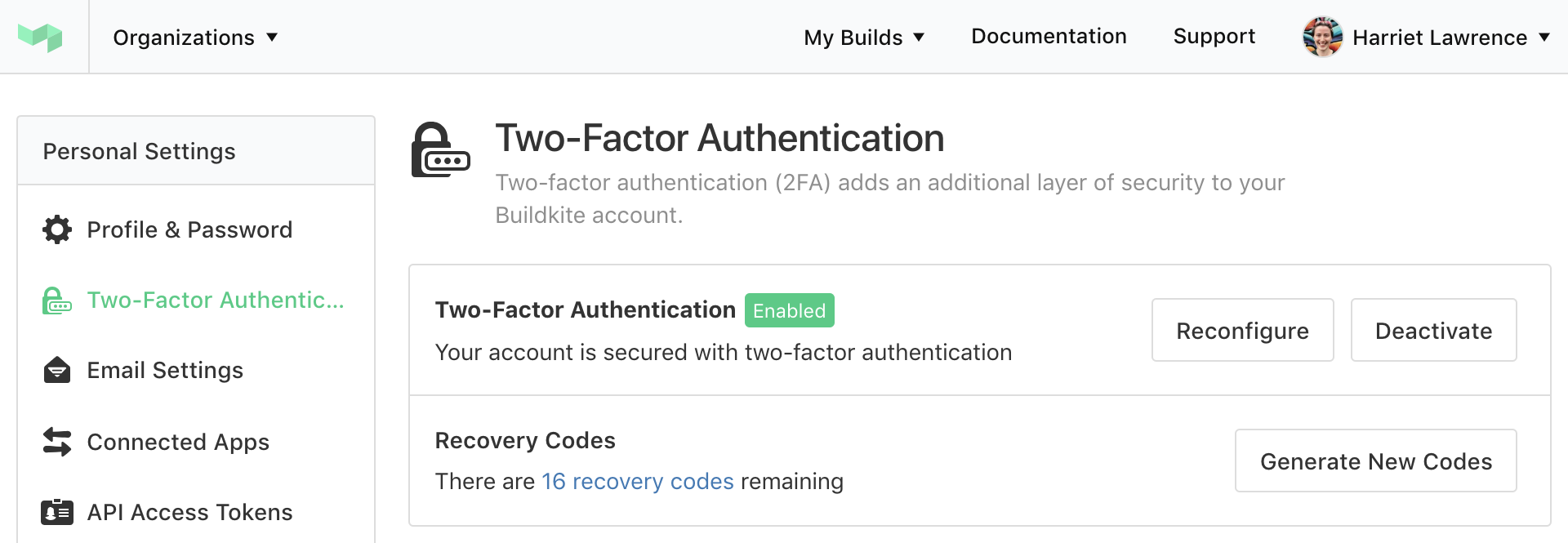
Two-factor authentication for user accounts has just been released 🚀📟✨
You can find two-factor authentication in the sidebar of your Personal Settings. Set up your One Time Password with your favorite authenticator application, and don't forget to save your recovery codes somewhere secure 🗃💾💿
Harriet
Blocked Builds
Build pipelines that finish with a click to unblock step now have a new state: Blocked! 🚧
You'll see some nice new icons across the Buildkite website and the build will now show as "Blocked" in notification services.
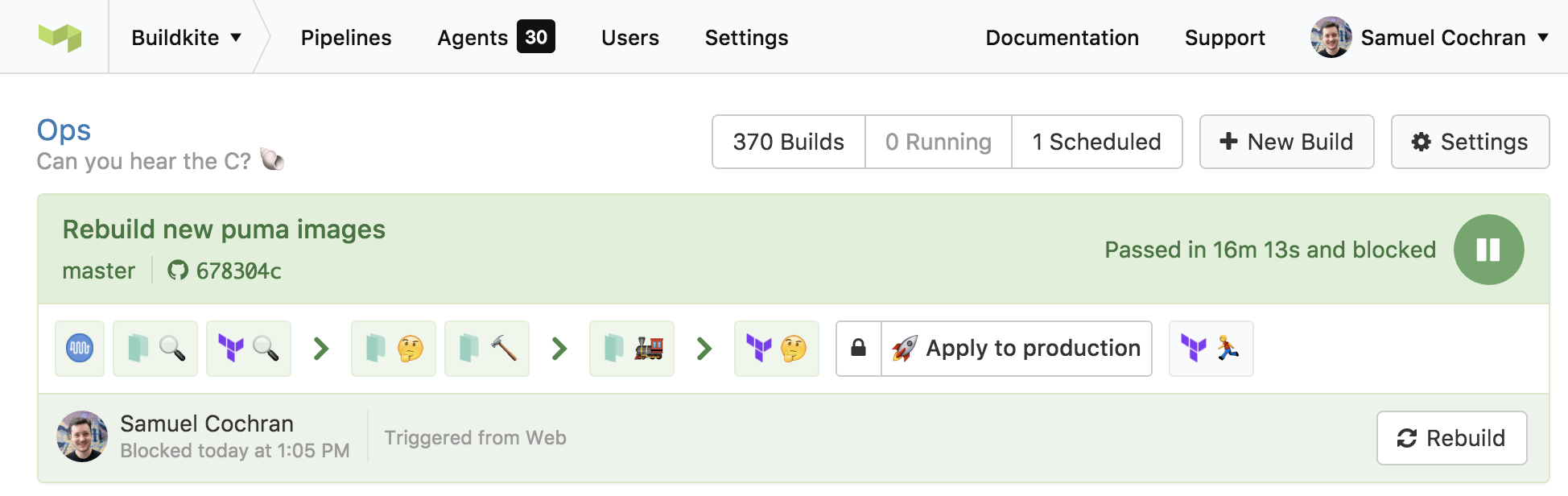
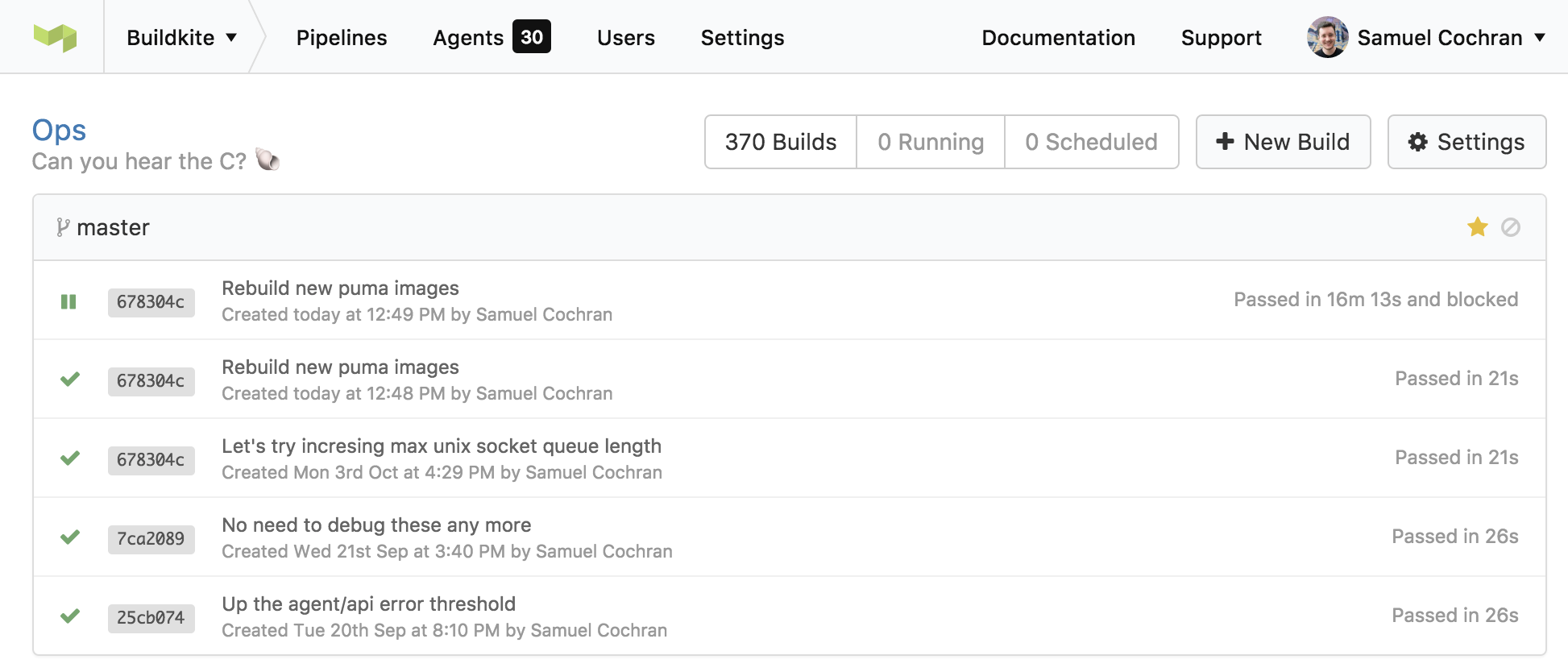
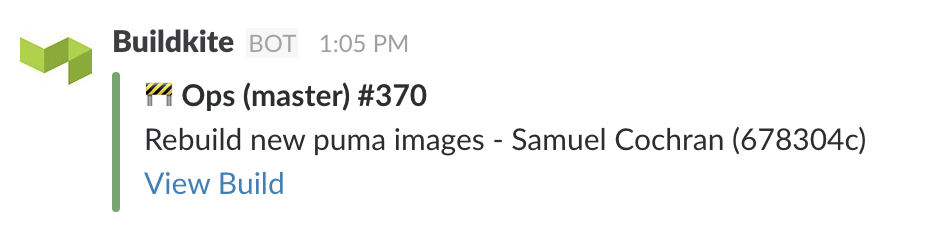
For now, webhooks and the API are unchanged so we don't affect your existing integrations. Keep an eye out for these changes in a future update to the API!
Samuel
Elastic CI Stack for AWS

To make it easier for you to setup a build stack on AWS we've released the Elastic CI Stack for AWS ⚡ a pre-built CloudFormation stack that gives you autoscaling based on build metrics, centralized CloudWatch agent logging, and S3 bucket support for configuring pipeline secrets.
You can read all about it on our new blog Building Buildkite, the GitHub Readme or our step-by-step guide.
Keith
Export build pipelines as YAML
Transitioning your build pipeline definitions from the web into your source control used to mean rewriting them by hand, which in same cases could have taken a while and made you a sad panda... 
We wanted to make this transition easier, so we've given you the ability to export your pipelines as pre-formatted - ready to rock and roll - pipeline.yml files 🌟
So now you can turn this...
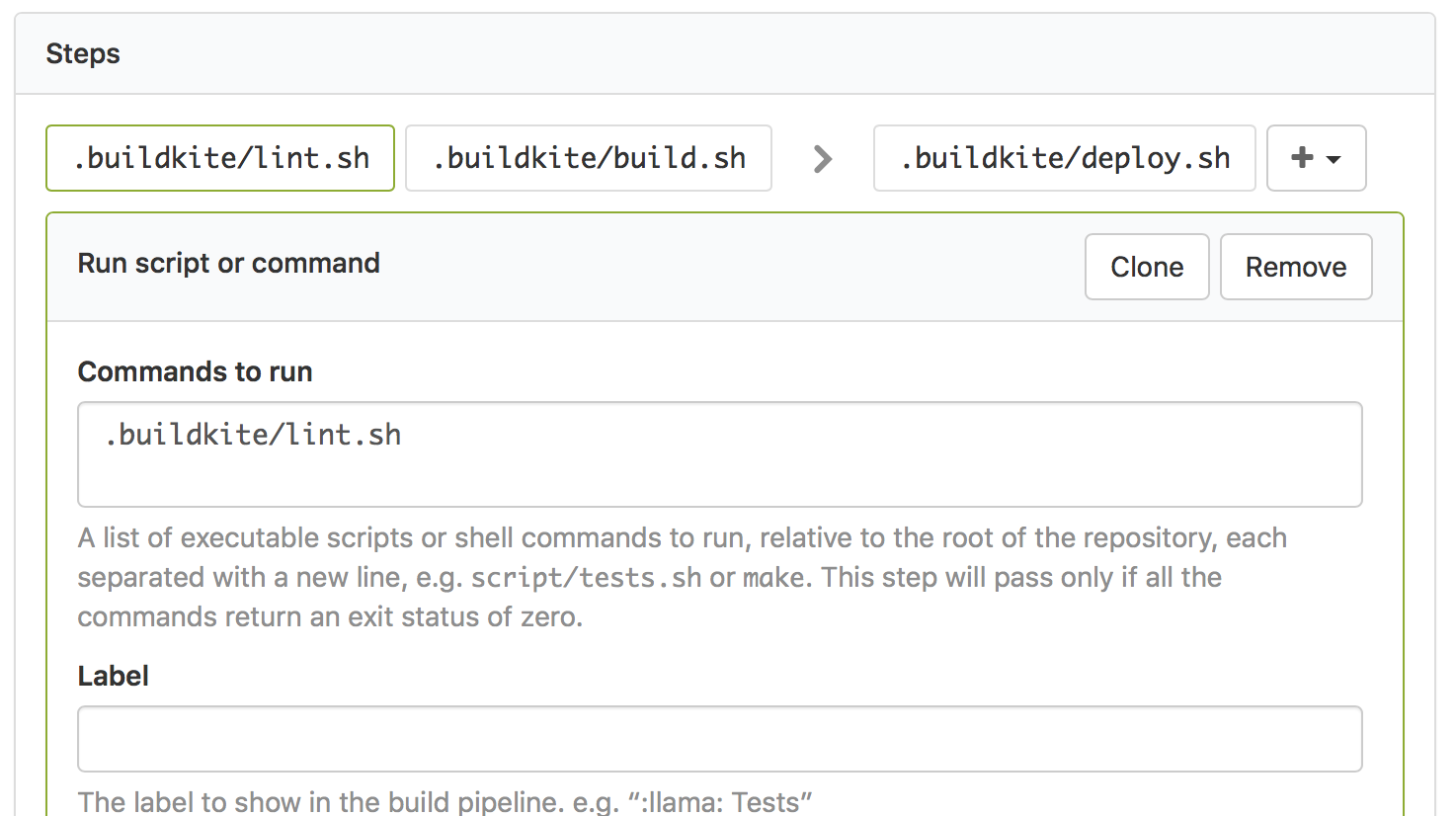
...into this...
steps:
  - command: ".buildkite/eslint.sh"
  - command: ".buildkite/webpack.sh"

  - wait

  - command: ".buildkite/deploy.sh"
    branches: "master"
You can find the new export feature over on the Pipeline Settings page...
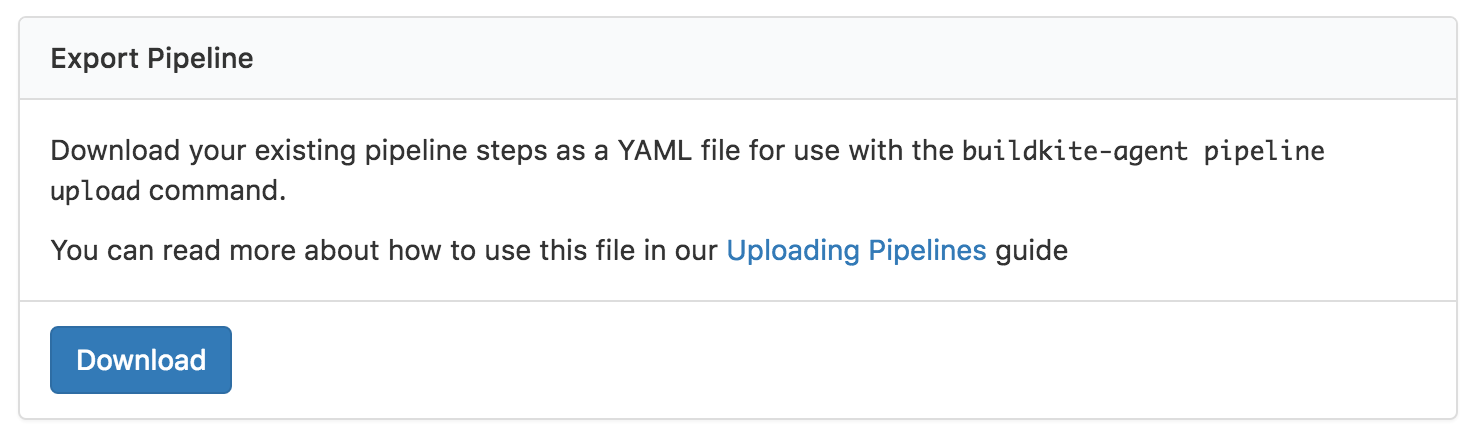
Check out our Uploading Build Pipelines guide and pipeline.yml documentation if you'd like to learn more about you can do with pipeline definition files 📖
Keith
Buildkite now available as a StatusPage.io Third-Party Component
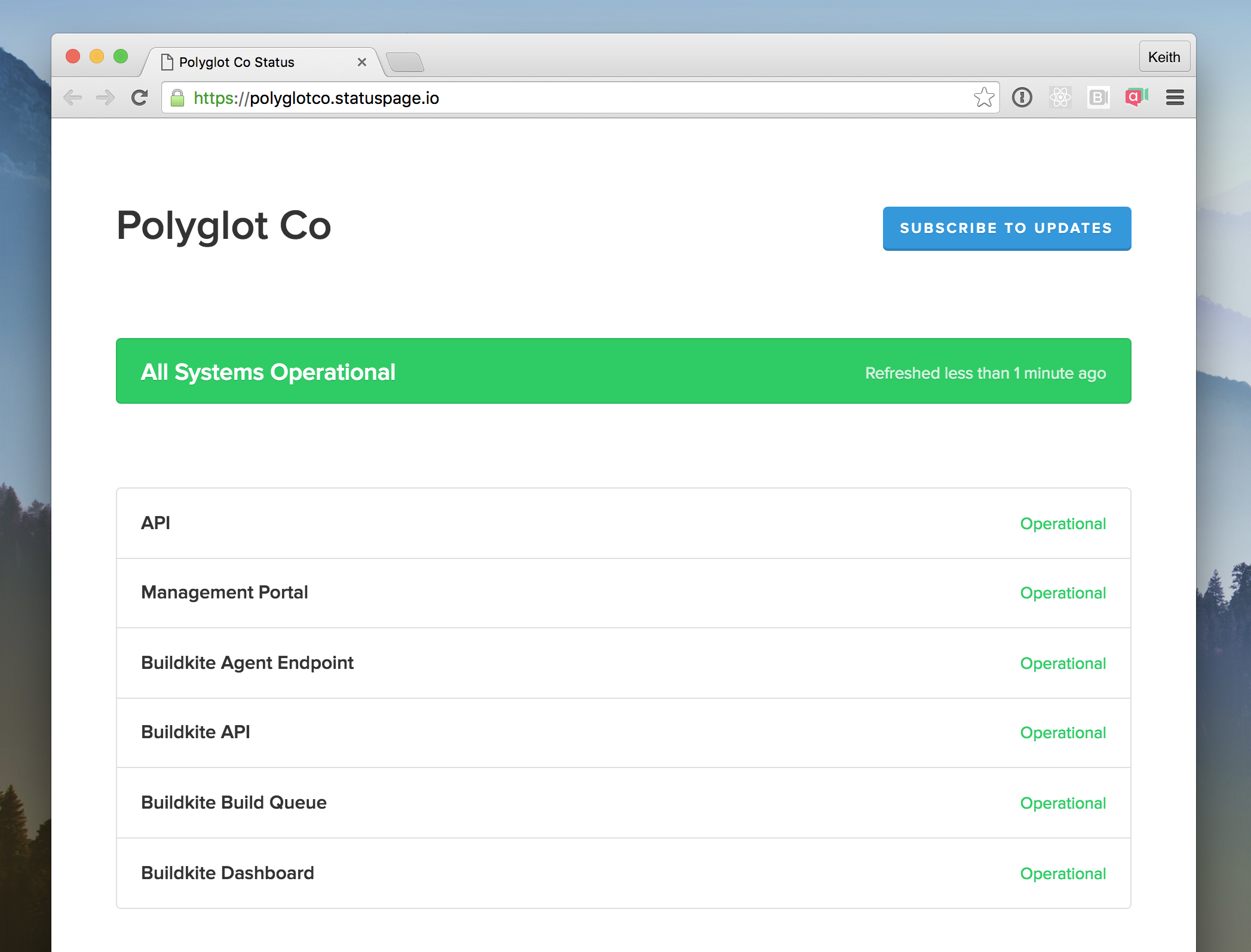
If you use StatusPage.io you'll be pleased to know you can now find Buildkite in the Third-Party Component list, so when Buildkite experiences an outage (which is hopefully never) then your StatusPage will automatically update. Such automation! ✨
Keith
Skipped jobs are now hidden by default
To make it easier to see which jobs were run in a build and which ones were skipped, we’ve updated build pipelines to hide skipped jobs by default ✨
No more seeing a disabled 🚀 step in a pull requests’s build pipeline 👏
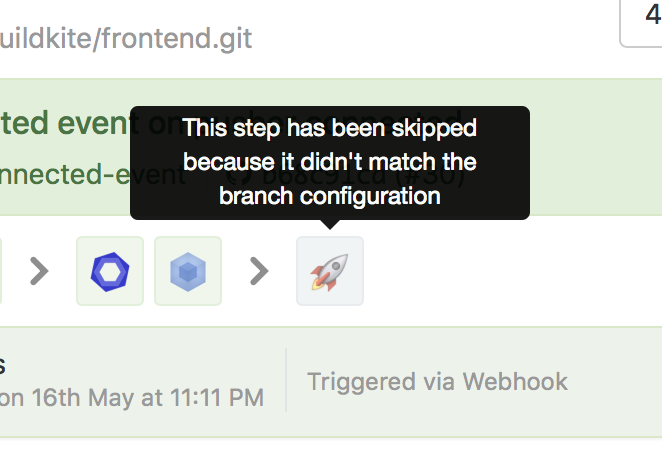
If you want to see what jobs were skipped you can use the “Show skipped jobs” button on the right hand side of the pipeline 👀
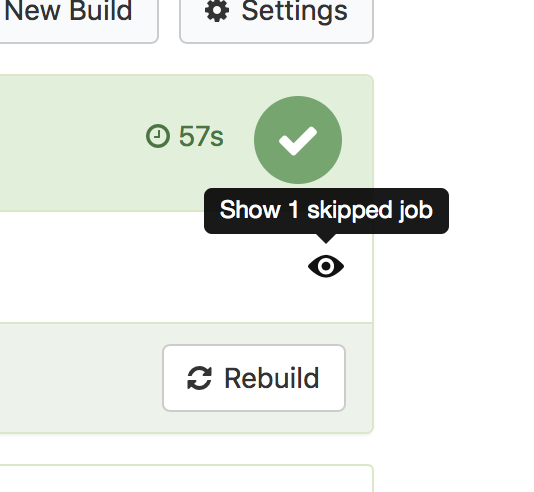
Once you’ve shown the skipped jobs you can hover over them to see why they were skipped:
We’ve also added the ability to add branch filter patterns to block steps so you can hide these too (and a new skip property to manually skip a step):
steps:
  - command: ".buildkite/tests.sh"

  - command: ".buildkite/lint.sh"
    skip: "Linting is currently broken, skipping for now"

  - block: "Deploy to production"
    branches: "master"

  - command: ".buildkite/deploy.sh"
    branches: "master"
For more examples check out the updated Build Pipelines agent documentation and the Uploading Build Pipelines guide.
Keith

