Autocomplete for your pipeline.yml files
The Buildkite pipeline schema is now available in the JSON Schema Store and on GitHub, allowing you to autocomplete and validate your pipeline YAML files as you write them 📝✨
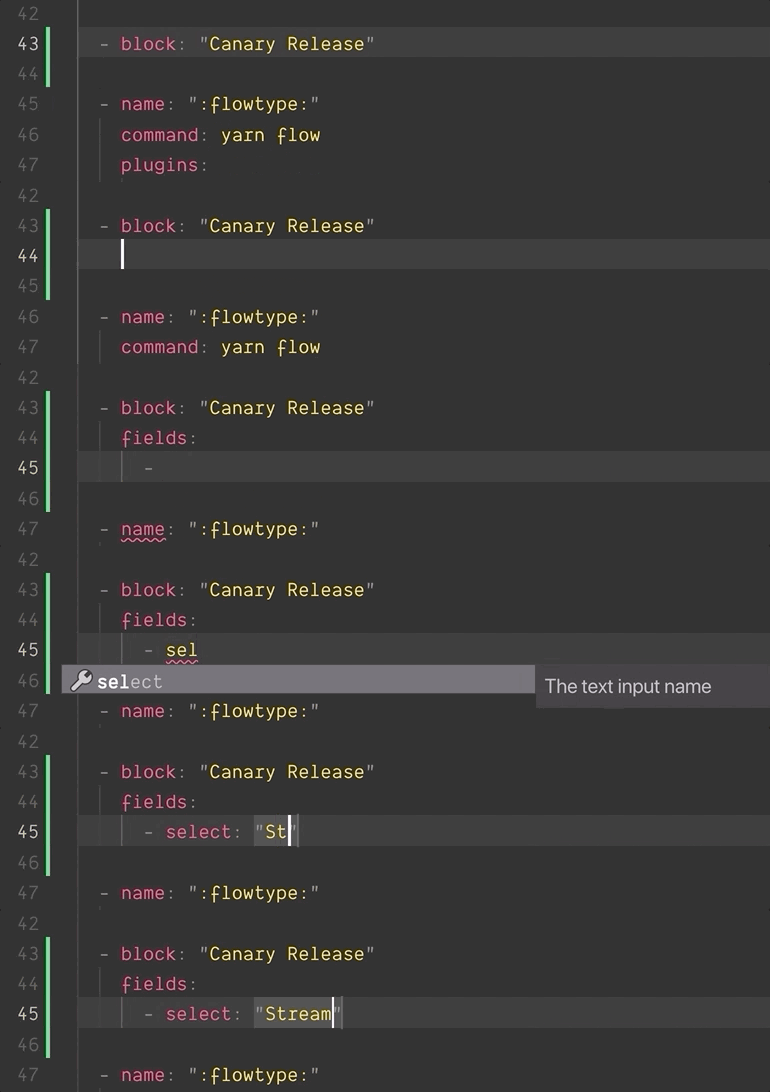
Any editor extension that supports RedHat YAML Language Server will automatically pick up support, including:
- vscode-yaml for VS Code
- ide-yaml for Atom
- coc-yaml for vim and neovim
- Eclipse Che
If you’ve built your own dynamic pipeline tools or plugins you can use the full JSON schema in your tests, or to validate your pipelines before uploading them to Buildkite.
Tim
New Screencast: Docker
There's a new screencast available at buildkite.com/screencasts/docker 🎉
The Docker screencast walks through a Docker workflow in Buildkite: building, testing, and deploying an image to production. The pipeline and code you'll see in the screencast are also available on GitHub: https://github.com/buildkite/screencast-examples/
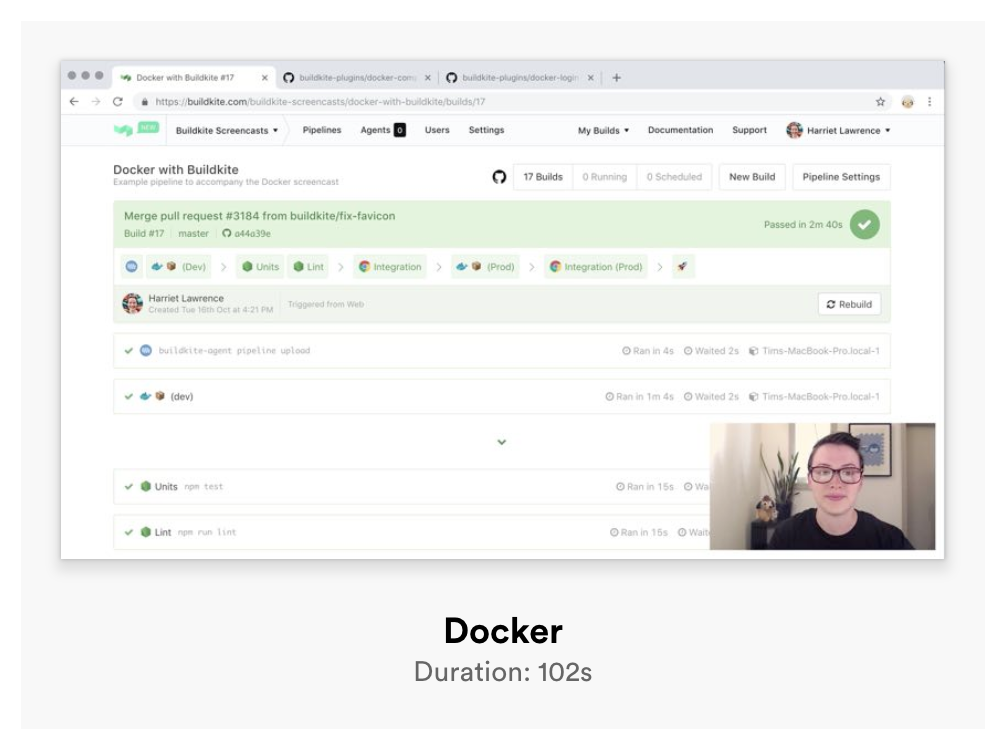
You can check out the Docker screencast, and all the others, at buildkite.com/screencasts
Harriet
Agents prior to 2.0 are no longer supported
Some of you may not know this, but Buildkite actually used to be called Buildbox! We changed our name back in December 2014.
From today, BUILDBOX_* environment variables won't be generated for new jobs.
We've confirmed there are no agents running this version connected to Buildkite, however we can't tell if you're referencing any BUILDBOX_* environment variables in your build scripts. If you are, please update them to use their BUILDKITE_* equivalent.
You can see our environment variable documentation for a full list of current job environment variables.
Eleanor
Canceled builds now show who canceled
We've just shipped a small update to the build page to include the user who canceled the build 🙅♀️🙅♂️
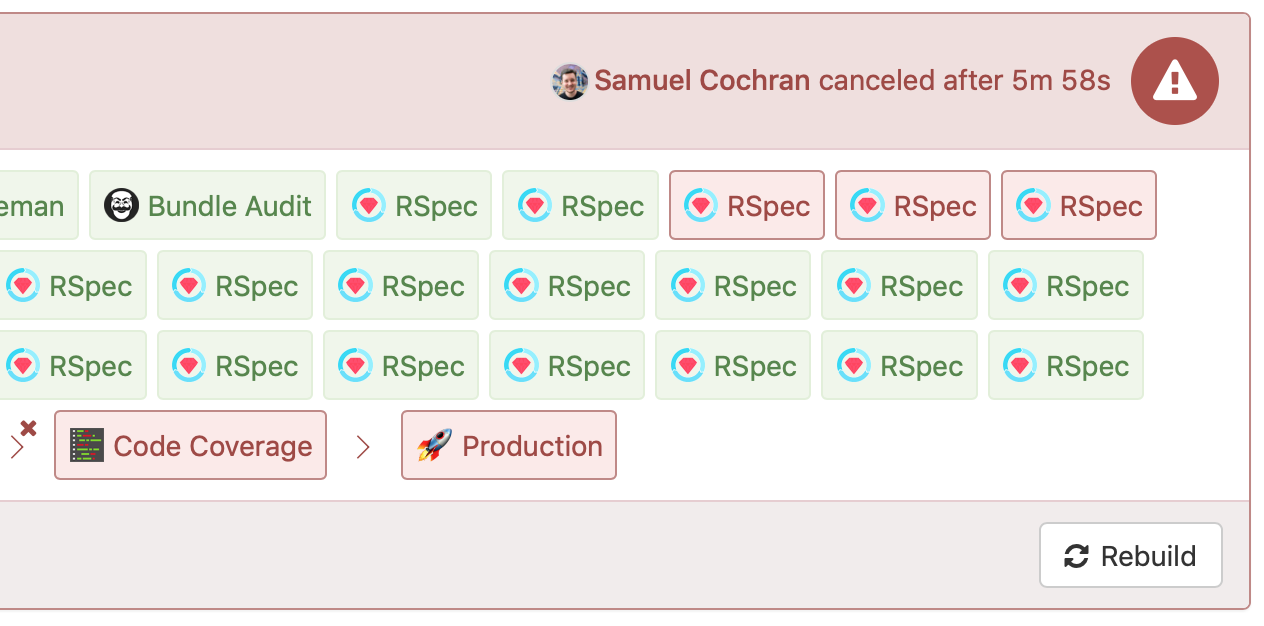
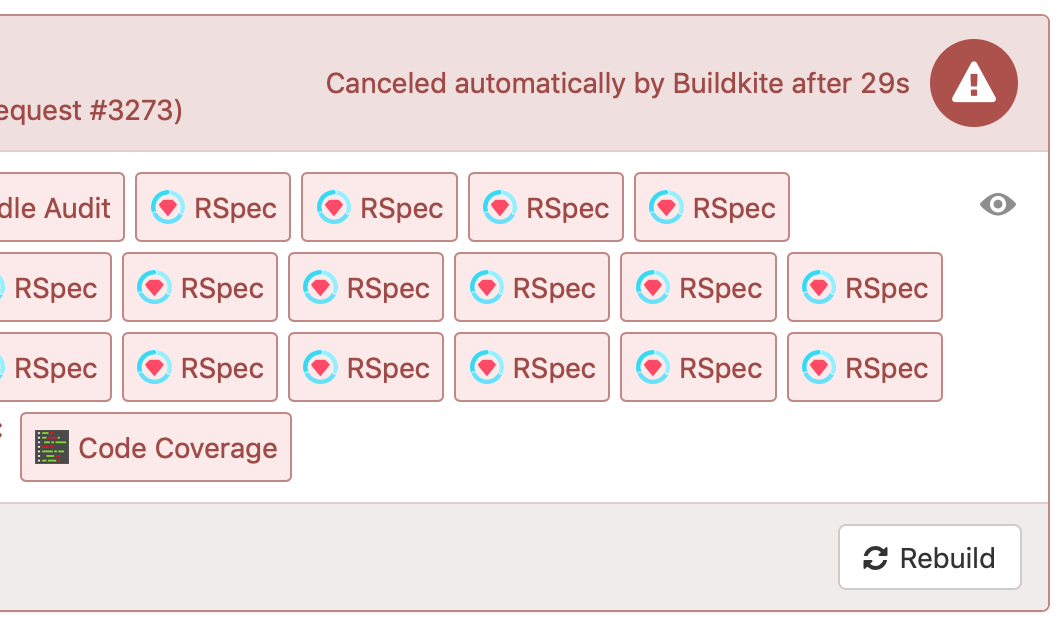
And if your build was canceled due to Build Skipping (e.g. if you’ve enabled "Cancel Intermediate Builds") we'll show that too:
Keith
Beta: Defining Pipeline Build Steps with YAML
We've just shipped a new beta feature giving you the ability to define your initial build steps using the same pipeline YAML format that you use in source code.
This means that you can now configure trigger steps, block steps with input fields, and plugins independently of your pipeline’s source repository. YAML steps will become the default for all new pipelines once the beta is complete.
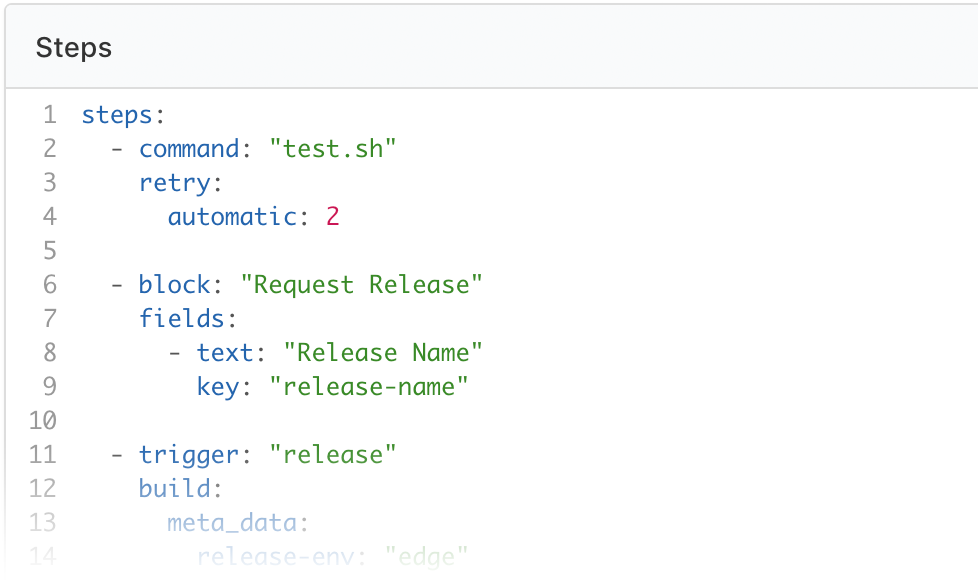
Head on over to your "Pipeline Settings" page to convert your pipeline to YAML Steps.
You can read more about the feature and give us feedback in the Buildkite Community Forum
Keith
Two-Factor Authentication
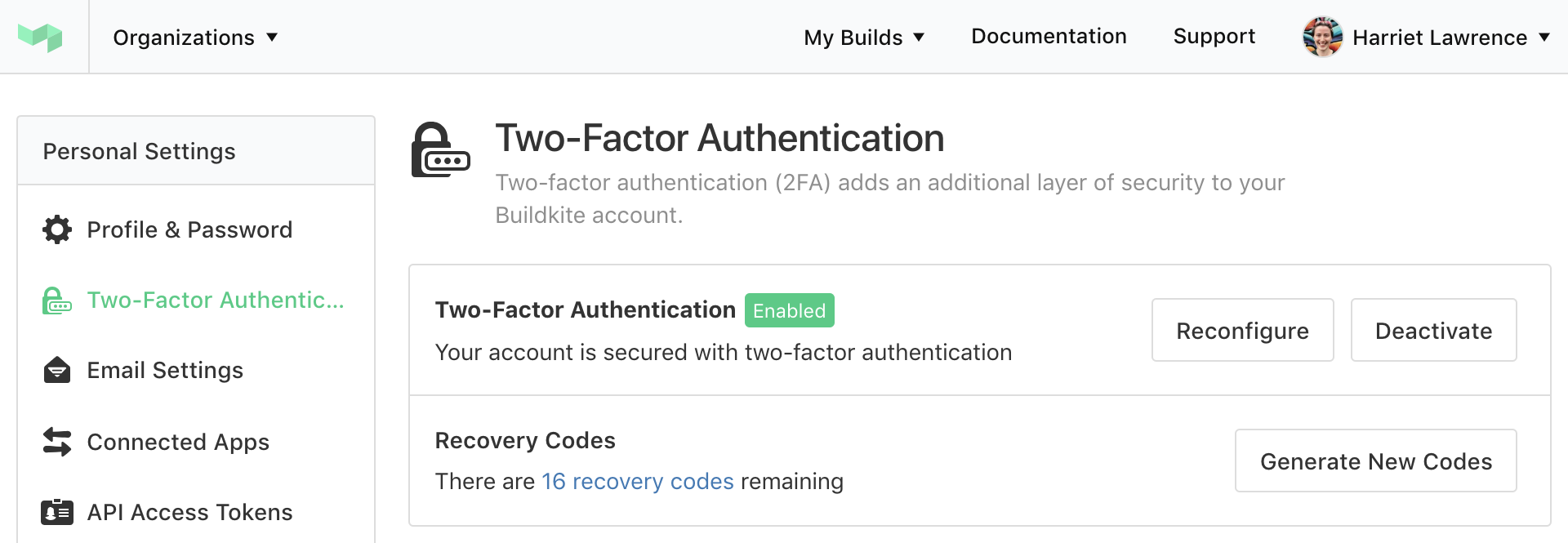
Two-factor authentication for user accounts has just been released 🚀📟✨
You can find two-factor authentication in the sidebar of your Personal Settings. Set up your One Time Password with your favorite authenticator application, and don't forget to save your recovery codes somewhere secure 🗃💾💿
Harriet
Docker Plugin v2
Buildkite Docker Plugin v2.0.0 has been released, and includes:
- Support for multi-line commands
- A new
commandoption for using single-binary/command line Docker images - Windows container support
steps:
  - command: 'dotnet publish -c Release -o published'
    plugins:
      - docker#v2.0.0:
          image: 'microsoft/dotnet:latest'
          always-pull: true
See all the details, and upgrade instructions, on the release notes: https://github.com/buildkite-plugins/docker-buildkite-plugin/releases/tag/v2.0.0
Lachlan
Blocked Builds
Build pipelines that finish with a click to unblock step now have a new state: Blocked! 🚧
You'll see some nice new icons across the Buildkite website and the build will now show as "Blocked" in notification services.
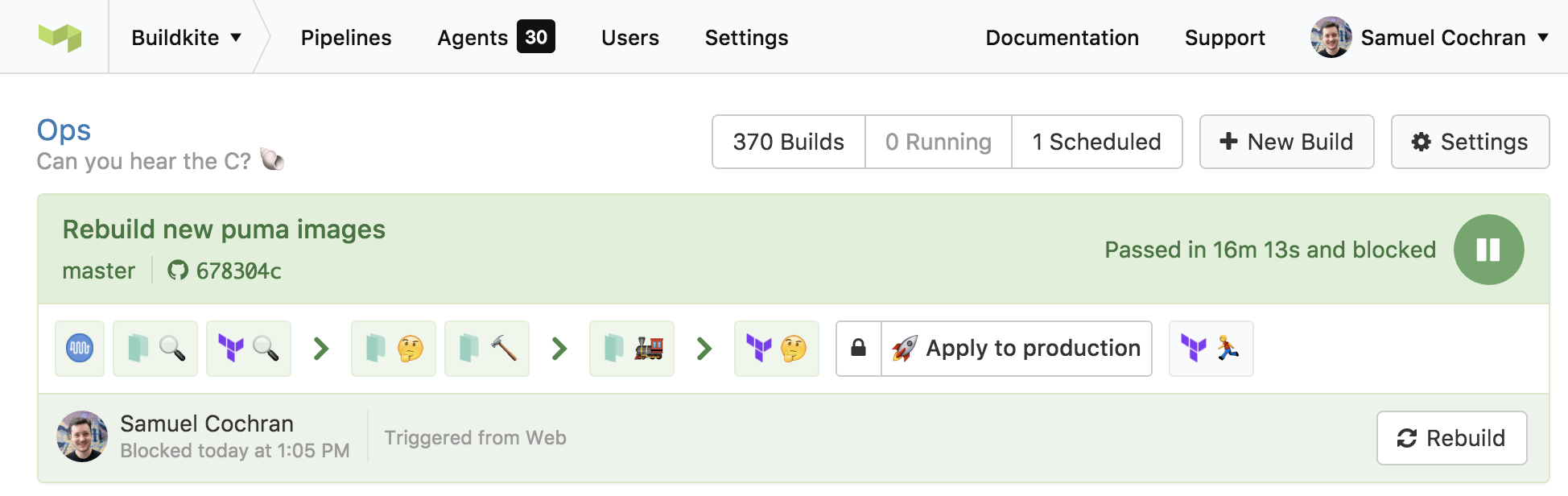
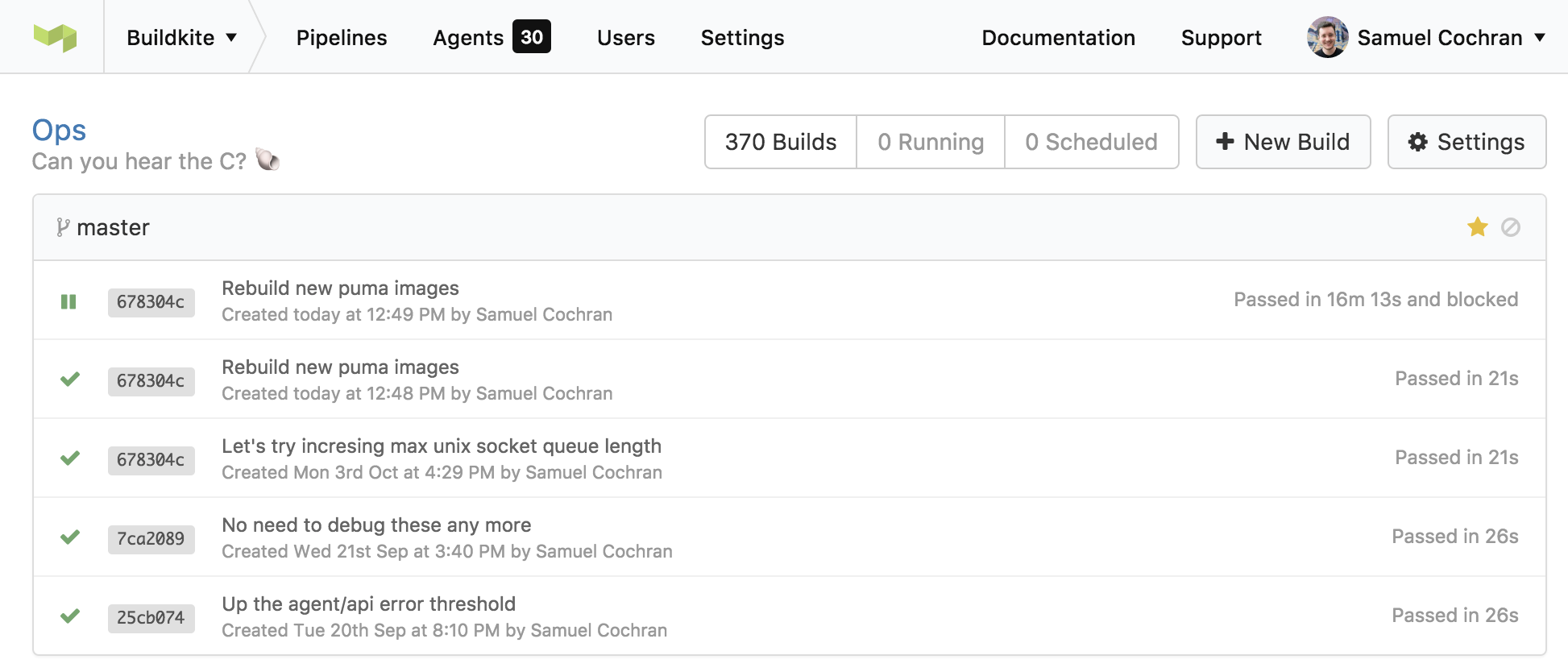
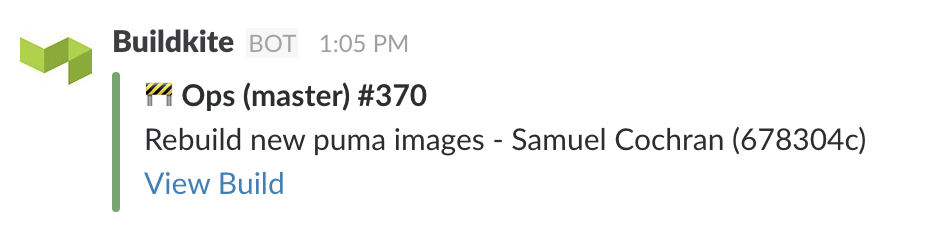
For now, webhooks and the API are unchanged so we don't affect your existing integrations. Keep an eye out for these changes in a future update to the API!
Samuel
Buildkite Agent 2.2
We’ve just released Buildkite Agent v2.2 (Brangelina) 💑💔
So what's changed since Buildkite Agent 2.1.14?
Features
 The
The buildkite-agentbinary is now built with Golang 1.7 giving us support for macOS Sierra- 💨 The agent now talks HTTP2 making calls to the Agent API that little bit faster
- 📦 The binary is a statically compiled (no longer requiring
libc) 
meta-data-ec2andmeta-data-ec2-tagscan now be configured usingBUILDKITE_AGENT_META_DATA_EC2andBUILDKITE_AGENT_META_DATA_EC2_TAGSenvironment variables
(Possible)? Breaking changes
We've removed our dependency of libc for greater compatibly across *nix systems which has had a few side effects:
- We've had to remove support for changing the process title when an agent starts running a job since it required
libcto work. This feature has only ever been available to users running 64-bit Ubuntu. We'd like to bring this feature back in the future in a way that doesn't have us relying onlibc - The agent will now use Golangs internal DNS resolver instead of the one on your system. This probably won't effect you in any real way, unless you've setup some funky DNS settings for
agent.buildkite.com
The release has been published to the Buildkite package repositories. For instructions on upgrading your agent please see the Upgrading section in the corresponding section of our installation documentation.
Keith
Improved organization invitation system
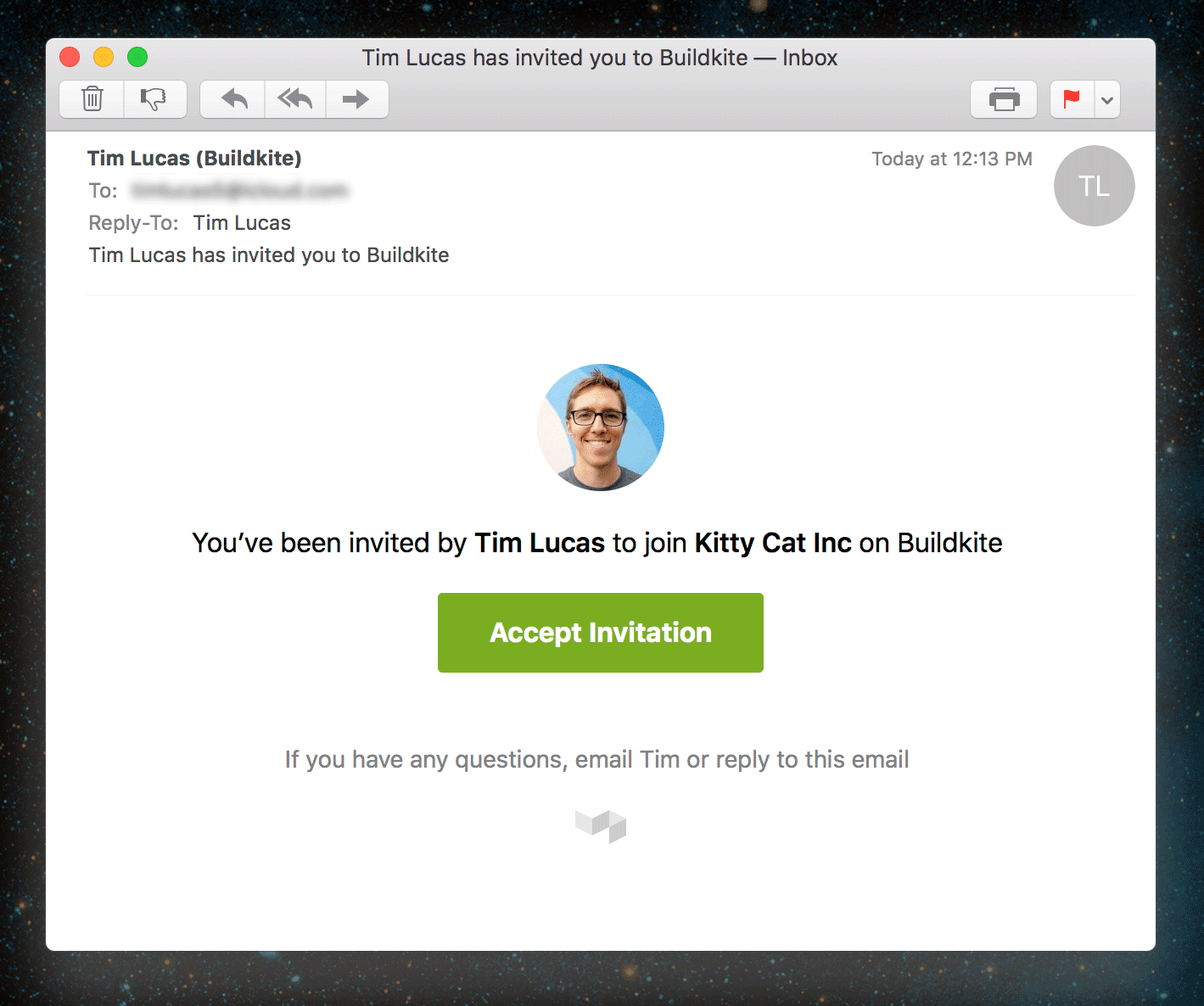
Today we’ve shipped some changes to simplify the Buildkite invitation system, including revamped invitation emails, automatic email address verification and a new screen for you to double check invitations before accepting them.
You can get the lowdown on our Building Buildkite blog post 🌟
Keith
Buildkite Agent 2.1.14
Update: We accidentally introduced a bug in this release. Please upgrade to the latest agent instead.
It's a cold winter's day here in Melbourne, but never too cold for new Buildkite Agent release: v2.1.14 (Frosty) ⛄️
What’s new since v2.1.13?
- 🔍 SSH key scanning should be more resilient, whether or not you hash your known hosts file
- 🏅 Commands executed by the Bootstrap script correctly preserve positional arguments and handle interpolation better
- 🌈 ANSI color sequences are a little more resilient
- ✨ Git clean and clone flags can now be supplied in the Agent configuration file or on the command line
- 📢 Docker Compose will now be a little more verbose when the Agent is in Debug mode
- 📑
$BUILDKITE_DOCKER_COMPOSE_FILEnow accepts multiple files separated by a colon (:), like$PATH
The release has been published to the Buildkite package repositories. For instructions on upgrading your agent please see the Upgrading section in the corresponding section of our installation documentation.
For a full list of what's changed see the GitHub release page 
Samuel
Elastic CI Stack for AWS

To make it easier for you to setup a build stack on AWS we've released the Elastic CI Stack for AWS ⚡ a pre-built CloudFormation stack that gives you autoscaling based on build metrics, centralized CloudWatch agent logging, and S3 bucket support for configuring pipeline secrets.
You can read all about it on our new blog Building Buildkite, the GitHub Readme or our step-by-step guide.
Keith
Export build pipelines as YAML
Transitioning your build pipeline definitions from the web into your source control used to mean rewriting them by hand, which in same cases could have taken a while and made you a sad panda... 
We wanted to make this transition easier, so we've given you the ability to export your pipelines as pre-formatted - ready to rock and roll - pipeline.yml files 🌟
So now you can turn this...
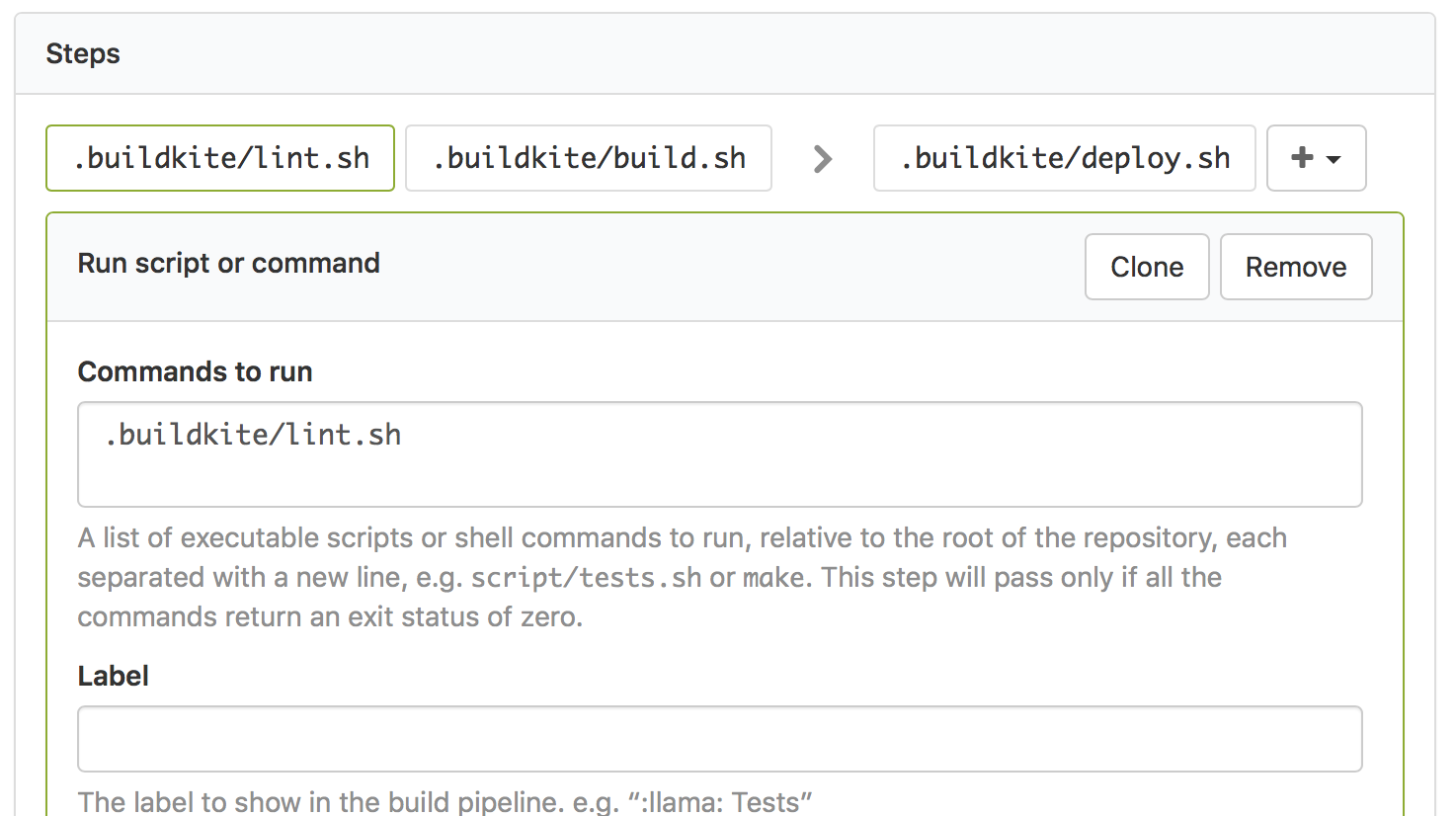
...into this...
steps:
  - command: ".buildkite/eslint.sh"
  - command: ".buildkite/webpack.sh"

  - wait

  - command: ".buildkite/deploy.sh"
    branches: "master"
You can find the new export feature over on the Pipeline Settings page...
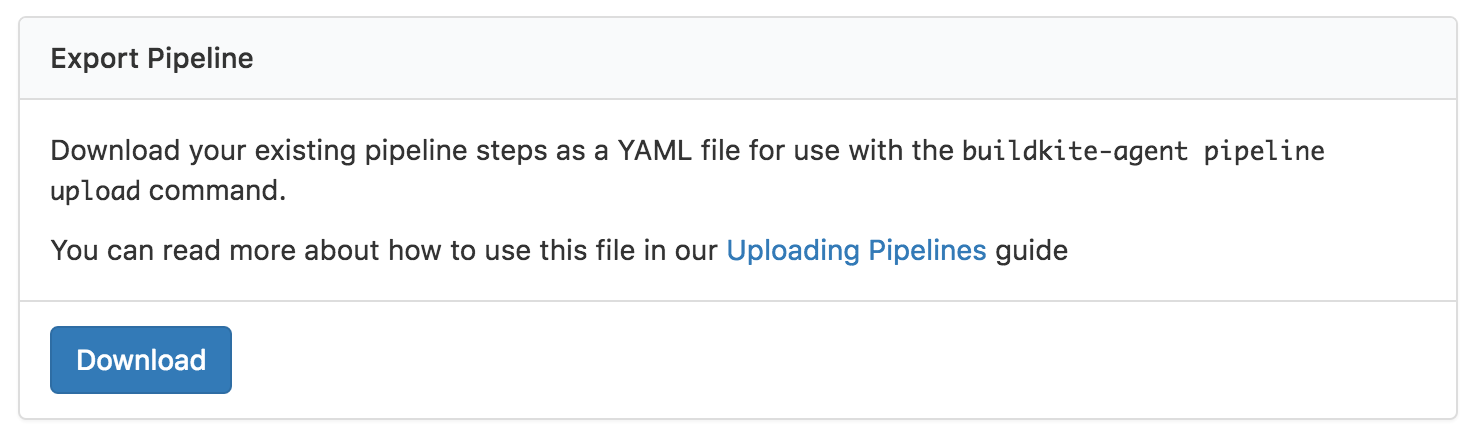
Check out our Uploading Build Pipelines guide and pipeline.yml documentation if you'd like to learn more about you can do with pipeline definition files 📖
Keith
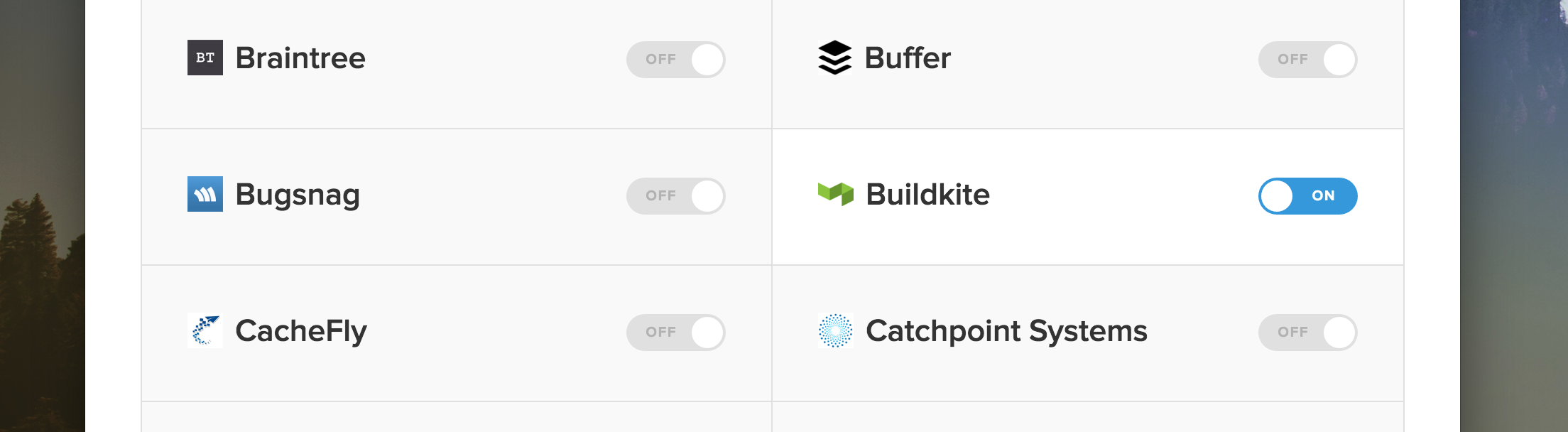
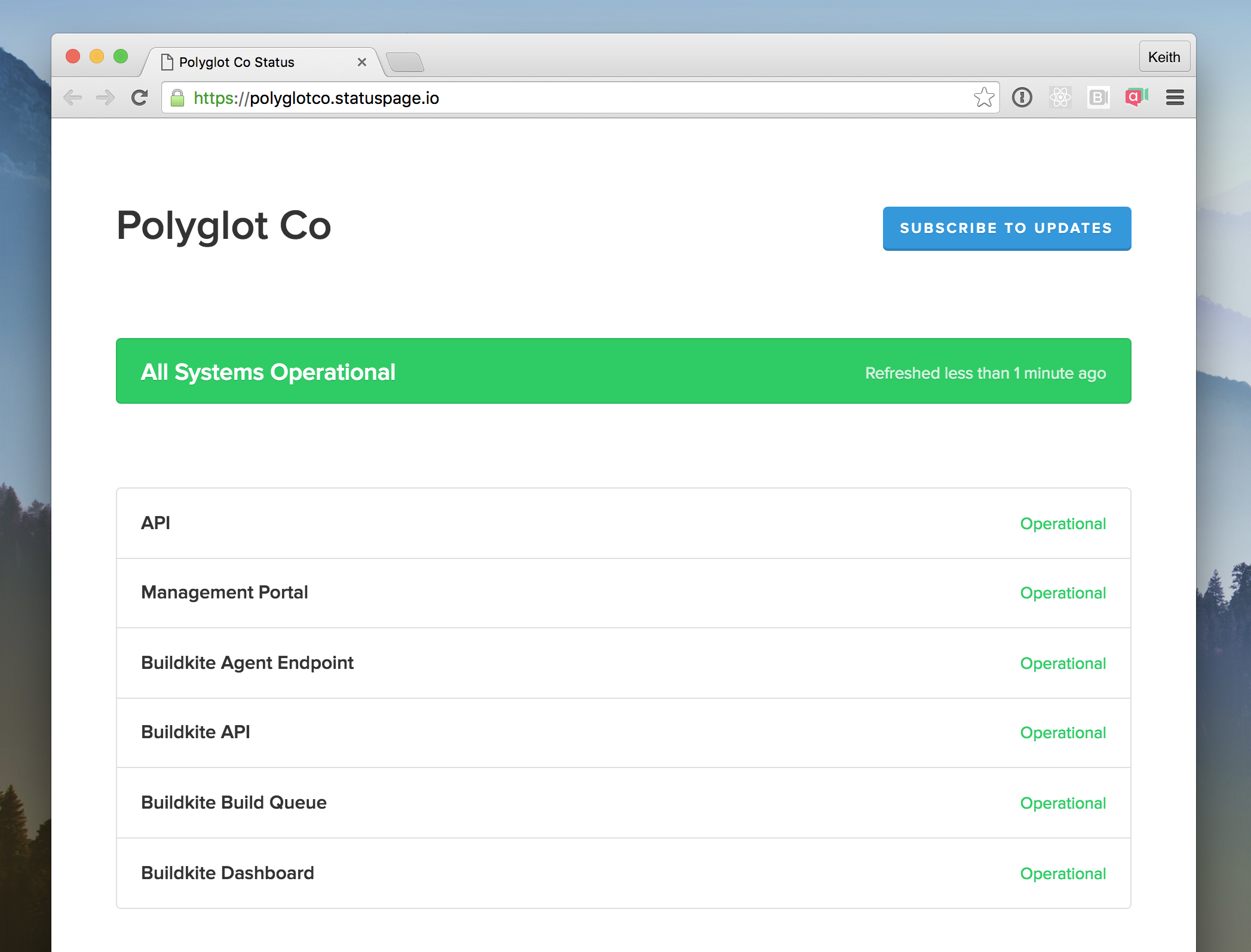
Buildkite now available as a StatusPage.io Third-Party Component
If you use StatusPage.io you'll be pleased to know you can now find Buildkite in the Third-Party Component list, so when Buildkite experiences an outage (which is hopefully never) then your StatusPage will automatically update. Such automation! ✨
Keith
Buildkite Agent Homebrew Updates
If you’ve installed the Buildkite Agent using Homebrew recently you might have noticed warnings about the use of SHA1:
$ brew install buildkite-agent
==> Installing buildkite-agent from buildkite/buildkite
==> Downloading .../buildkite-agent-darwin-386-2.1.13.tar.gz
Warning: SHA1 support is deprecated and will be removed in a future version.
Please switch this formula to SHA256.
Well, we’ve updated everything to use SHA256. Installing using Homebrew should now be slightly less eventful 🎉
We also noticed that installing the new Buildkite Agent 3.0 beta using homebrew’s --devel flag wasn't quite working, so we’ve fixed that too! 🍻
Samuel
Skipped jobs are now hidden by default
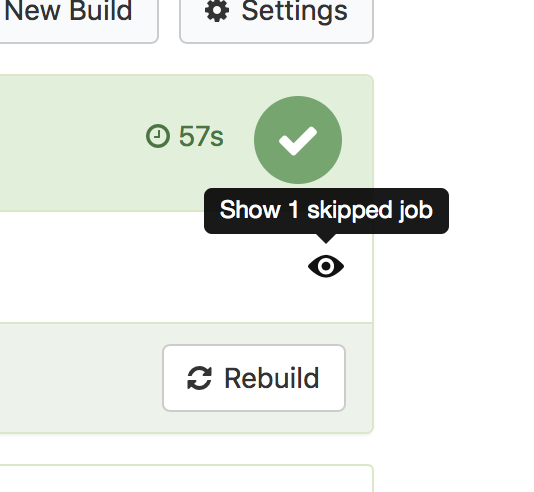
To make it easier to see which jobs were run in a build and which ones were skipped, we’ve updated build pipelines to hide skipped jobs by default ✨
No more seeing a disabled 🚀 step in a pull requests’s build pipeline 👏
If you want to see what jobs were skipped you can use the “Show skipped jobs” button on the right hand side of the pipeline 👀
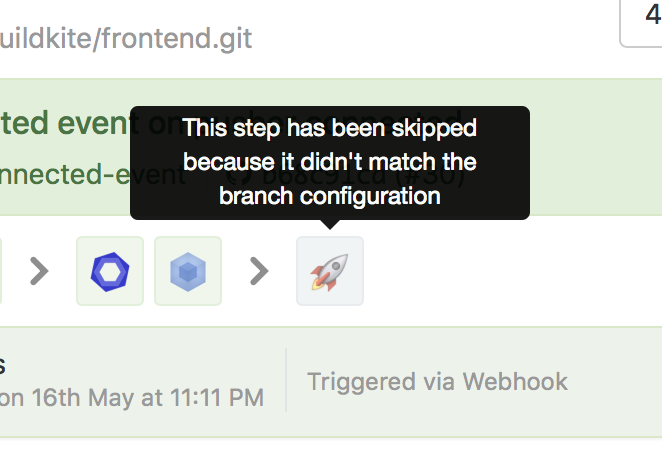
Once you’ve shown the skipped jobs you can hover over them to see why they were skipped:
We’ve also added the ability to add branch filter patterns to block steps so you can hide these too (and a new skip property to manually skip a step):
steps:
  - command: ".buildkite/tests.sh"

  - command: ".buildkite/lint.sh"
    skip: "Linting is currently broken, skipping for now"

  - block: "Deploy to production"
    branches: "master"

  - command: ".buildkite/deploy.sh"
    branches: "master"
For more examples check out the updated Build Pipelines agent documentation and the Uploading Build Pipelines guide.
Keith
Buildkite Agent 2.1.9
We’ve just released Buildkite Agent v2.1.9 (Purple Rain) ⚛️
What’s new since v2.1.8? Two bug fixes and lots of Docker Compose improvements:
- 🌈 Build headers now work even if they're wrapped in ANSI color escape codes
- 🐛 Step commands are now run with bash’s
-o pipefailoption, preventing silent failures wherefailed_command | catwould end up with a passing step  Docker Compose 1.7.x support, including docker network removal during cleanup
- Docker Compose builds now specify
--pull, so a new base image will always be pulled if one exists - The "Running command" section of Docker Compose job output is now expanded by default
- Docker Compose will now only build the specified service’s image, not all images. If you want to build all images, set the environment variable
BUILDKITE_DOCKER_COMPOSE_BUILD_ALL=true - No more
BUILDKITE_DOCKER_COMPOSE_LEAVE_VOLUMESundefined errors inbootstrap.sh
This release coincides with the beta of  Buildkite AWS Stack, a one-click auto-scaling build cluster in it's own AWS VPC capable of running any project with a
 docker-compose.yml. Please test it out and send us your questions and feedback.
The release has been published to the Buildkite package repositories. For instructions on upgrading your agent please see the Upgrading section in the corresponding section of our installation documentation.
For a full list of what's changed see the GitHub releases page
Tim
Webhook payloads now include an event property
If you’ve tried processing Buildkite webhooks  with AWS Lambda
  and Google Cloud Functions
  you'll know dealing with HTTP headers can sometimes be more painful than dealing with plain old JSON body properties.
To simplify the job of Buildkite webhook integration we’ve added the event name to the JSON payload body itself—you no longer need extra code to handle HTTP headers 🎉
We’ve updated all the webhooks examples with the new event property. For example, the build.finished webhook now looks like this:
{
  "event": "build.finished",
  "build": {
    "..": "..."
  },
  "sender": {
    "...": "..."
  }
}
We’ve also updated the API overview to clarify when to pass query string parameters and when to send JSON request bodies. The docs for each endpoint explain exactly what is expected 
We hope these changes bring a little less 😣 a little more 😺 when you’re working on Buildkite API integrations 💚
Tim
API updates and community releases
After a long weekend full of 🍫🐰 we’re happy to share some of the recent API updates that we’ve made based on your feedback 🛰️✨
- The
Linkheader is now exposed via CORS headers so you can paginate API results in the browser. - The Pipelines API now supports PATCH requests, allowing you to programatically update your build pipeline configuration.
- Pipeline response objects now include a
badge_urlproperty with the URL to its build badge. - The build list APIs have a new
finished_fromparameter, afinishedbuild state alias, and you now can filter by multiplestatevalues. - And finally, our GraphQL beta API has received lots of updates as we move more of our own frontend to be GraphQL powered 💪

In addition to the changes we’ve rolled out, here’s a few of the API integrations recently shared by the community:
- Boxkite was released by Matt Delves. Boxkite is an iOS app for managing your builds when you’re away from your computer, and makes use of almost every API we have available

- Buildkite AWS Cloudwatch Metrics Publisher received a big update thanks to Lachlan Donald from 99designs. The Cloudwatch Metrics Publisher monitors your build queues and publishes metrics to AWS Cloudwatch, so you can autoscale your build servers on demand
- terraform-buildkite was released by Martin Atkins at SayMedia, allowing you to setup and maintain your Buildkite account via Terraform, for all your meta-automation needs

- A Cog bundle for Buildkite was released by Operable, allowing you to query Buildkite pipelines via your ChatOps bot

- bk-board was released by Fraser Xu, a reporting dashboard for your Buildkite activity, and the accompanying buildkite-node npm library that powers it (via a lovely promises-based API)

- buildkite-git-trigger was released by timmipetit at Recras, allowing you to monitor arbitrary git repositories and trigger builds

If you’re using our API in interesting ways, or you find something missing that would help you, send a quick email to support@buildkite.com—we’d love to hear from you ✉️
Happy building! 🎉
Tim
Delete uploaded job logs
Have you ever accidentally output something sensitive in a build log before? 😣 If you have, that's ok - we've got your back…
You can now delete logs via our UI. To do so, simply hit the Delete button on a job log and it'll be instantly deleted.
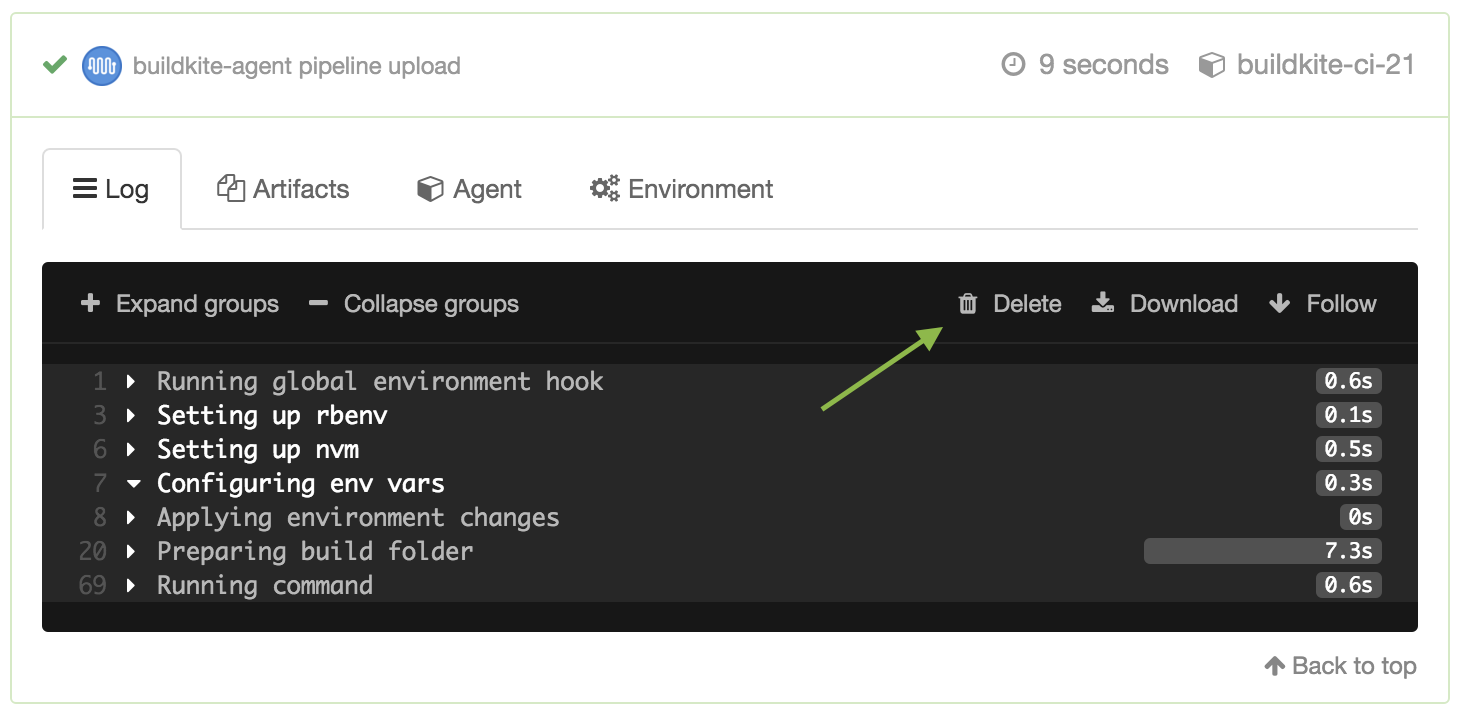
Deleted jobs logs are permanently removed from our servers, and can't be recovered. ☠️
Keith
Start turning complexity into an advantage
Create an account to get started for free.

