- Resources
- /
- Changelog
Run durations on canvas nodes
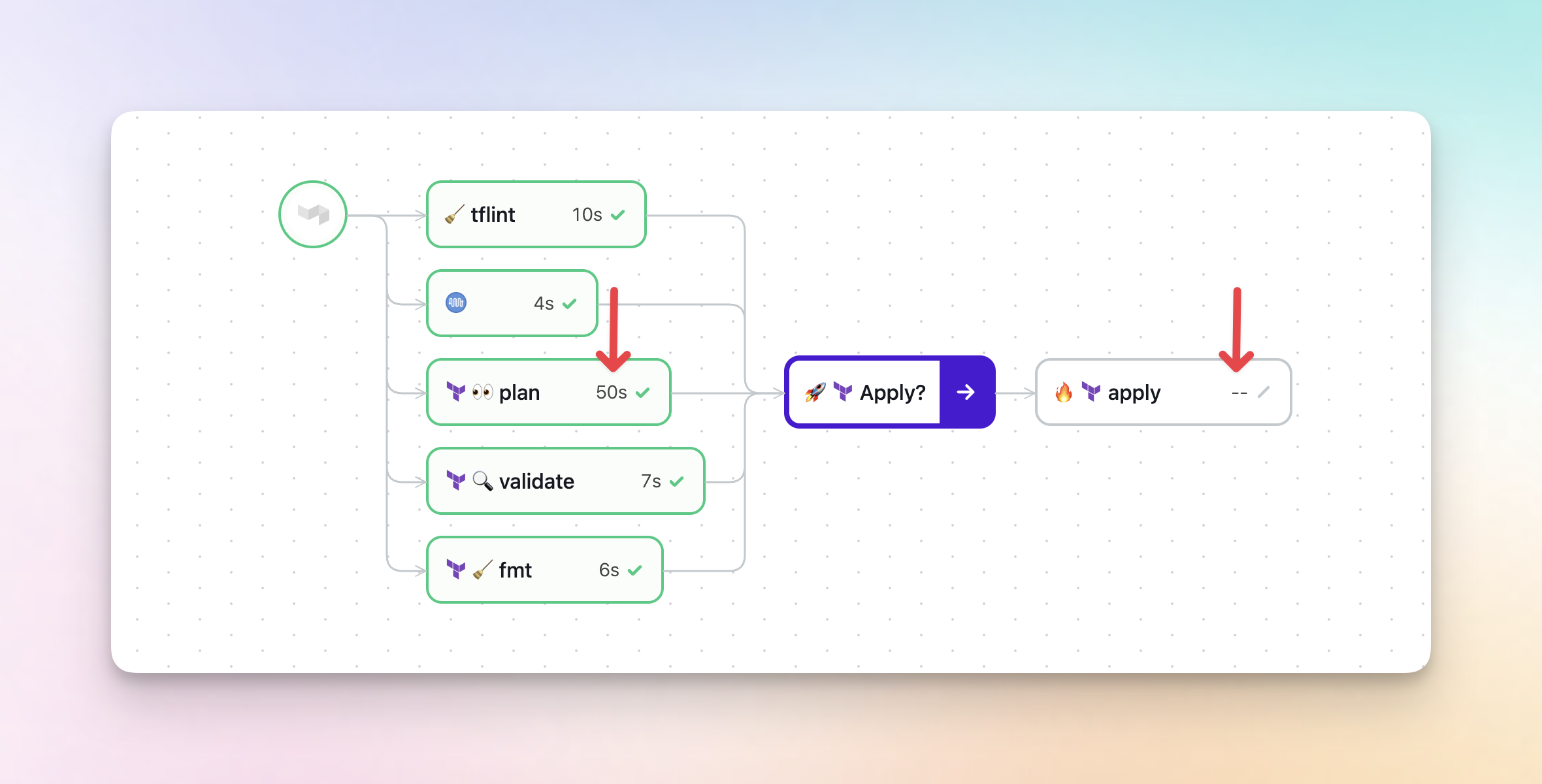
Steps on the build canvas now display their run duration directly on each node, so you can quickly spot slow steps and see the progress of running jobs without clicking into them. Steps that haven't started yet show a -- placeholder, so you can see at a glance which parts of your build are still waiting to run.
Chris
Case-sensitive search in build job logs
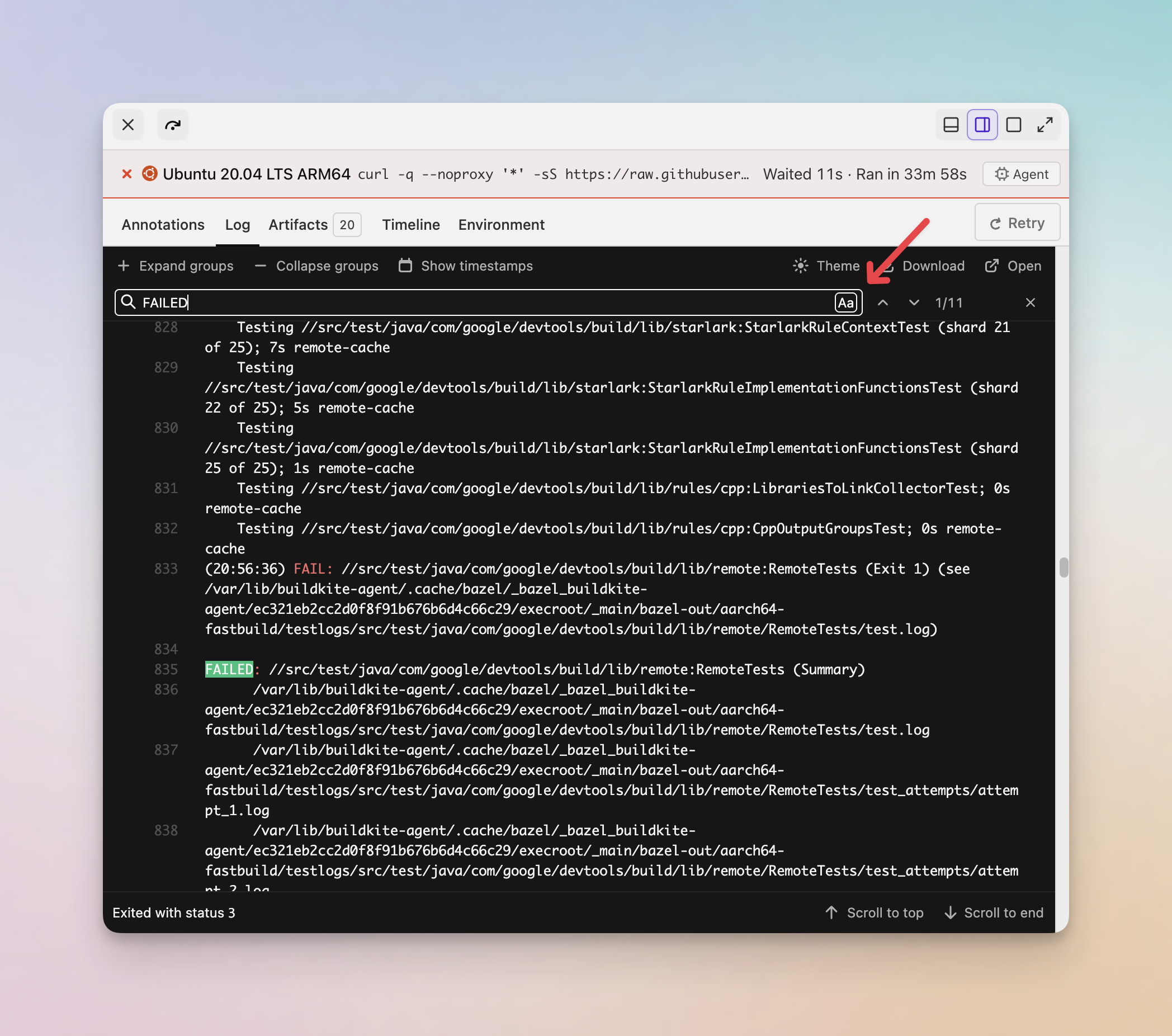
You can now toggle case-sensitive matching when searching through job logs on the new build page. Click the Aa button in the log search bar to switch between case-sensitive and case-insensitive search.
Chris
View your organization's service quotas
Organization administrators can now view the service quotas that apply to their organization directly in Buildkite. Head to Settings > Quotas to see your actual limits, broken down by product area.
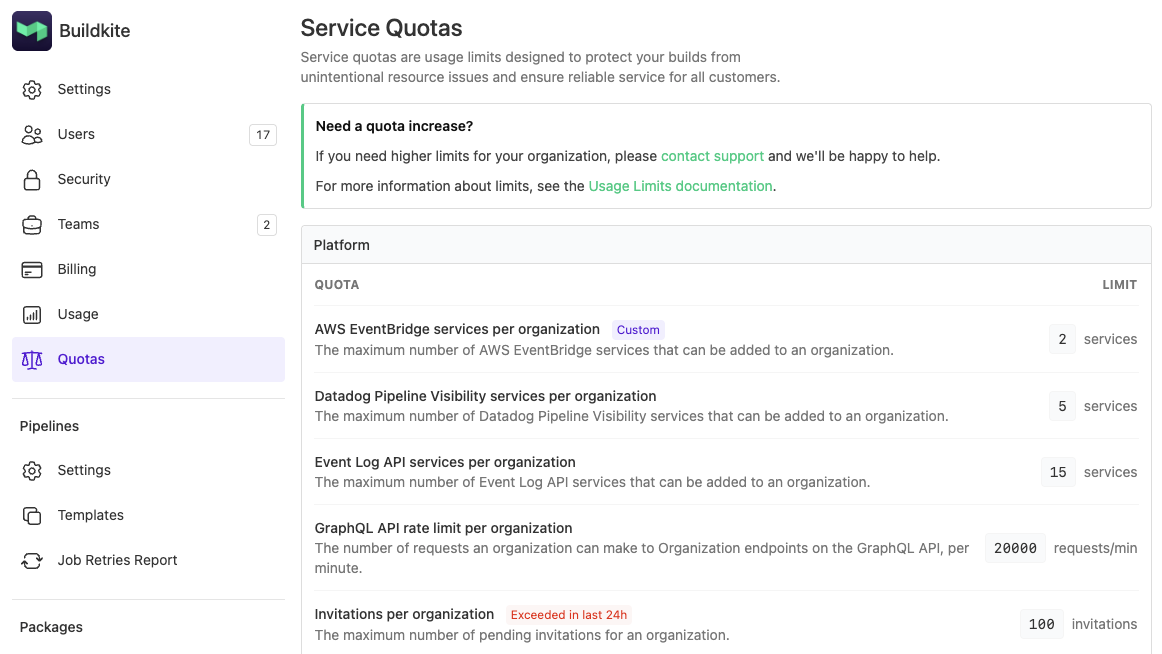
Each quota shows the effective limit for your organization. A Custom badge indicates a limit that differs from the default for your plan, and an Exceeded in last 24h badge flags any quotas your organization has hit recently.
If you need a quota increased, contact support@buildkite.com or reach out to your Technical Account Manager.
For the full list of default limits, see the Limits documentation.
Grant
Elastic CI Stack to Kubernetes migration documentation
We're pleased to announce migration documentation to help our customers transition from our Elastic CI Stack for AWS to the Buildkite Agent Stack for Kubernetes (agent-stack-k8s). This documentation addresses key differences between the two platforms and provides practical guidance for migrating your CI/CD workloads to Kubernetes:
- Amazon ECR authentication - Learn how to authenticate with Amazon Elastic Container Registry from Kubernetes environments.
- Docker login configuration - Understand the options for configuring Docker registry authentication in
agent-stack-k8s. - Package management - Discover approaches for handling required software packages and dependencies in Kubernetes-based builds.
- Hook execution differences - Understand the agent hook execution differences in
agent-stack-k8s. - Secrets management - Explore options for managing secrets when migrating your S3-based secrets.
- Docker daemon configuration - Learn about Docker daemon access patterns and container building approaches.
These guides are designed to help you understand the architectural differences between EC2 and Kubernetes environments, and provide practical examples for adapting your existing pipelines to use agent-stack-k8s.
Have questions or need help? Reach out to us at support@buildkite.com
Pete
Container image building documentation
We're pleased to announce the release of technical documentation that details how to use popular container image building frameworks from within our Elastic CI Stack for AWS and Buildkite Agent Stack for Kubernetes (agent-stack-k8s).
For our Elastic CI Stack for AWS, we've created documentation for the following frameworks:
For our Buildkite Agent Stack for Kubernetes, we've created documentation for the following frameworks:
Follow the links above for complete usage information for each framework.
Have questions or need help? Reach out to us at support@buildkite.com
Pete
GitHub App Names Updated for Clarity
We've updated the names of our GitHub apps to make their purpose clearer and help you choose the right integration for your needs.
Name changes:
- "GitHub" → "GitHub (Limited Access)"
- "GitHub (with code access)" → "GitHub"
What each app does:
GitHub (formerly "GitHub (with code access)") is now the default option. This app can:
- Clone your repositories during builds
- Access your source code for hosted agents
GitHub (Limited Access) (formerly "GitHub") provides basic integration without code access:
- Trigger builds on commits and pull requests
- Update commit statuses and checks
- Perfect for scenarios where you don't need Buildkite to access your source code
These updates improve clarity around each app's capabilities.
Learn more:
Sorcha

