See what's happening across your agents and queues
Queue pages now give platform and CI teams a clearer view of how agents and jobs are moving through each queue. When work backs up or your agent fleet behaves unexpectedly, you can see where capacity is going and what is holding jobs back.
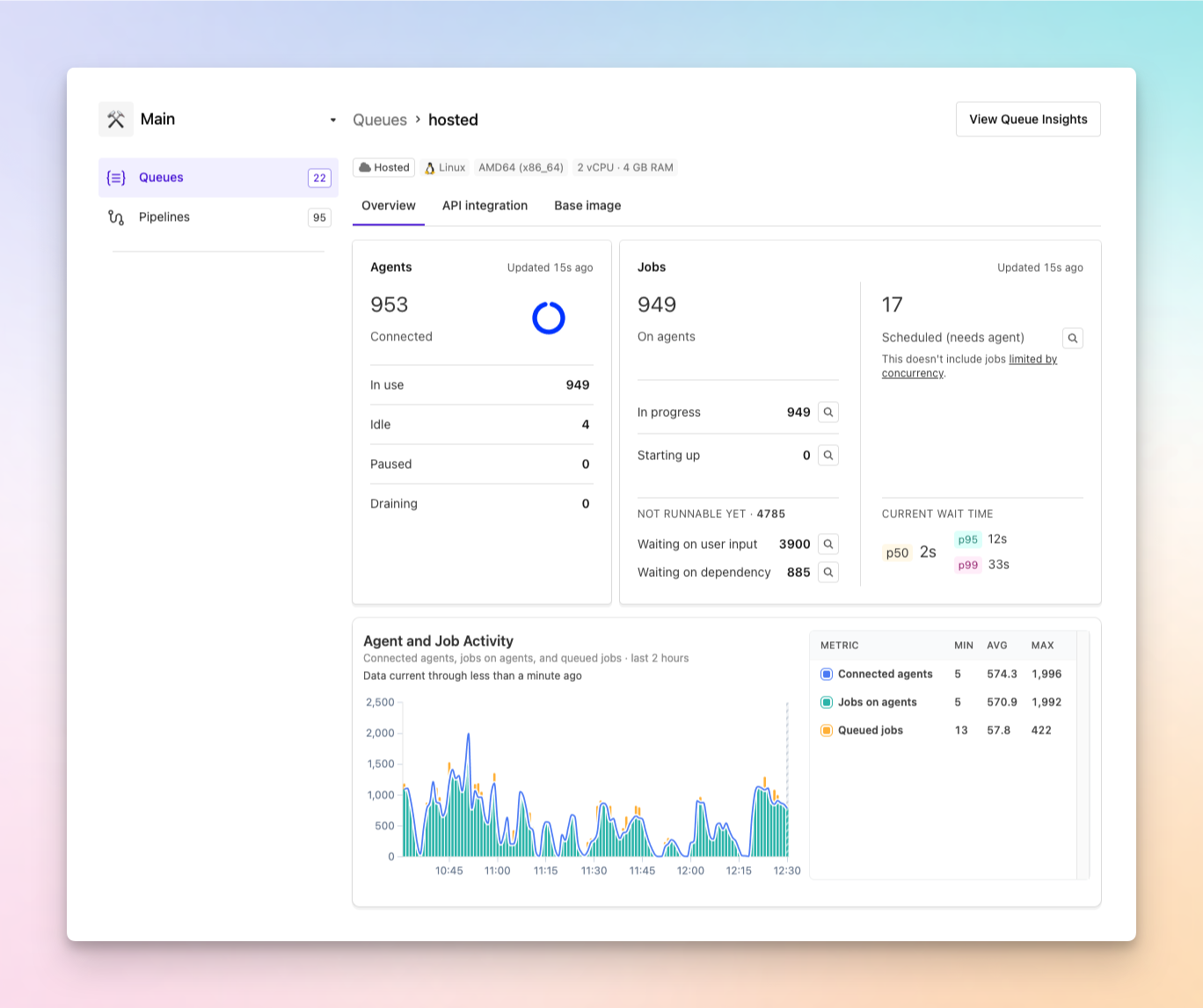
- Understand agent capacity: See how many agents are in use, idle, paused, or draining.
- See where jobs are: Distinguish jobs that are In progress, Starting up, Scheduled (needs agent), Waiting on user input, or Waiting on dependency.
- Spot unexpected changes: Compare connected agents, jobs on agents, and queued jobs over time in the Agent and Job Activity chart.
- Inspect the work behind the numbers: Inspect a sample of up to 25 jobs per state, even when the queue contains thousands of jobs.
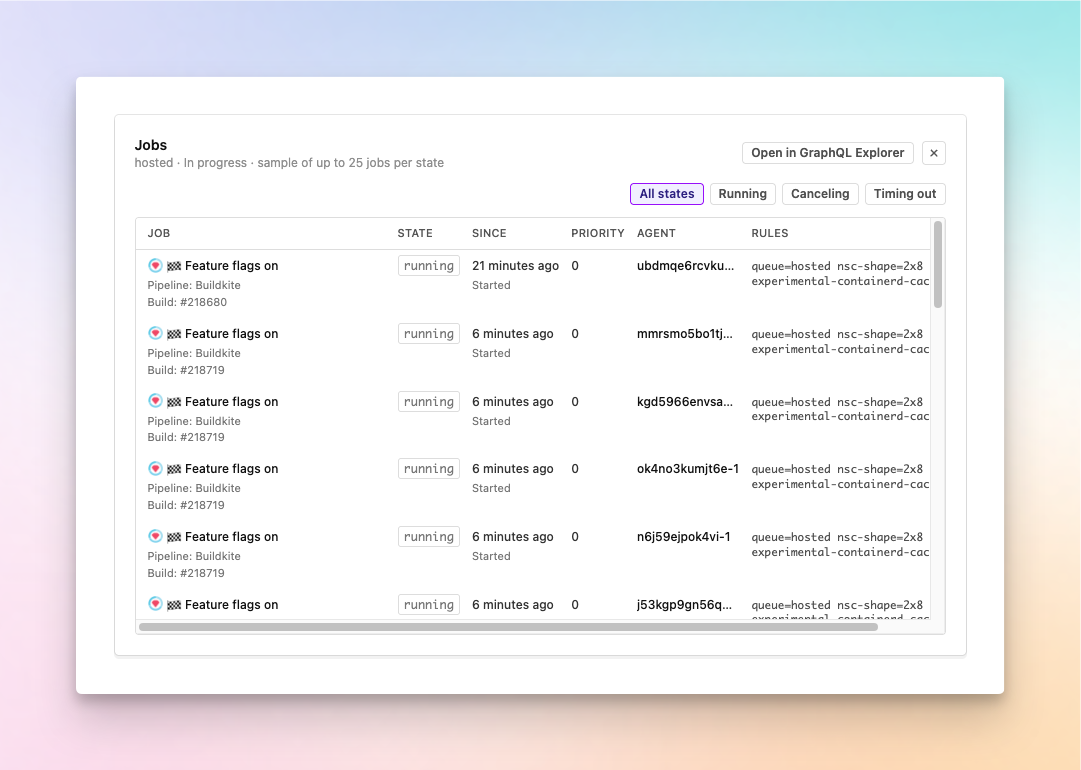
Need to investigate beyond the sample? Select Open in GraphQL Explorer to continue querying the jobs in that queue.
Behind the scenes, the activity chart now uses a more reliable source for agent and job counts. This reduces drift and makes the trends more dependable when you're investigating a queue.
Open any cluster queue to use the new breakdowns and activity chart, and see the queue metrics documentation for definitions of each metric.
Chris
You deserve better CI.
Get started for free with a full month of our all-access trial.

