Configure OpenTelemetry at the cluster level
You can now turn on OpenTelemetry tracing for every agent in a cluster with one setting. Choose an OpenTelemetry notification service in the cluster's settings. Each agent that registers in the cluster then exports traces to that service's endpoint, using its headers, with no OTLP configuration on the agent.
Until now, each agent needed its own OTLP endpoint, headers, and tracing flag. On hosted agents, that meant building a custom image just to carry your collector's address and token. Now you set it once on the cluster, and hosted and self-hosted agents pick it up when they register.
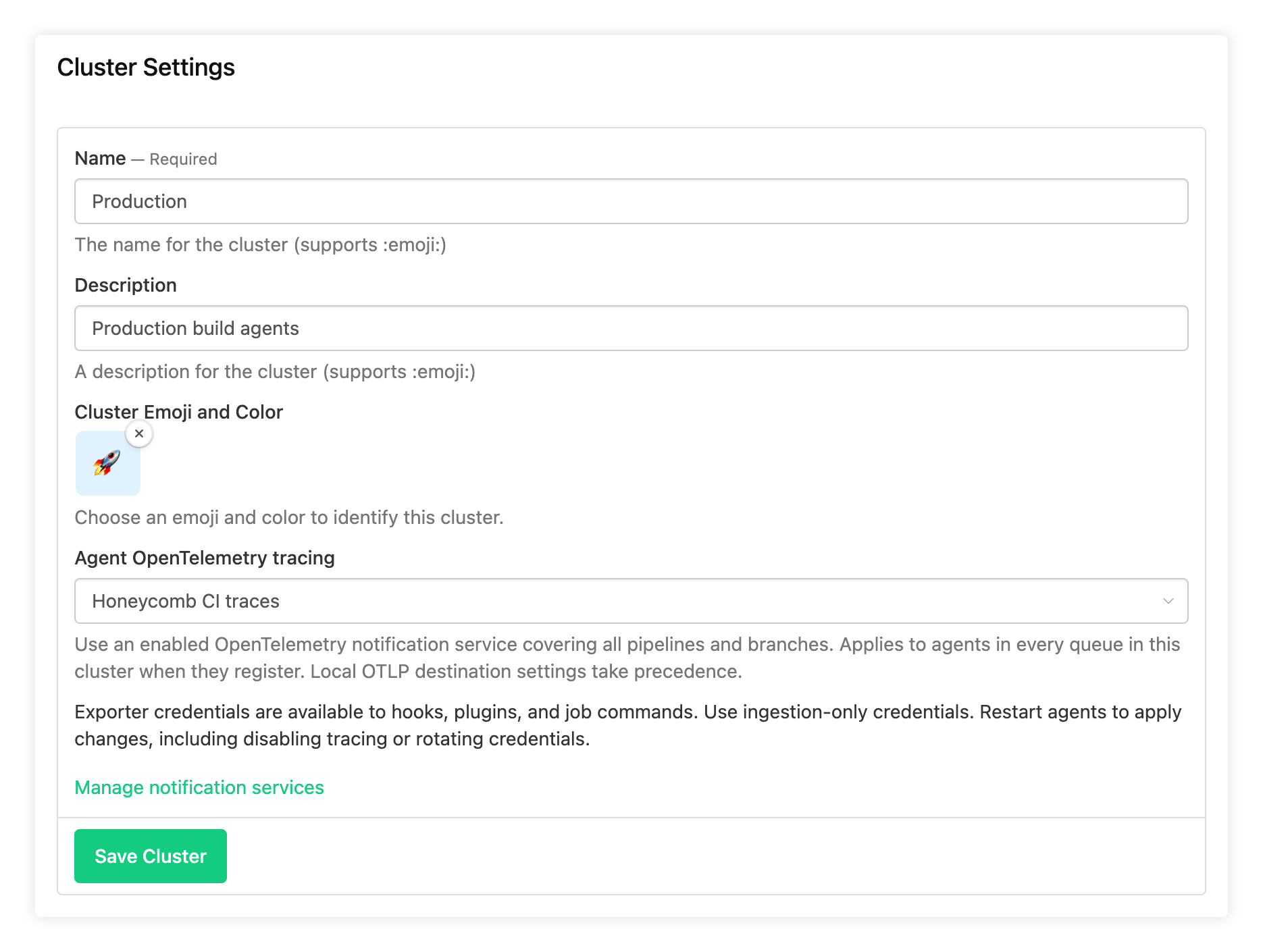
To set it up, open your cluster's Settings and choose a service under Agent OpenTelemetry tracing. You can choose any OpenTelemetry notification service that's enabled, covers all pipelines, and has no branch filter. Agents need version 3.136.1 or later. Running agents keep their current configuration until they restart or reconnect, and each agent logs the exporter it receives:
Control-plane tracing configuration applied: backend=opentelemetry, exporter=https://otel.example.comAgents that already set their own OTLP destination, such as with OTEL_EXPORTER_OTLP_ENDPOINT, keep sending traces there. So you can turn this on for a cluster without changing agents you've already configured.
Hooks, plugins, and job commands receive the exporter settings too, so OpenTelemetry tools in your jobs can send spans to the same collector. This also means any job on these agents can read the exporter's credentials, so use a token that can only send traces.
Changing the setting in the UI requires permission to manage both the cluster and notification services. You can also set it with agent_tracing_service_uuid in the REST API, agentTracingServiceUuid in the GraphQL API, or agent_tracing_service_uuid on the buildkite_cluster resource in the Buildkite Terraform provider (v1.40.0 or later).
Choose a tracing service for one cluster, restart one of its agents, and watch its traces arrive. For the details, see Automatically configure agent OpenTelemetry tracing for a cluster.
Al
You deserve better CI.
Get started for free with a full month of our all-access trial.

