Choose read-only access when connecting Buildkite MCP
Your AI agent shouldn’t need write access to tell you why a build failed. You can now choose Read-only or Full access when authorizing a Remote MCP Server connection, with no separate server URL to configure.
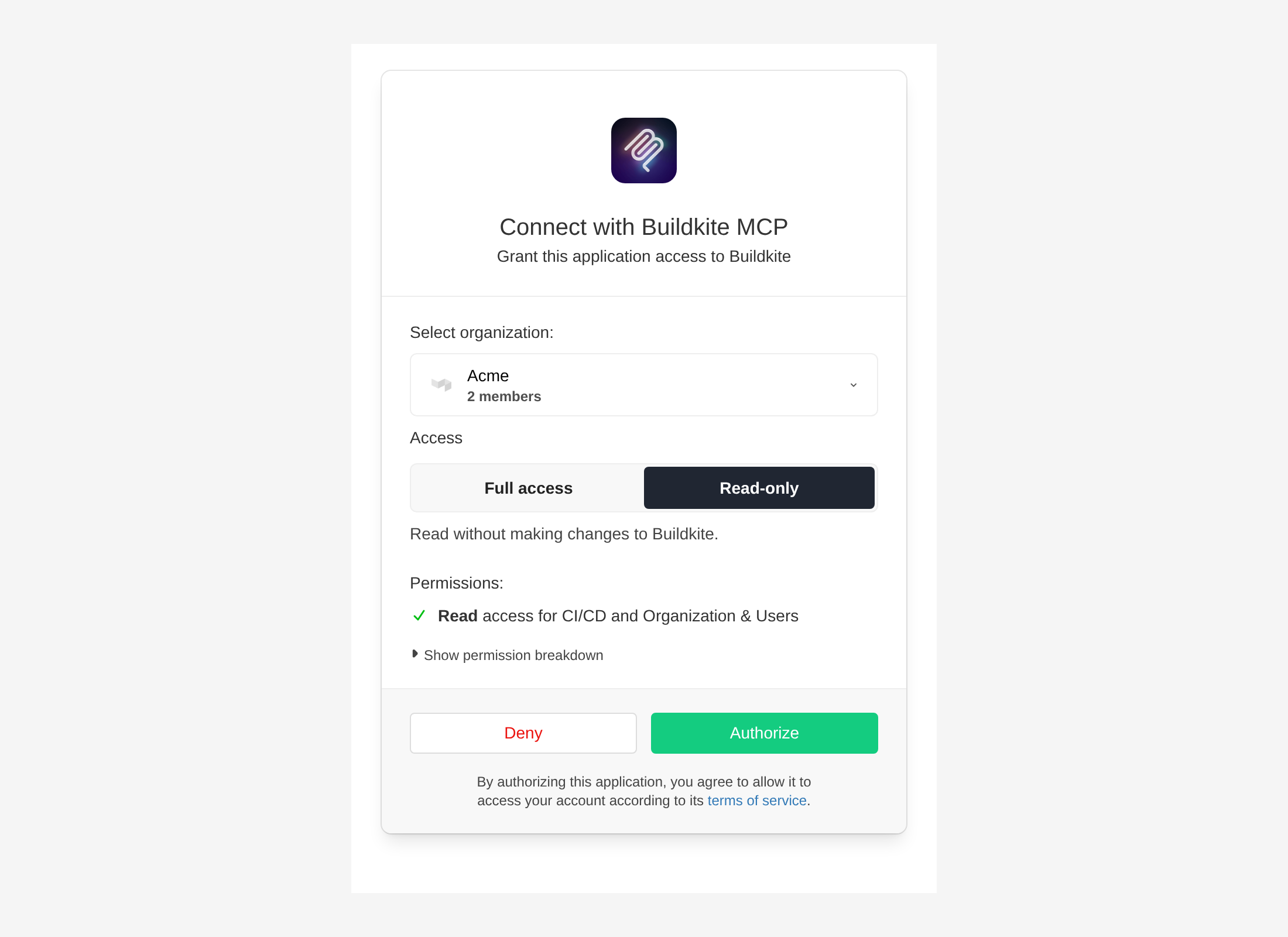
Choose Read-only to inspect builds, logs, and pipeline state. Tools that make changes, such as starting builds or retrying jobs, aren't available to that connection. Choose Full access when you want your agent to make changes too, within your existing Buildkite permissions. The permission list updates to show what you're granting before you authorize.
Existing connections keep their granted access. To change it, reconnect from your AI tool and choose the access you want when you authorize.
Connect your AI tool to Buildkite and choose the access that fits your workflow.
Ben
You deserve better CI.
Get started for free with a full month of our all-access trial.