Track your Pro plan spend and get alerted when it reaches a threshold
If your organization is on a monthly Pro plan, you can now see what your next invoice is shaping up to be before the billing period ends. Set a spend alert to get an email when the estimate reaches an amount you choose, so a busy month of builds doesn't become a surprise invoice.
The new Usage & spend tab in Settings > Billing shows your estimated spend and the days left in the billing period, followed by a line-by-line estimate of your next invoice. Each usage-based item shows how much of your plan's included amount you've used, plus any overage and what it costs.
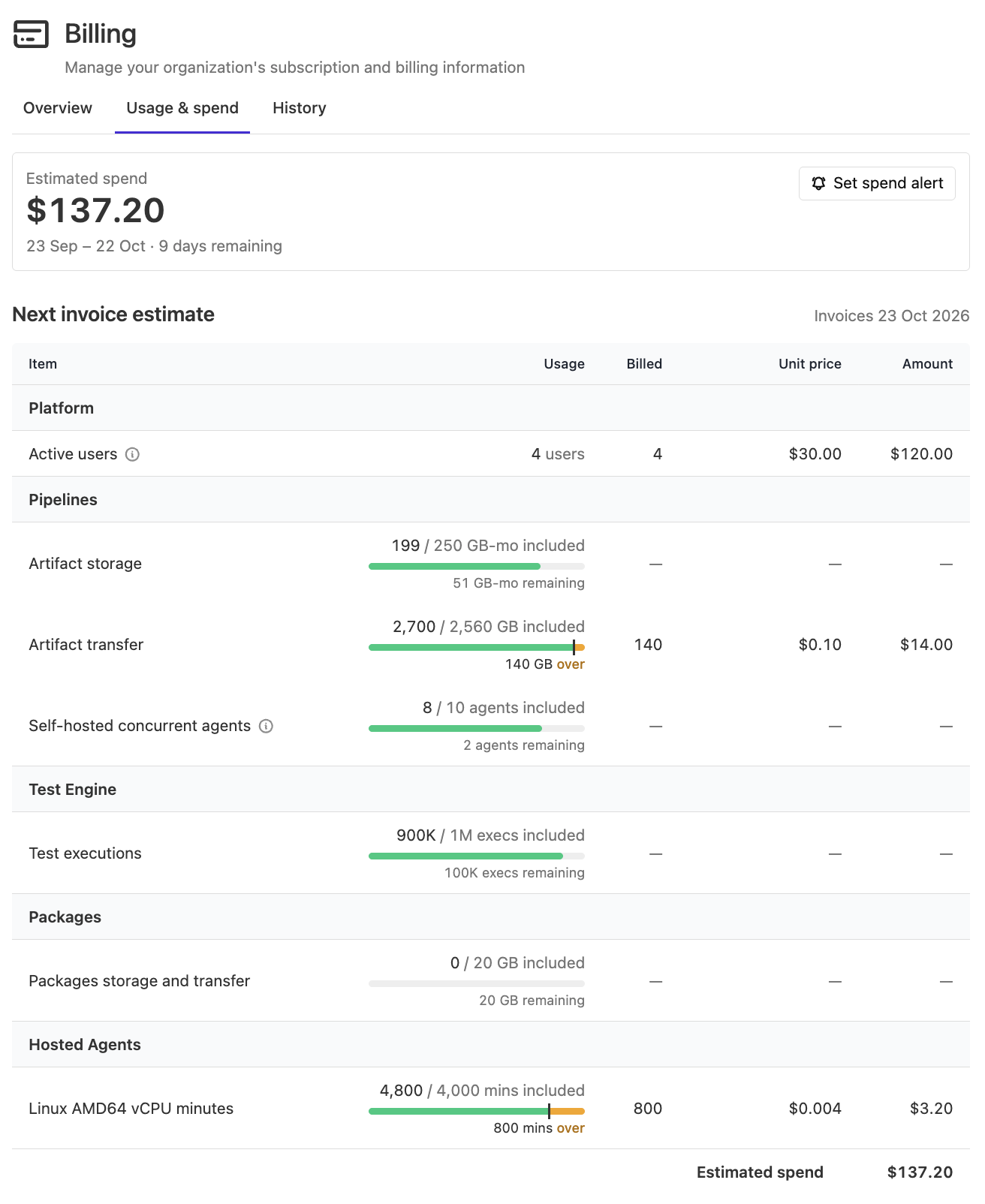
To set an alert, select Set spend alert on the Usage & spend tab or the Overview tab, then enter an Invoice threshold (USD).
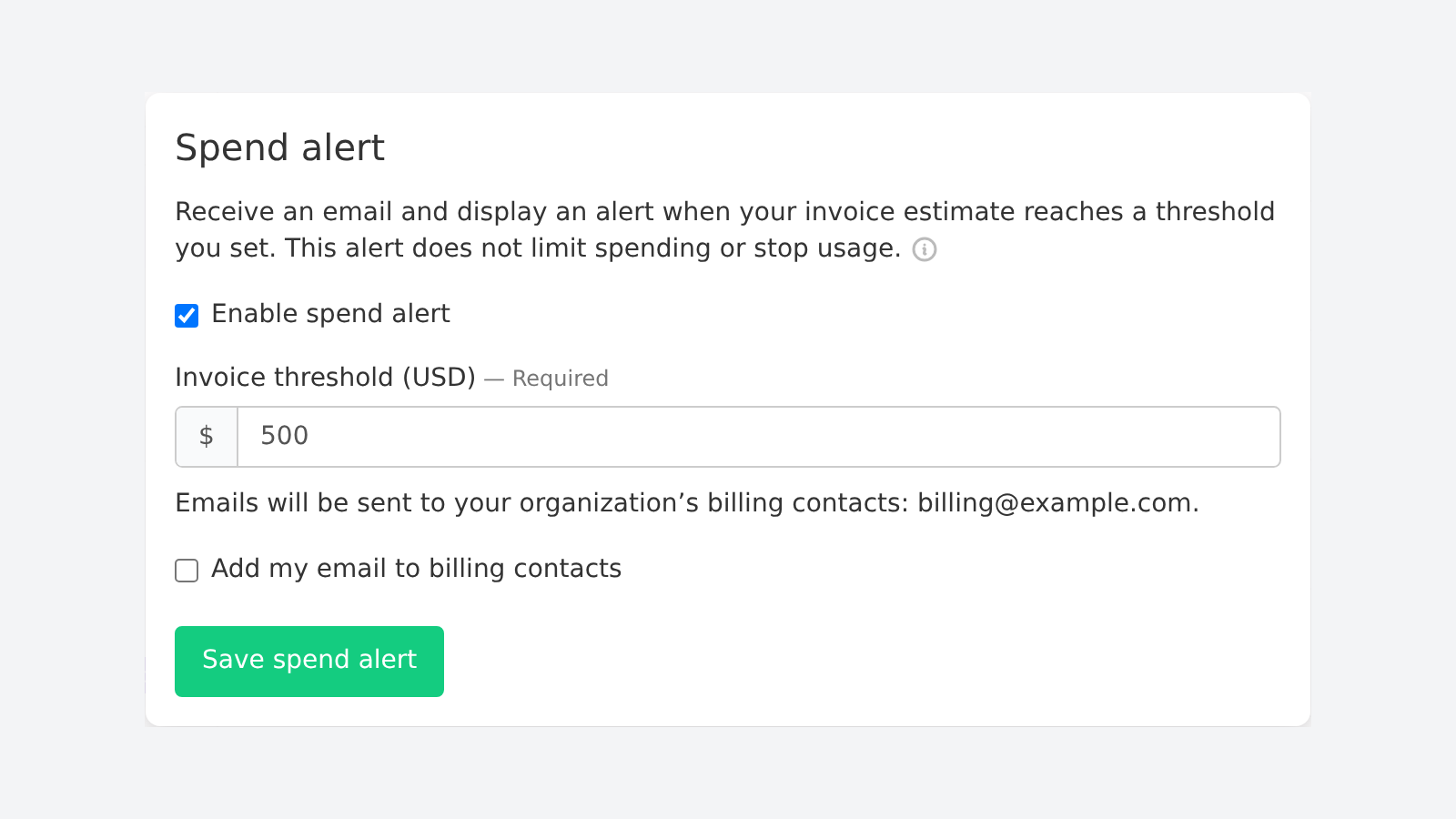
When the estimate reaches your threshold, Buildkite emails your organization's billing contacts and shows a banner to organization administrators. Alerts send at most one email per billing period. If no billing contact is set when the threshold is first reached, no email is sent for that period, so select Add my email to billing contacts if you want the email to come to you.
Spend alerts only notify you. They don't cap spending or stop builds. Estimates are based on usage reported so far, and reporting can be delayed.
Usage & spend and spend alerts are available to organization administrators on monthly Pro plans that renew automatically. Legacy Buildkite Pipelines plans aren't supported.
Check where this billing period's spend is heading on the Usage & spend tab, and learn more about alerts in the spend alerts documentation.
Amelia
You deserve better CI.
Get started for free with a full month of our all-access trial.

