Build only branches, tags, or both
If you only want to build tags, you can now optionally switch off building branches 🚦
We've added a new setting: Build branches that is on by default for new pipelines. To only build on tags, disable Build branches and ensure that your Build tags box is checked:
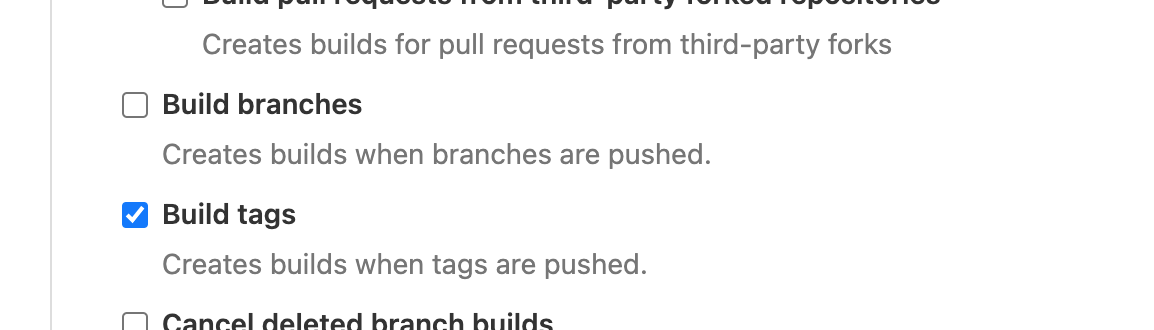
You can find the Build tags and the new Build branches setting in your pipeline's Repository settings when using GitHub, GitHub Enterprise, Bitbucket, or Bitbucket Server.
Juanito
AWS Elastic Stack support for ARM instances :rocket:
We've heard that some Buildkite customers are considering ARM in production, so we've made sure that Elastic Stack for AWS v5.1.0 can help you get there ✨
v5.1.0 adds support for the following AWS instance types with an ARM-powered Graviton CPU:
m6g.*m6gd.*t4g.*a1.*c6g.*c6gd.*r6g.*t6gd.*
To use these instance types, follow the upgrade guide for v5.1.0 and set your InstanceType stack parameter 🚀
James
Introducing early access to Buildkite’s Managed macOS CI
Update, June 2021: We are no longer offering Buildkite-hosted macOS agents. For more information on spinning up your own Buildkite agents on macOS, see this guide from Stark and Wayne or check out the docs.

We are excited to announce an exclusive program for our macOS agents managed service, providing the first scalable CI platform for Mac and iOS development 🚀
To learn more and to resister your interest, check out our introduction to Hosted Mac Agents and our blog post about the announcement 📚✨
Keith
Copy environment variables to clipboard
Those occasional times when you need to grab a copy of all the environment variables on a job, wouldn't it be great if there was a button for that? 🤔

Now there is! We've added a button to the job Environment tab to copy all of your environment variables and their values straight into your clipboard 🚀
Shevaun
Apple Silicon support in the Buildkite Agent
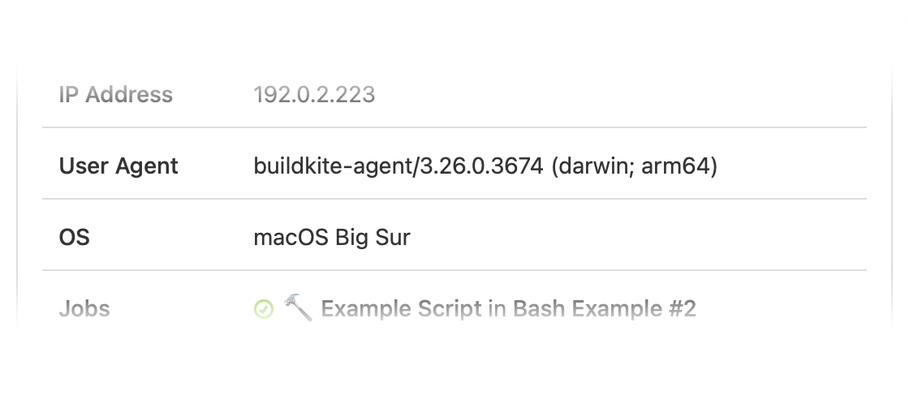
Apple machines with the new ARM-based M1 chip are being delivered to Buildkite customers, and starting from agent 3.26.0 we have an experimental binary that will run natively on these systems.
Users with M1 based hardware can install the native binary by:
- Using Homebrew
- Running our curl install script
- Downloading the darwin-arm64 binary directly from GitHub
James
Archive Pipelines 🗃
If you manage a lot of pipelines you will be pleased to hear that we've added the ability to archive pipelines that are no longer in use. Archived pipelines have all their historical data preserved, but won't run new builds, and are not shown on the Pipelines page by default. You'll find a list of archived pipelines in the Team Selector:
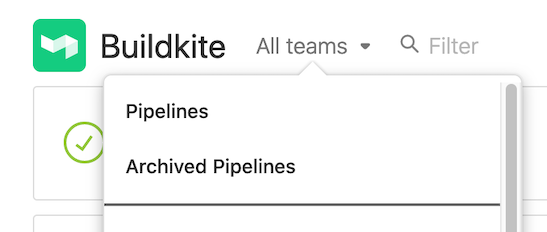
Archive pipelines from the Settings page, under Pipeline Management, or using the GraphQL API.
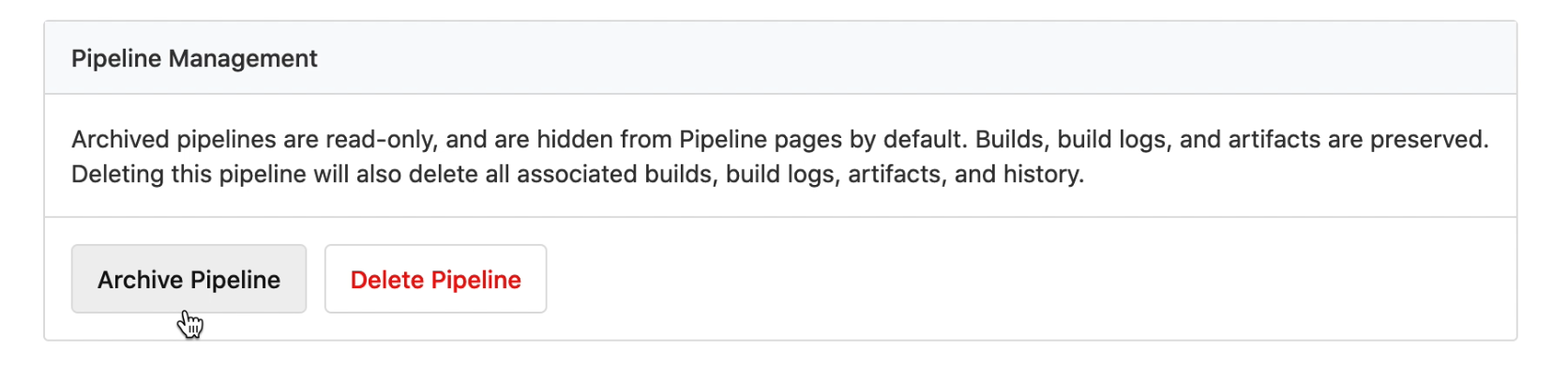
Happy Archiving!
Juanito
GraphQL resource id is available on the REST API
As part of the transition to GraphQL, we have added graphql_id for the following REST API resources. The graphql_id is used to target specific resources when running queries and mutations on GraphQL API.
- Agent
- Build
- Job
- Organization
- Pipeline
- Team
- User
Here is an example response from pipelines which includes graphql_id:
{
  "id": "849411f9-9e6d-4739-a0d8-e247088e9b52",
  "graphql_id": "UGlwZWxpbmUtLS1lOTM4ZGQxYy03MDgwLTQ4ZmQtOGQyMC0yNmQ4M2E0ZjNkNDg=",
  "url": "https://api.buildkite.com/v2/organizations/acme-inc/pipelines/my-pipeline"
}
If you have any questions or feedback, please let us know in the Forum or send us an email 📨
Juanito
Quickly toggle UTC times on Buildkite
Establishing a shared timeline when troubleshooting or digging into recent builds can be a challenge, especially for distributed teams. To help make this a little easier, we’ve added the ability to toggle between local time and UTC by clicking on a timestamp ⏱
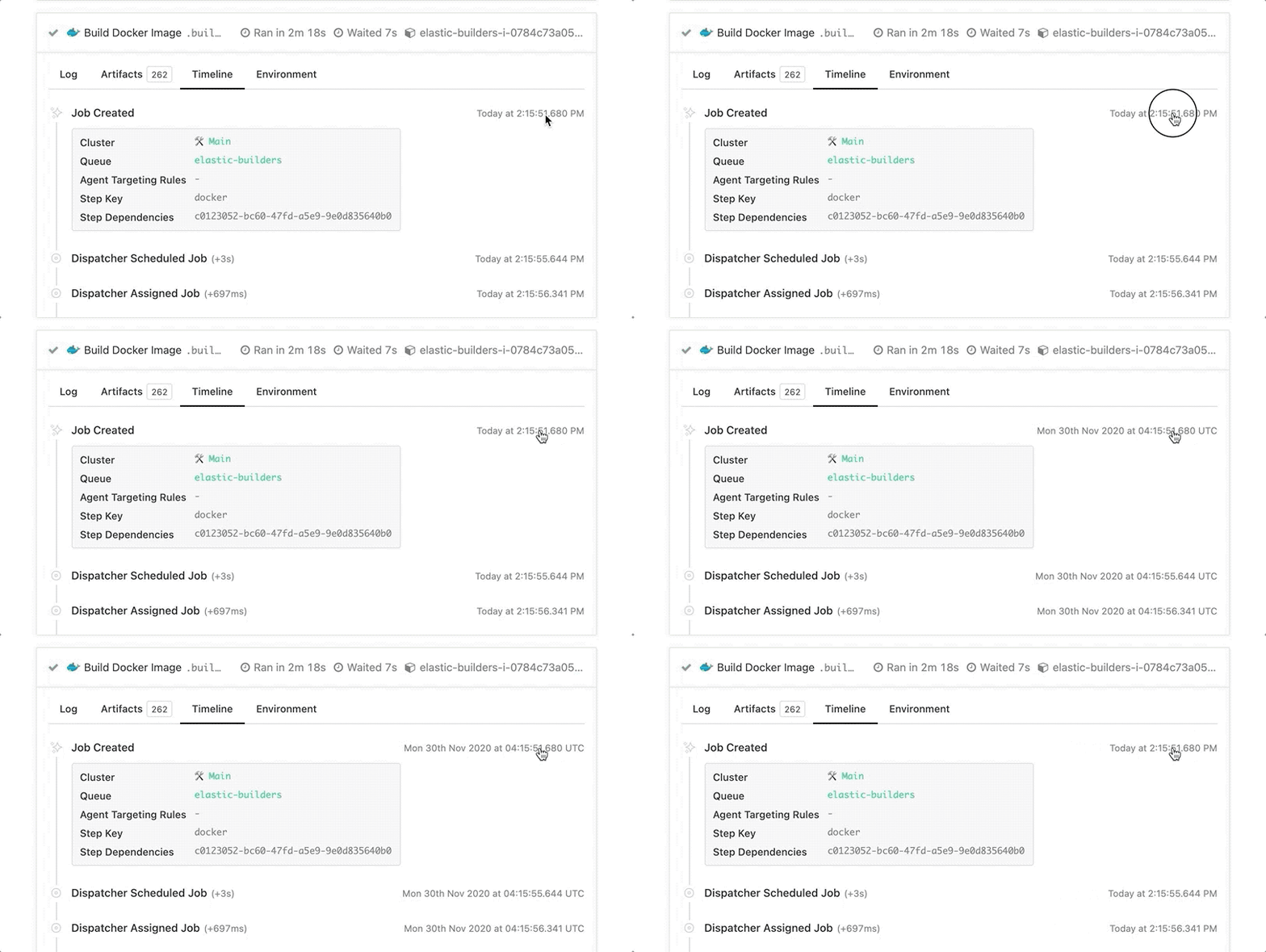
As an added bonus, UTC times include the full date and are shown in 24-hour time regardless of your browser’s default locale settings ✨
Jessica
Webhooks can be auto-created for GitHub repositories
We've updated our GitHub app, adding the option to automatically create webhooks for new pipelines 🔀
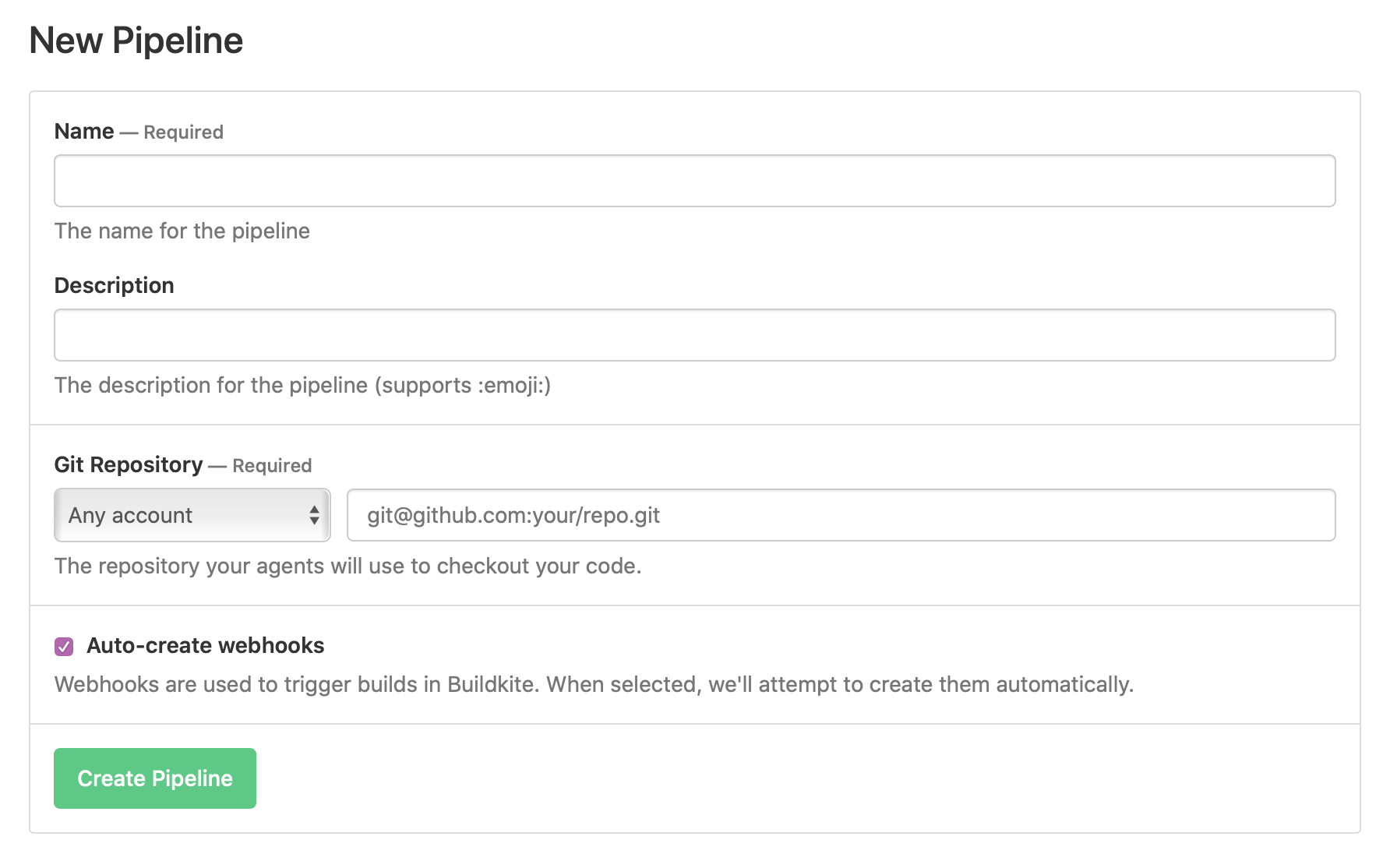
The Buildkite GitHub App now additionally requests the webhook read & write permission for Repositories. We'll only use this permission to create new webhooks when you explicitly check the 'Auto-create webhooks' box during pipeline setup 🔏
Eleanor
Share git checkouts with the git-mirrors Agent experiment
Teams with large repositories, we'd love for you to try out the git-mirrors experiment flag, available on all agents v3.10.0 and above. This enables you to have a single git clone per host, to help speed up git operations and reduce network and disk usage 👯
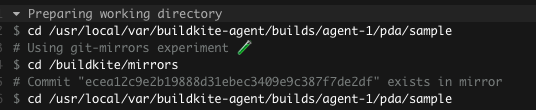
You can get started using git mirrors by setting the git-clone-mirror-flags experimental agent config option.
Let us know about any questions or issues on the Shared Git Checkouts topic in the Buildkite Community Forum 📝
Harriet
Custom states for blocked builds
With the new block step attribute, blocked_state, you can specify what state the build should have when it’s blocked by each block step — green passed, yellow running, or red failed.
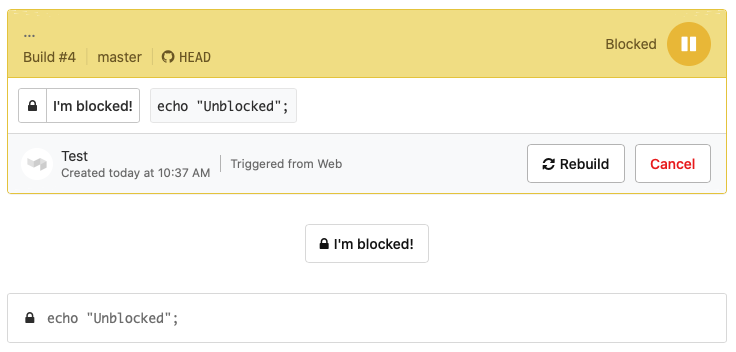
When you’ve got a block step that requires user input, having the build look or behave like it's passed isn’t always what you want. Setting blocked_state will affect the build state within the Buildkite UI, source provider integrations, webhooks, and notifications. This gives you more control over how your builds interact with PRs and custom integrations.
Add the new blocked_state attribute to your block steps to change the blocked status colour from the default green.
Grant
Branch filter pattern changes
You can now mix positive and negative branch filter patterns for more precise control over which branches to build 🔀
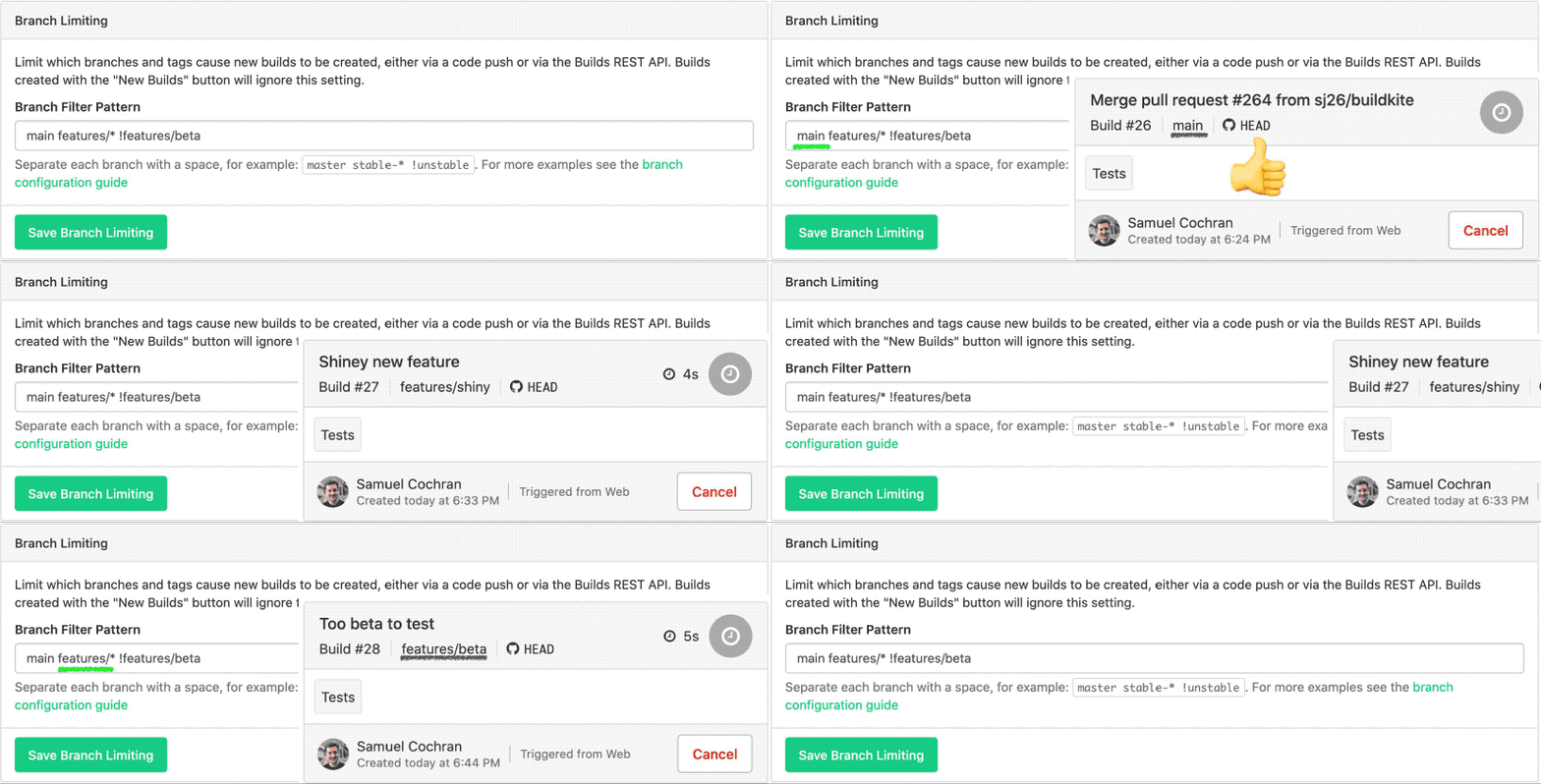
We've done our best to reach out via email if your pipeline already had a mix of patterns that will be affected by this change 👋🏻
If you're seeing unexpected builds, or are left waiting for a build that isn't showing up, we'd suggest a quick review of your pipeline's branch filter patterns.
For more information on branch filter patterns and some example code, check out the updated branch configuration docs.
Samuel
Elastic CI Stack for AWS v5.0.0
We've released a new major version of the Elastic CI Stack 🌈
The latest version includes:
- Experimental Windows Server 2019 support
- Support for four new regions: ap-east-1 (Hong Kong), me-south-1 (Bahrain), af-south-1 (Cape Town), eu-south-1 (Milan)
- Support for managing Agent tokens with AWS SSM
- A blazing fast Agent Auto Scaler by AWS Lambda - up to 300% faster initial scale-ups compares to previous AutoScaling rules
And much, much more! Check out the full changelog for this release on GitHub.
We'd love for you to share any feedback you have on the v5 announcement post in our forum 🤓
Thank you to the many users who provided bug reports and contributions that made this release possible 💚
Juanito
An all new Timeline tab
Debugging job and agent issues has become a whole lot easier with the shiny updates we've just released to the Timeline tab 📖
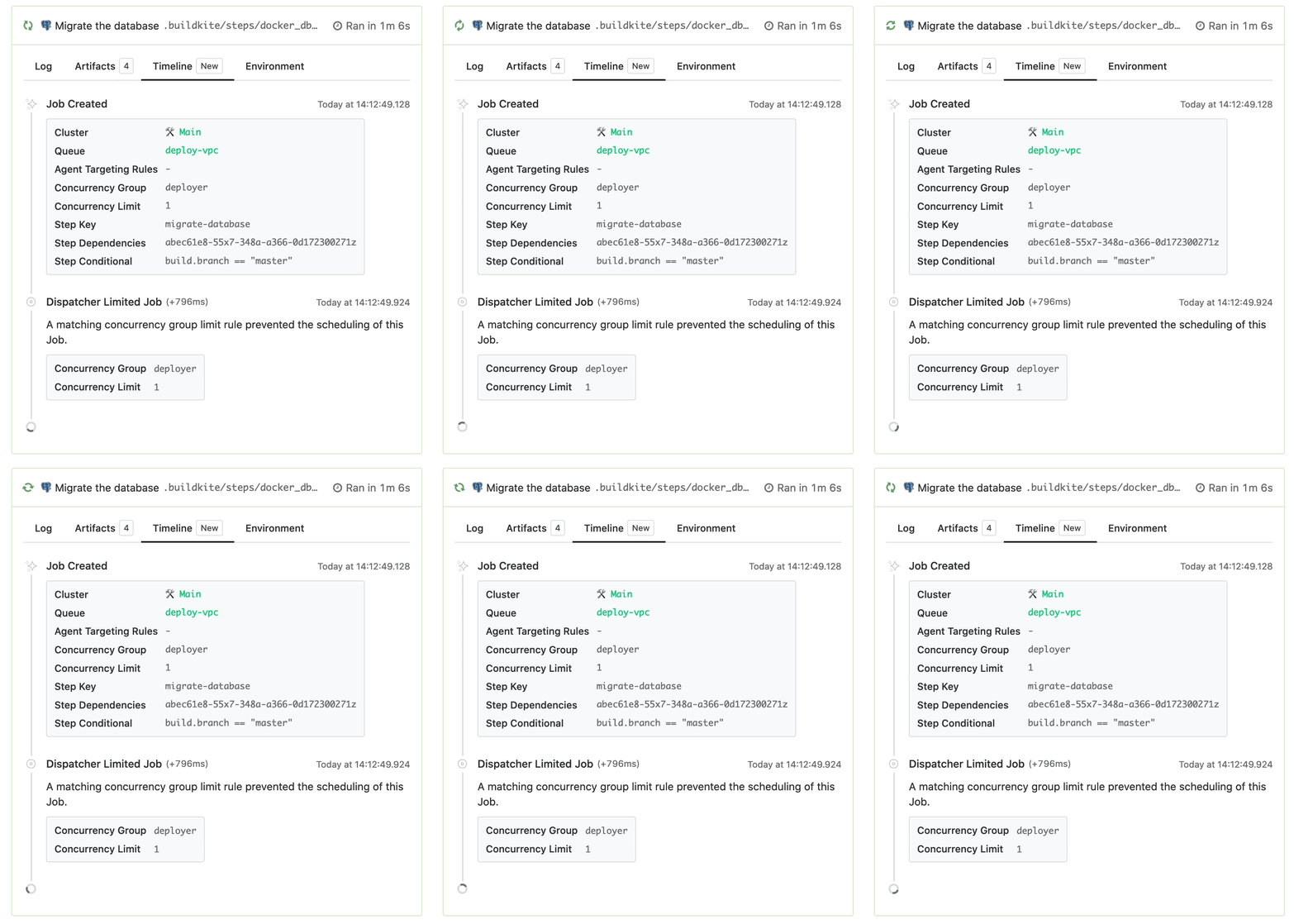
The new and improved Timeline tab has:
- Live updating with agent events
- Events from the dispatcher showing when the jobs are scheduled and assigned, and
- All your job info in one place including concurrency groups, step dependencies, and conditionals
You can find all of these updates under the Timeline tab of any job 🕵🏻♀️
Jessica
GitHub App integration
See exactly which repo permissions are requested by Buildkite with our new GitHub App 
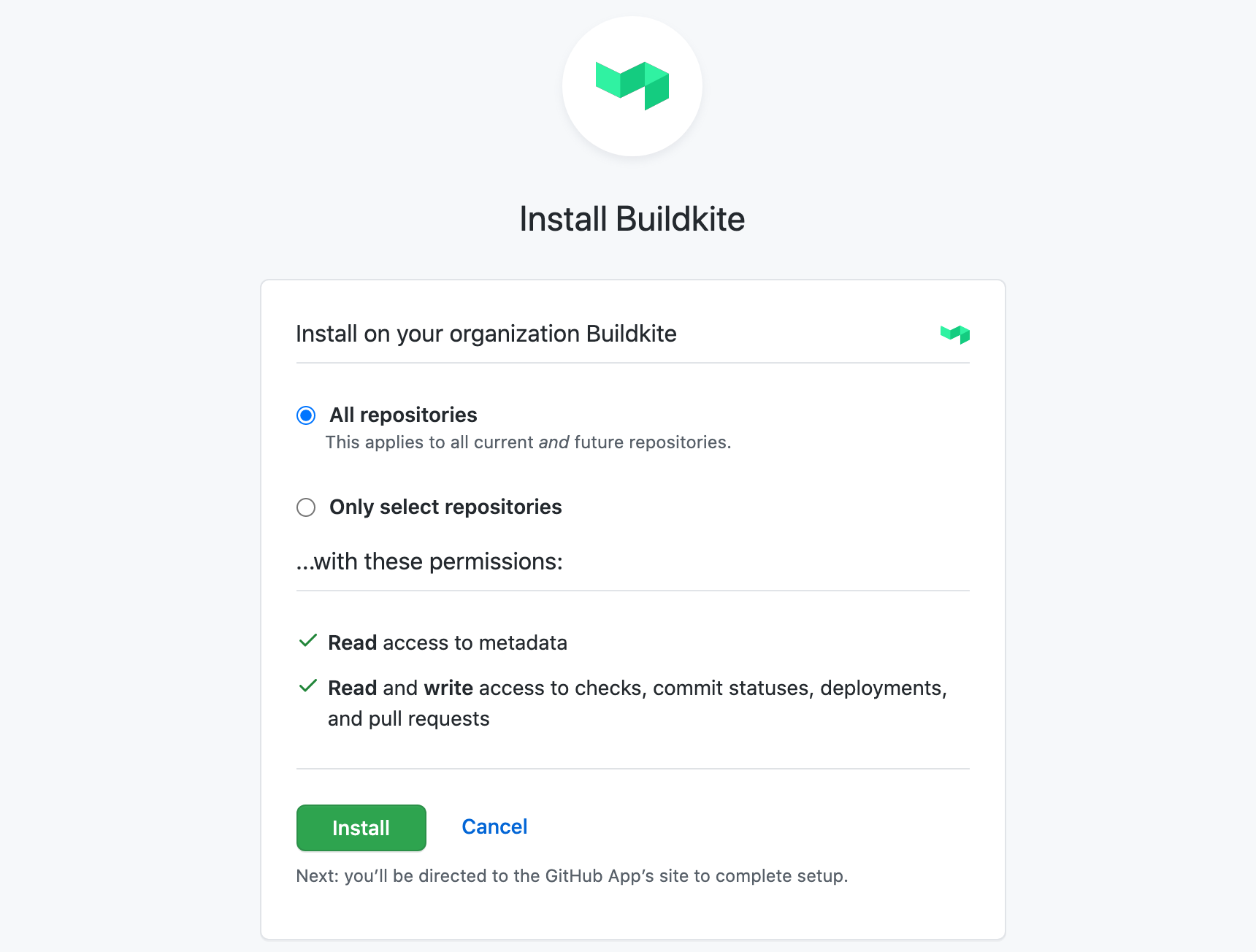
GitHub Apps create a direct connection between your Buildkite and GitHub organizations, removing reliance on individual user connections. GitHub Organization Admins can then see permissions and manage access on a per-repo basis 🙌🏻
Get started by installing the GitHub App from your Repository Providers page.
Samuel
New Repository Providers page
We've made it easier to manage multiple source control integrations 🔀 You can now find a list of connected and available integrations on the new Repository Providers page
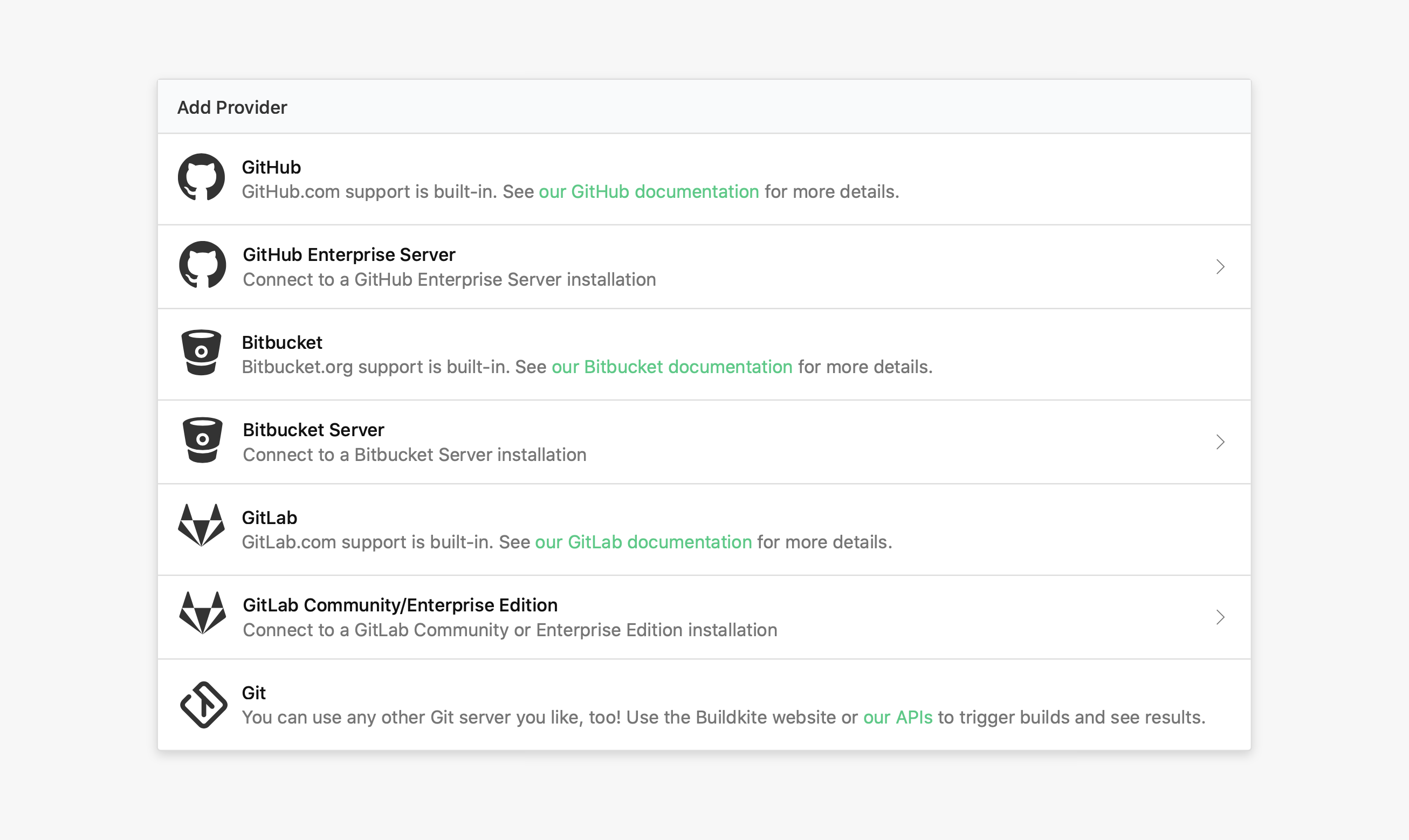
Click through to each provider for settings and delete options ⚙️
Sam
Build page history fix
Previously when you clicked through a series of jobs in a build, using the browser's back button to step back through the jobs would not always work as expected 👾
We’ve released a fix for the build page browser history list 🛠 the back button will now reliably step back through and expand each job before returning to the previous page.
Harriet
Introducing the YAML Steps editor ✨
After 2 years in beta, we are thrilled to promote the YAML Steps editor to our recommended way of managing your pipelines 🎉
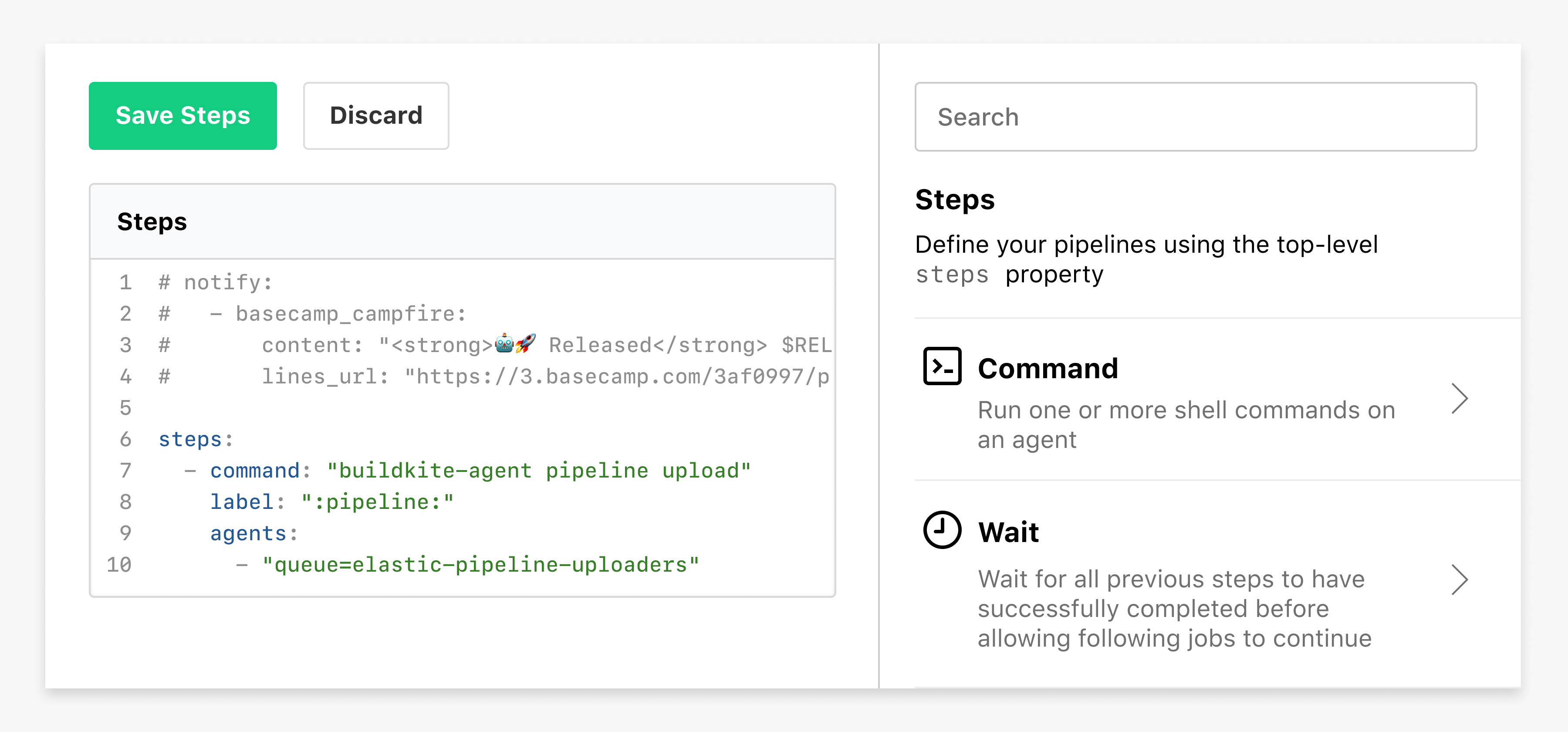
After migrating your pipeline to YAML Steps, you can find the new sidebar by clicking "Edit Steps" in your Pipeline Settings ✏️
You can now choose to make the YAML steps editor the default for any new pipelines created in your organization, and we’ve added a migration tool to help org admins get their pipelines switched over.
We'll be announcing deprecation plans for the web steps editor in the coming months, so keep an eye out for the deprecation notice 👋🏻
Harriet
Additional permissions controls for Enterprise
Enterprise organization admins can now choose to make pipelines read-only, as well as managing the ability to create, edit, or delete at an organization level 🔐
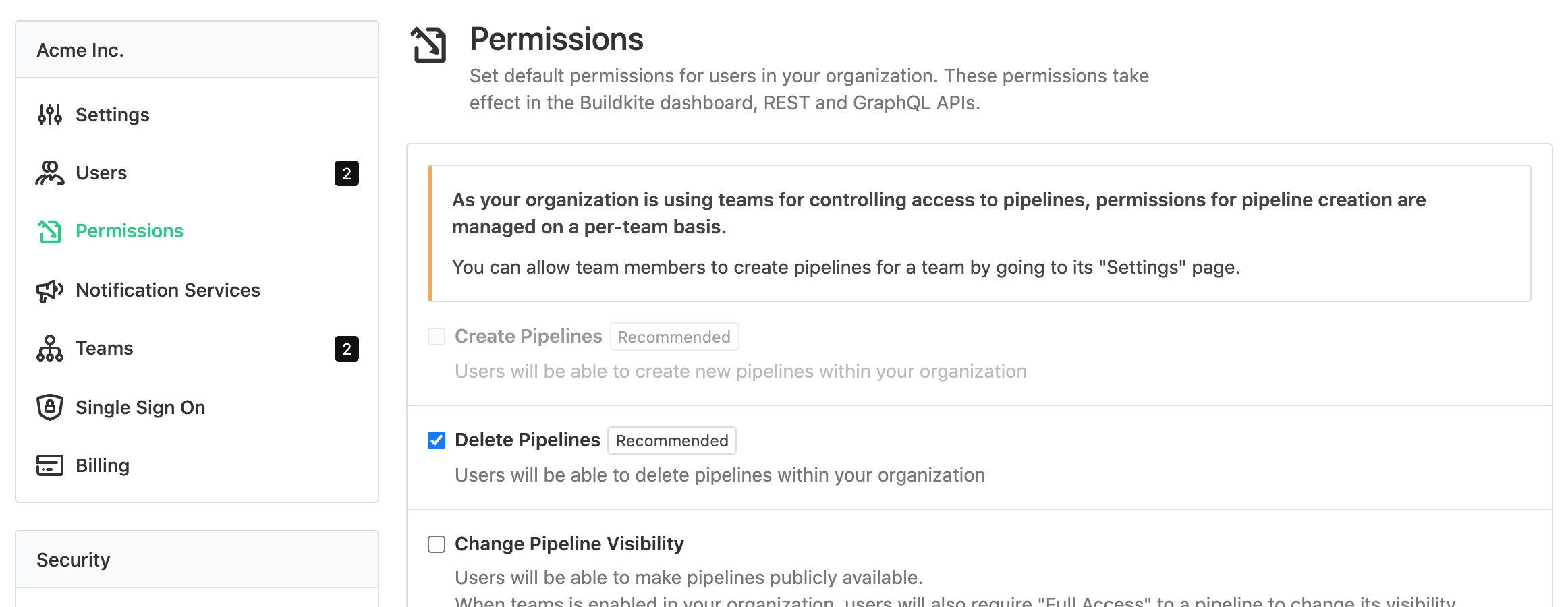
If you’re on the Enterprise plan, you can access these new settings from your Organization's Permissions page. For more information about upgrading your team to Enterprise, get in touch through support@buildkite.com 📨
Harriet
Skipped builds now use "error" for GitHub commit statuses
Skipped builds are now marked as an "error" in GitHub commit statuses:
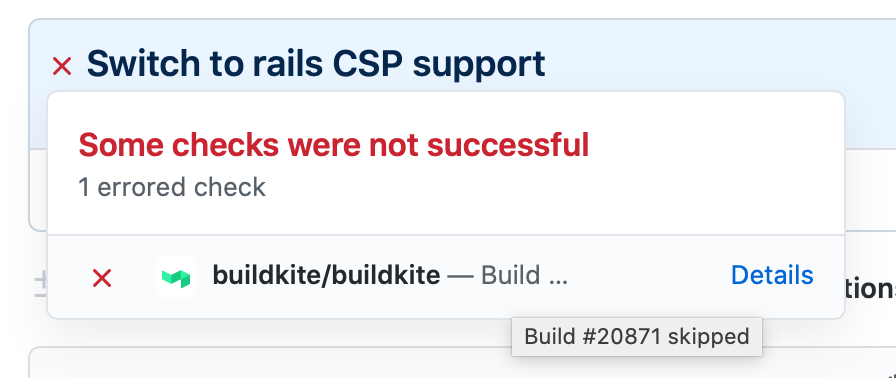
Build skipping, available from your Buildkite pipeline settings, saves you time by only testing the latest commit on a branch. Previously, a skipped build created a "success" commit status on GitHub, but this could give the false impression that the tests were run and passed.
The options here are pretty limited, but we've made this change to better reflect that the build is no longer pending, but didn't succeed or fail, it finished unusually.
Running another build on the same commit will replace this error status, and running builds on future commits will correctly update a pull request as expected.
Samuel
Start turning complexity into an advantage
Create an account to get started for free.

