Improvements to log groups for running builds
We've made a few improvements to the way log groups render on the new build page. For a running job, the log group that's currently running stays open and on screen, and we've added live durations and sticky headers to make it easier to follow along.
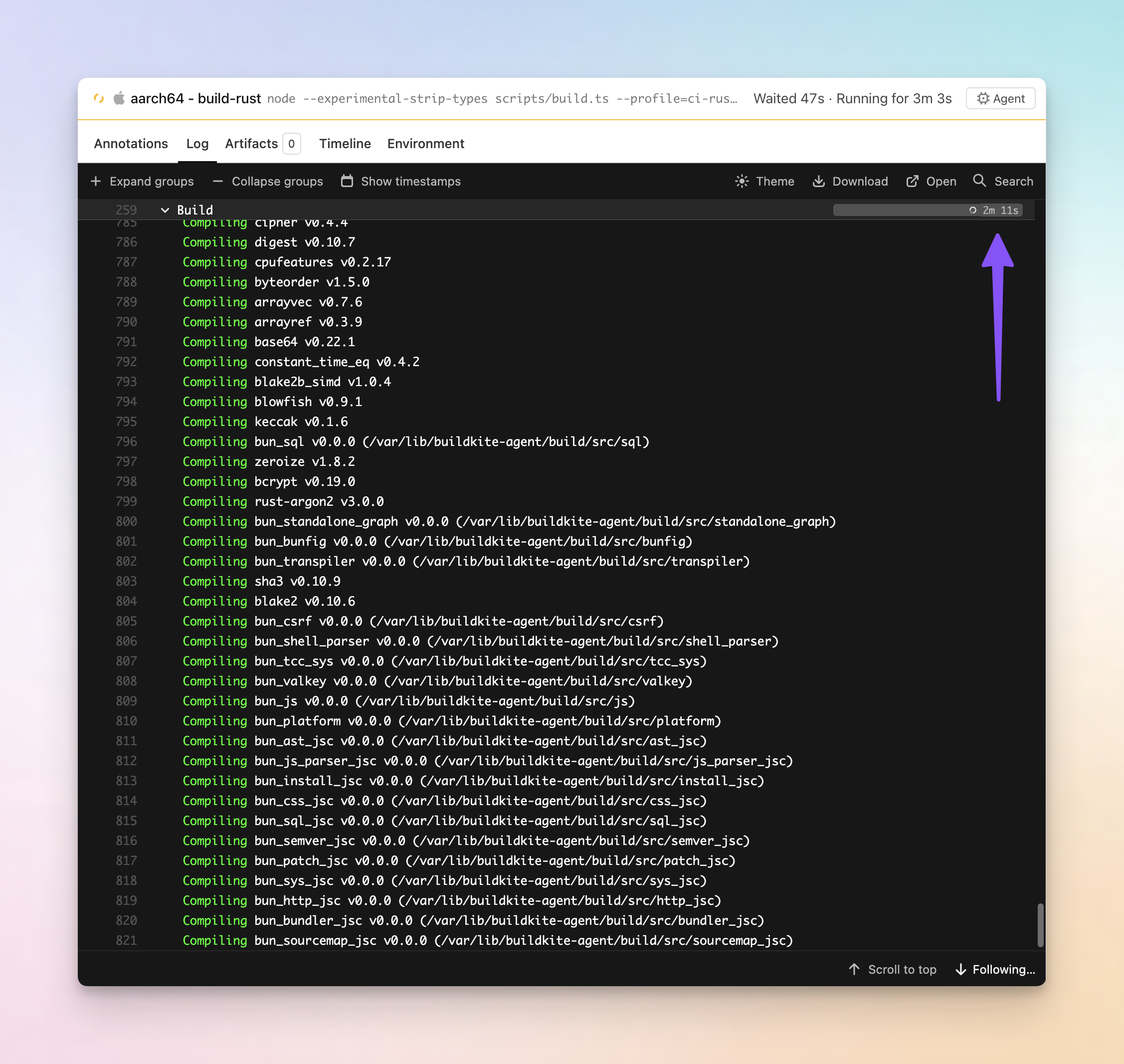
- See the duration of the running log group: The running log group now shows a ticking duration and a bar that grows in real time, instead of a spinner you stare at until the group finishes.
- Follow the output as it streams: The group that's currently running expands automatically so its output stays visible. When the job moves on, it folds back to how the step defined it and the next group opens.
- Never lose your place: Scroll deep into a long expanded group and its header sticks just below the toolbar, then hands off to the next group as you pass it.
We've also shipped some fixes along the way to log search highlighting, and the log scrollbar now matches your active theme.
These improvements are available on the new build page. Give it a try if you haven't by opting in on the build page and tell us what you think at support@buildkite.com.
Chris
You deserve better CI.
Get started for free with a full month of our all-access trial.

