Track the performance of your hosted agents
There's a new Metrics tab on every job that runs on Buildkite hosted agents, giving you a live view of how that job used its machine. No dashboards to wire up, no agent configuration — open a job and the charts are right there.
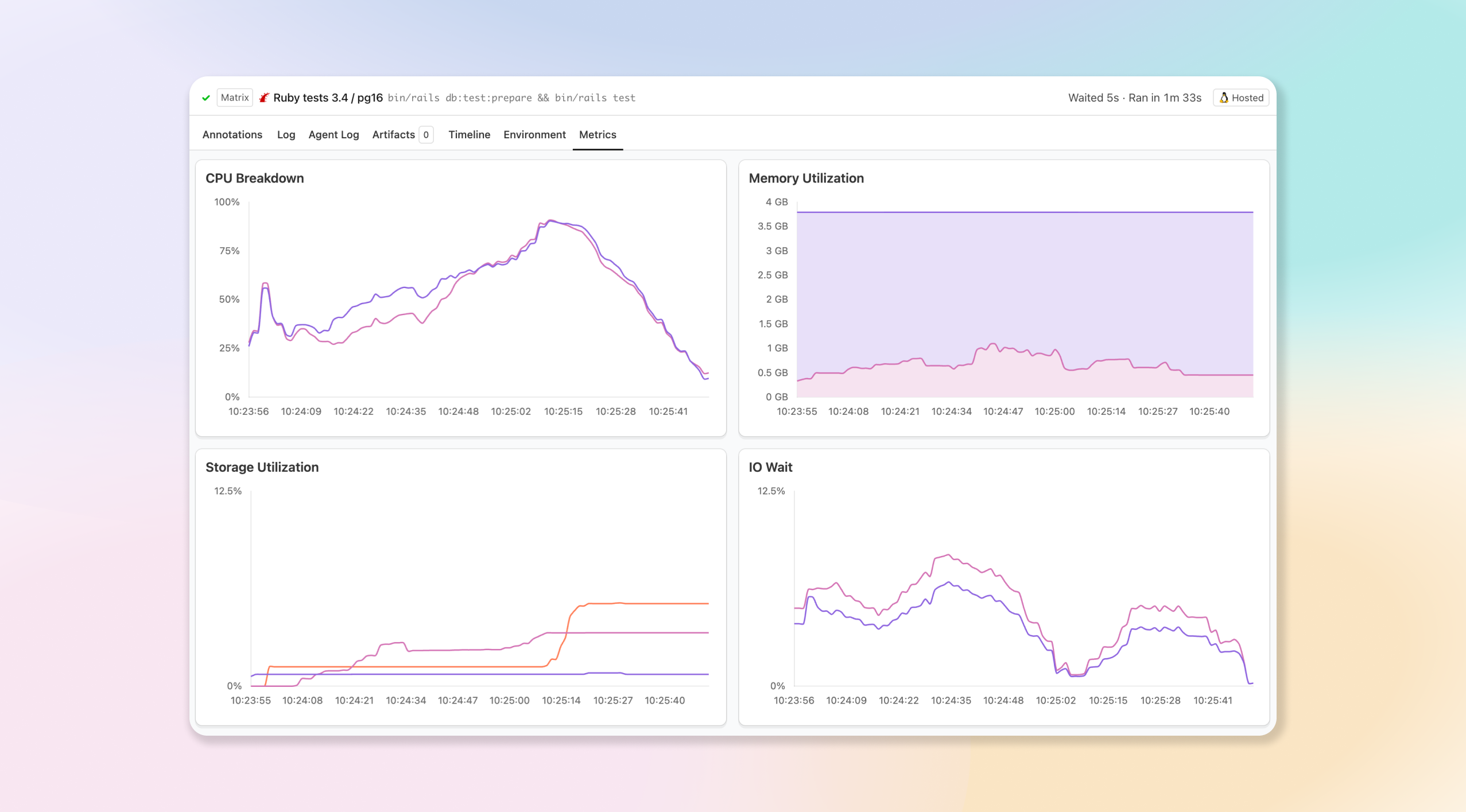
- Measure CPU load: See how hard the machine worked over the life of the job, so you can spot steps that are starved for CPU or right-size an oversized instance.
- Watch memory utilization: Track memory usage across the job to catch the spikes that lead to out-of-memory failures before they bite.
- Keep an eye on storage: Follow disk utilization over time to find jobs that are filling up the instance.
- Spot IO wait (Linux): On Linux instances, an extra chart surfaces time spent waiting on IO, making it easy to tell a disk-bound job apart from a CPU-bound one.
- Updates live as the job runs: The charts stream in while the job is still running and settle into a complete picture once it finishes, so you don't have to wait for the build to end to start investigating.
Use it to debug slow or failing jobs, right-size your hosted instances, and understand where your build minutes are actually going. Available now on jobs running on hosted agents — open any job and select the Metrics tab.
Gabe
You deserve better CI.
Get started for free with a full month of our all-access trial.

