1. Resources
  2. /
  3. Changelog
  4. /
  5. View your organization's service quotas

View your organization's service quotas

Organization administrators can now view the service quotas that apply to their organization directly in Buildkite. Head to Settings > Quotas to see your actual limits, broken down by product area.
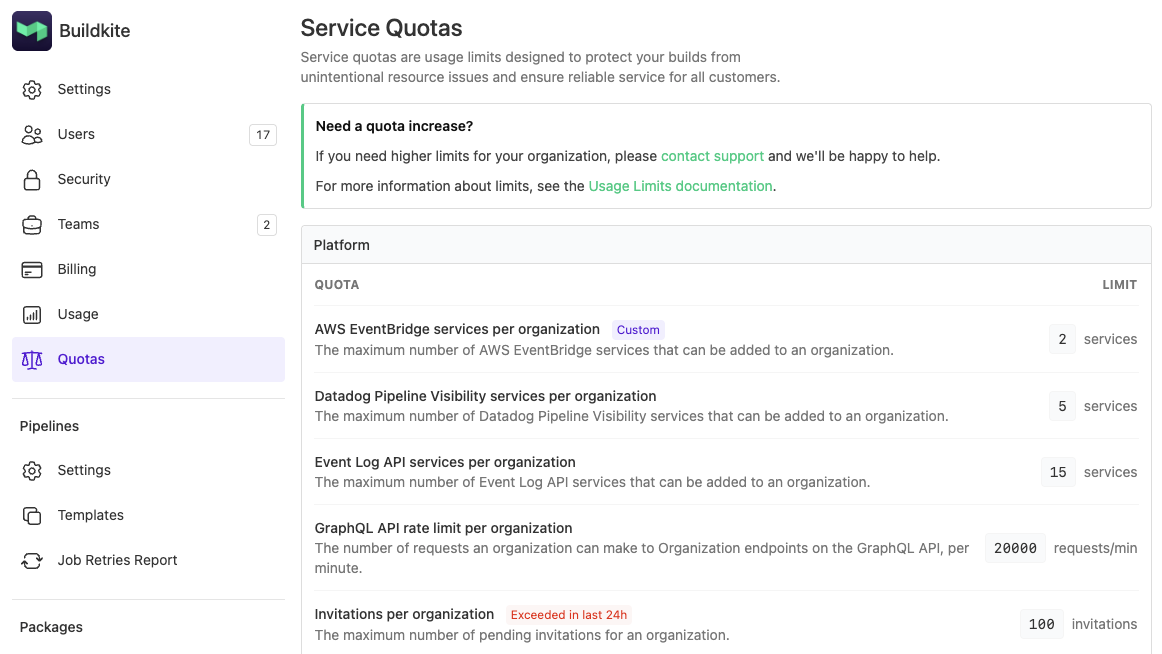
The Service Quotas page in organization settings

Each quota shows the effective limit for your organization. A Custom badge indicates a limit that differs from the default for your plan, and an Exceeded in last 24h badge flags any quotas your organization has hit recently.

If you need a quota increased, contact support@buildkite.com or reach out to your Technical Account Manager.

For the full list of default limits, see the Limits documentation.

Grant

Atom feed

Start turning complexity into an advantage

Create an account to get started for free.

Buildkite Pipelines

Platform

  1. Pipelines
  2. Public pipelines
  3. Test Engine
  4. Package Registries
  5. Mobile Delivery Cloud
  6. Pricing

Hosting options

  1. Self-hosted agents
  2. Mac hosted agents
  3. Linux hosted agents

Resources

  1. Docs
  2. Blog
  3. Changelog
  4. Example pipelines
  5. Plugins
  6. Webinars
  7. Case studies
  8. Events
  9. Migration Services
  10. CI/CD perspectives

Company

  1. About
  2. Careers
  3. Press
  4. Security
  5. Brand assets
  6. Contact

Solutions

  1. Replace Jenkins
  2. Workflows for MLOps
  3. Testing at scale
  4. Monorepo mojo
  5. Bazel orchestration

Legal

  1. Terms of Service
  2. Acceptable Use Policy
  3. Privacy Policy
  4. Subprocessors
  5. Service Level Agreement
  6. Supplier Code of Conduct
  7. Modern Slavery Statement

Support

  1. System status
  2. Forum
© Buildkite Pty Ltd 2026
