View your organization's service quotas
Organization administrators can now view the service quotas that apply to their organization directly in Buildkite. Head to Settings > Quotas to see your actual limits, broken down by product area.
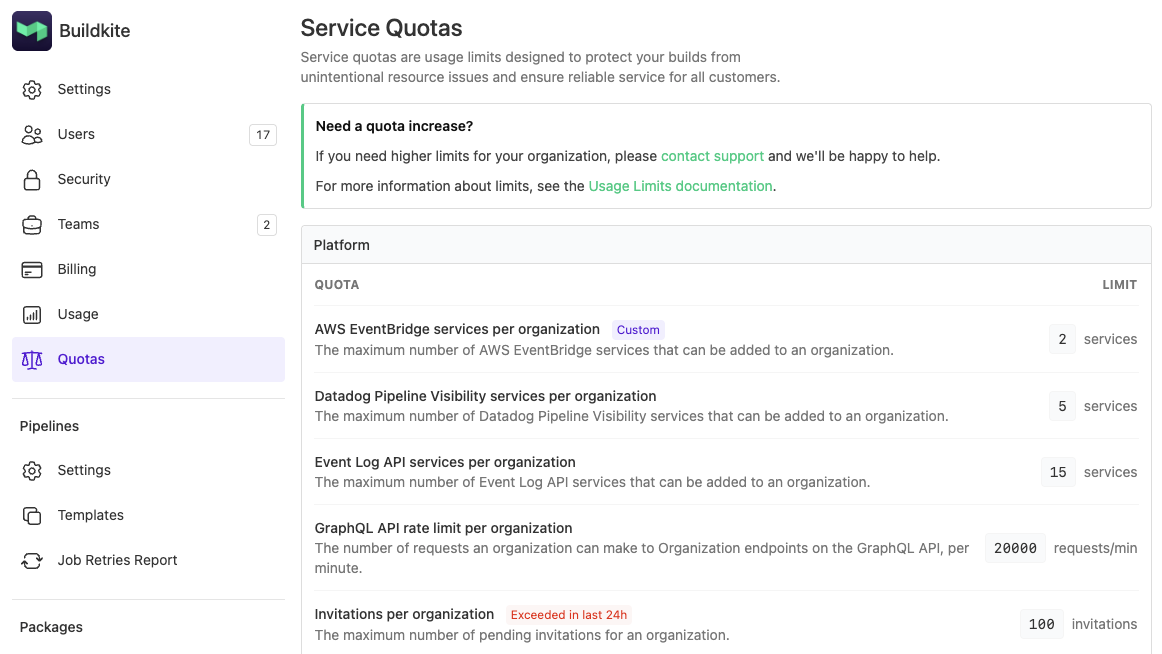
Each quota shows the effective limit for your organization. A Custom badge indicates a limit that differs from the default for your plan, and an Exceeded in last 24h badge flags any quotas your organization has hit recently.
If you need a quota increased, contact support@buildkite.com or reach out to your Technical Account Manager.
For the full list of default limits, see the Limits documentation.
Grant
You deserve better CI.
Get started for free with a full month of our all-access trial.

