Introducing job annotations
Annotations can now be scoped to individual jobs. Previously, all annotations lived at the build level, but with large builds this meant scrolling through a list of annotations and mentally mapping each one back to its job. Now, test failures, lint errors, etc. can show up next to the job that produced them. Existing annotations are unaffected — the default scope remains build.
🆕 What's new
-
Job-scoped annotations via the agent CLI: Use
buildkite-agent annotate --scope jobto create an annotation that's tied to the current job.buildkite-agent annotate --scope job "3 tests failed — see details below" -
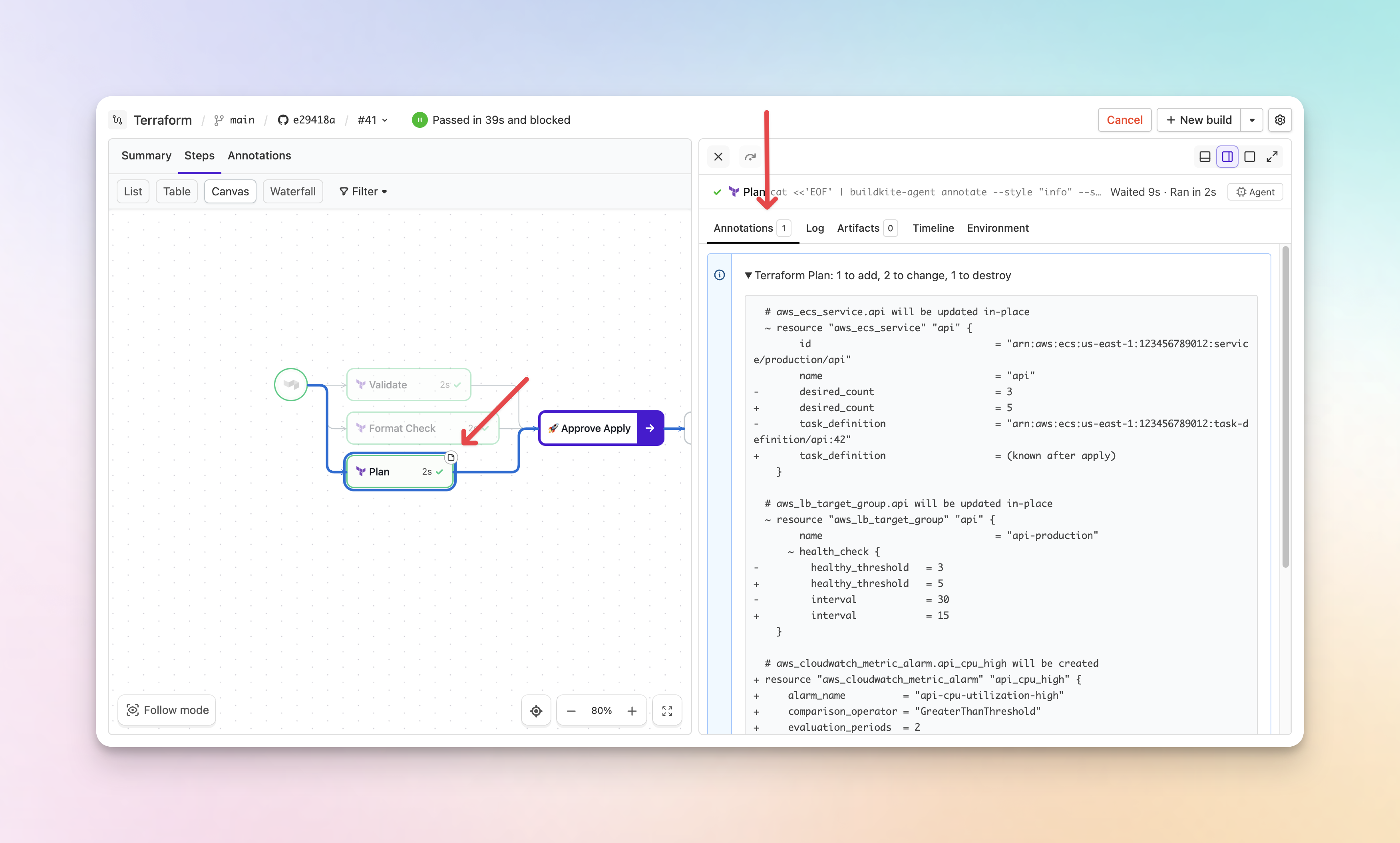
Annotation indicators on jobs: Jobs with annotations show an indicator on the canvas. When you open a job's drawer, its annotations are available in a dedicated Annotations tab.
-
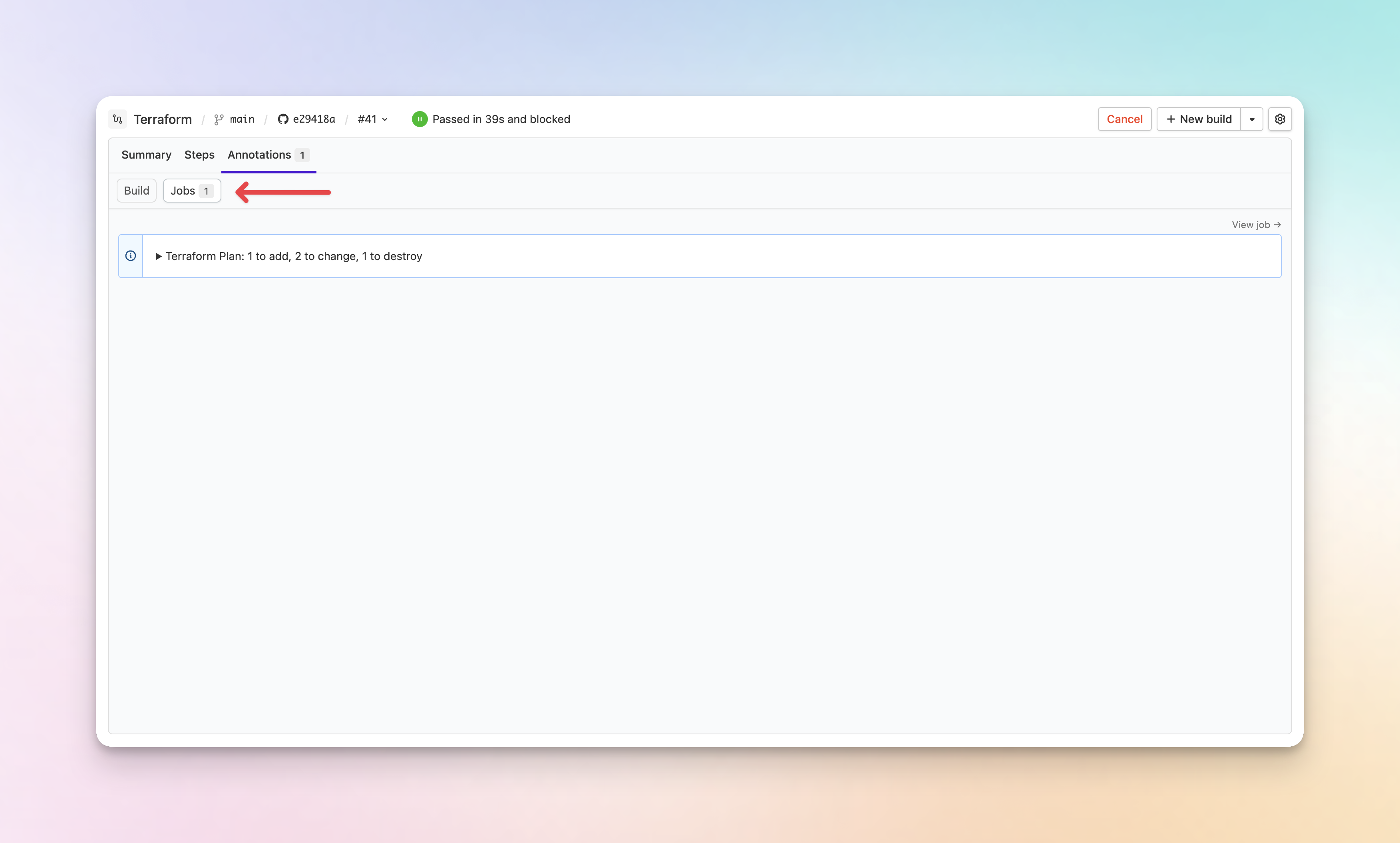
Annotations tab with build and job sub-tabs: The Annotations tab now has separate Build and Jobs sub-tabs, with links to jump to the originating job.
-
Full API support: Job annotations are fully supported in both the REST API and GraphQL API, including create, read, and delete operations.
-
Real-time updates: Annotations update in real-time as your build runs — no page refresh needed.
Job-scoped annotations require Buildkite Agent v3.112 or newer and are not available in the classic build page experience. For more information, see the annotations documentation.
Chris
You deserve better CI.
Get started for free with a full month of our all-access trial.

