pytest-parallel-example
This repository is an example Buildkite pipeline that runs a Python integration test suite using pytest configured to use paralellism.
See the full Getting Started Guide for step-by-step instructions on how to get this running.
How does it work
This repo has a little python project with 100 integration tests, which currently just sleep for a random amount of time then pass 99% of the time. We’re using uv to run Python.
We start by using a single command step to run pytest:
# .buildkite/pipeline.yml
steps:
  - command: uv run pytest
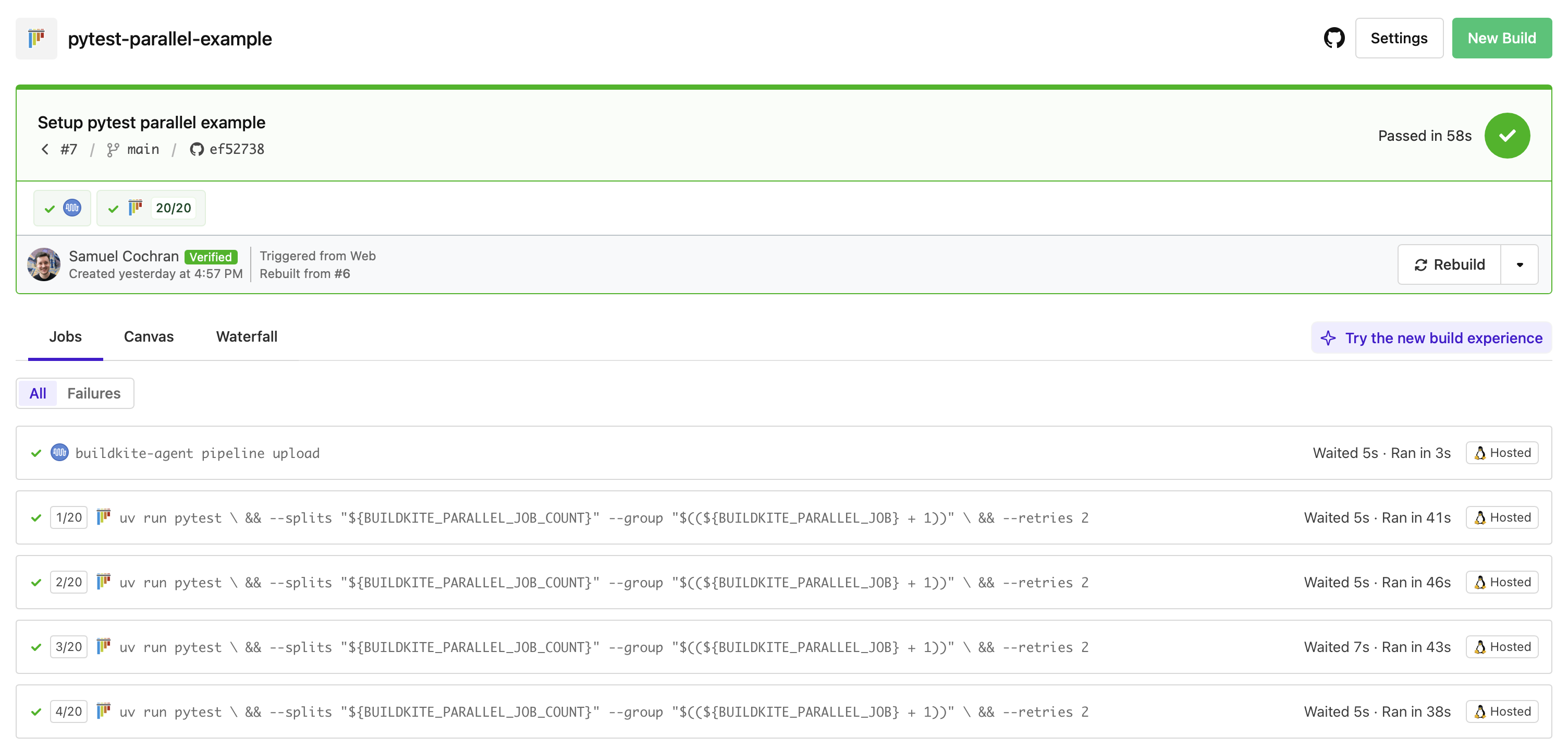
Then we add parallelism set to 20 so it turns into 20 jobs across 20 agents:
steps:
  - command: uv run pytest
    parallelism: 20
But that runs every test in every job, so we use pytest-split, $BUILDKITE_PARALLEL_JOB and $BUILDKITE_PARALLEL_JOB_COUNT to make each job run a different chunk of the tests:
steps:
  - command: |
      uv run pytest \
        --splits "$${BUILDKITE_PARALLEL_JOB_COUNT}" \
        --group "$$(($${BUILDKITE_PARALLEL_JOB} + 1))"
    parallelism: 20
Note we have to escape the $ because pipeline uploads perform interpolation at upload time and we want to take the variables within each the job instead.
We also do some math because $BUILDKITE_PARALLEL_JOB starts at 0 but pytest-split expects --group to start at 1.
Finally, because this is an integration test suite, test reliability is not always 100%. So we use pytest-retry to retry failed tests:
steps:
  - command: |
      uv run pytest \
        --splits "$${BUILDKITE_PARALLEL_JOB_COUNT}" \
        --group "$$(($${BUILDKITE_PARALLEL_JOB} + 1))" \
        --retries 2
    parallelism: 20
Next steps could be to extract this into a script file, to make that interpolation less awkward. We can also add a log group to make the log output a little nicer. For example:
# .buildkite/steps/pytest

echo "+++ Running pytest"
uv run pytest \
  --splits "${BUILDKITE_PARALLEL_JOB_COUNT}" \
  --group "$((${BUILDKITE_PARALLEL_JOB} + 1))" \
--retries 2steps:
- command: .buildkite/steps/pytest
parallelism: 20Lovely ✨
To go further, we could integrate Buildkite Test Engine which can more intelligently manage the split of our test suite. It is aware of the historical timing of tests so can spread tests across jobs so they take roughly the same amount of time, eliminating long tail jobs, meaning your builds finish sooner. It can also manage tests that are known to be flaky, suppressing failures based on rules and managing team workflows to resolve flakey tests, increasing the reliability of your test suite over time.



