Collapsed group steps on the build canvas
Group steps on the build canvas are now collapsed by default, making complex dependency graphs much easier to follow at a glance.
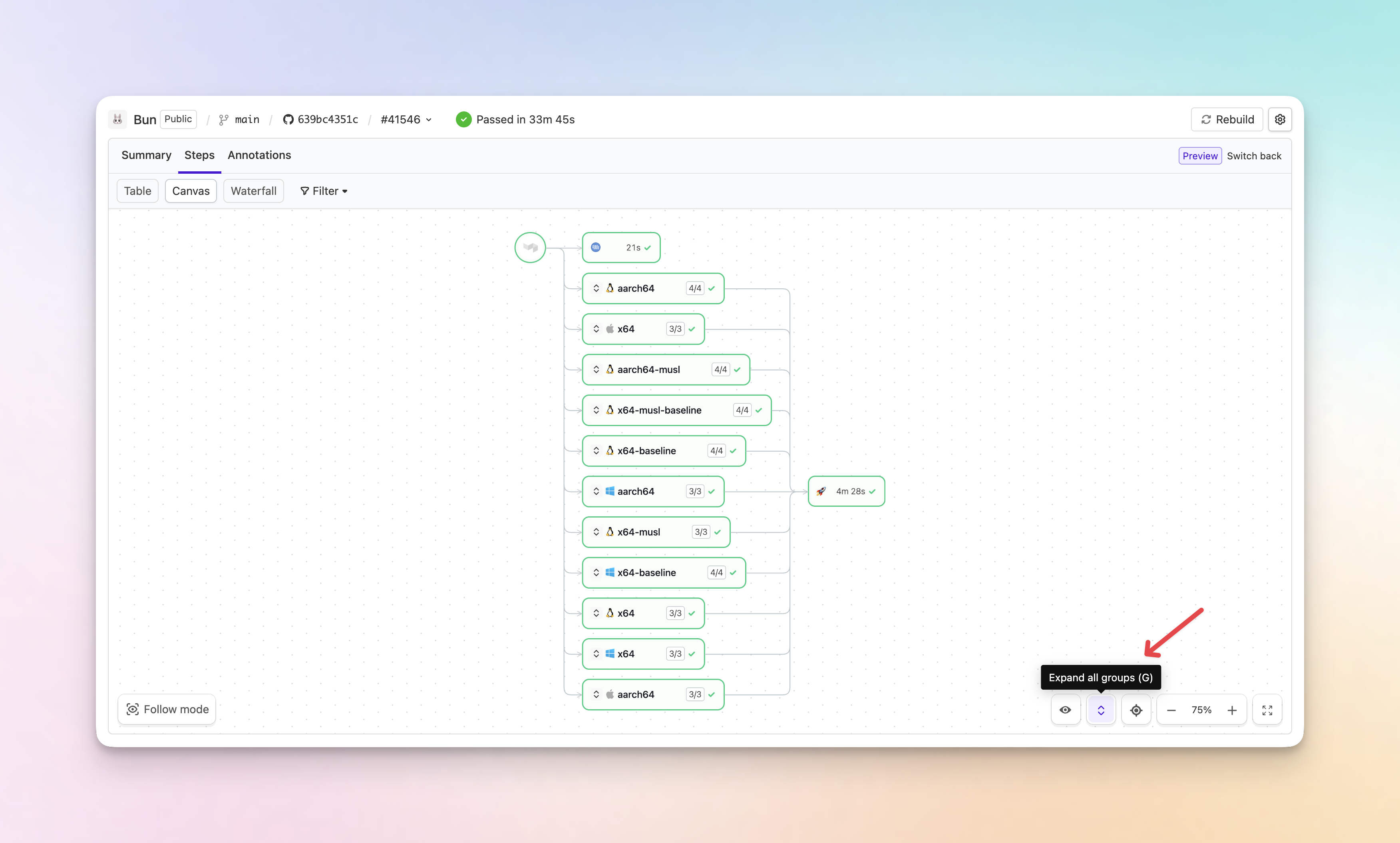
- Collapsed by default: Group steps are now collapsed when you open a build, reducing visual noise and improving page performance on large pipelines.
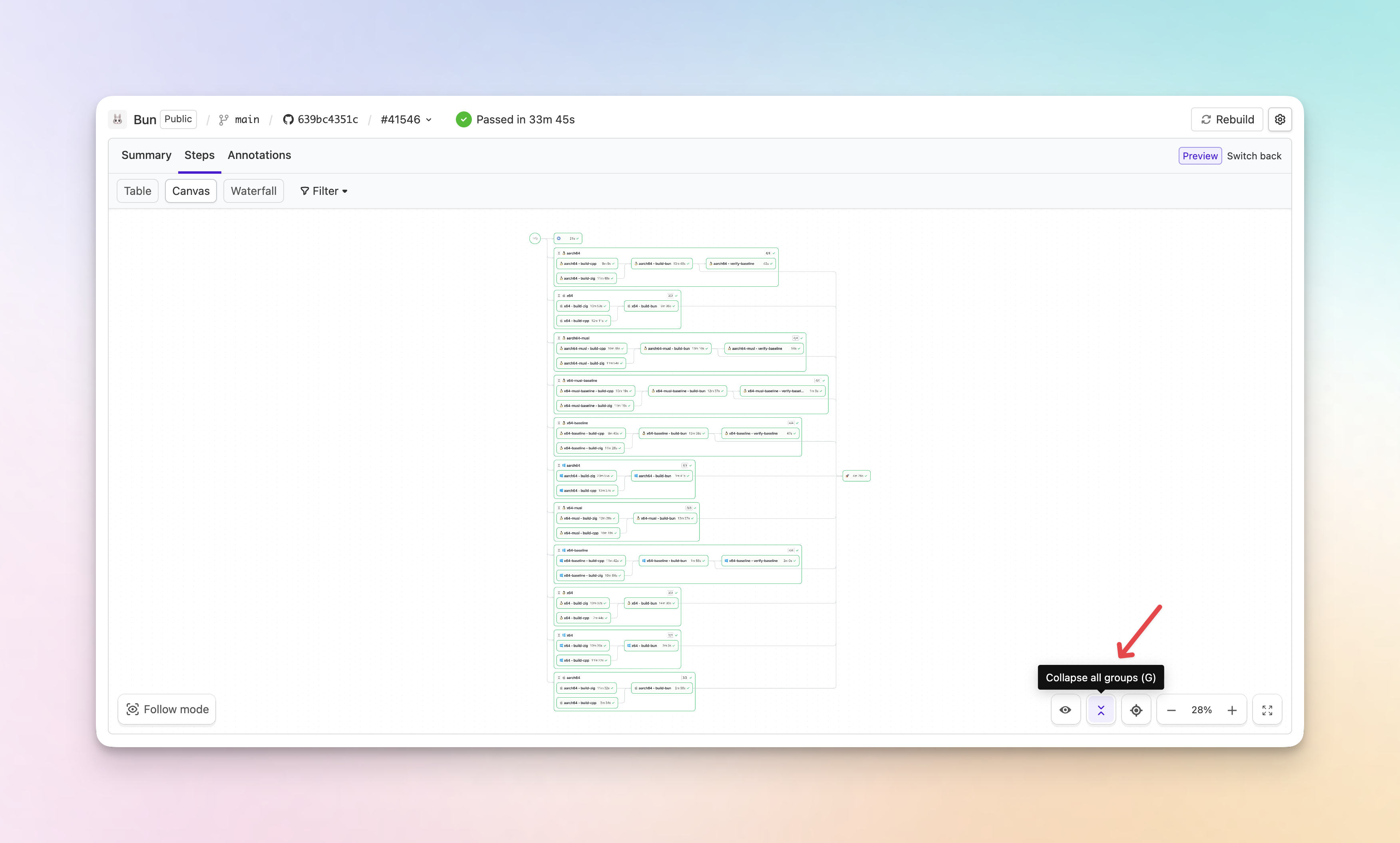
- Expand and collapse all: A new button on the canvas lets you expand or collapse all group steps at once. You can also press G to toggle.
- Auto-expand on failure or input: Groups containing failed steps or steps waiting for user input are automatically expanded, so you never miss something that needs your attention.
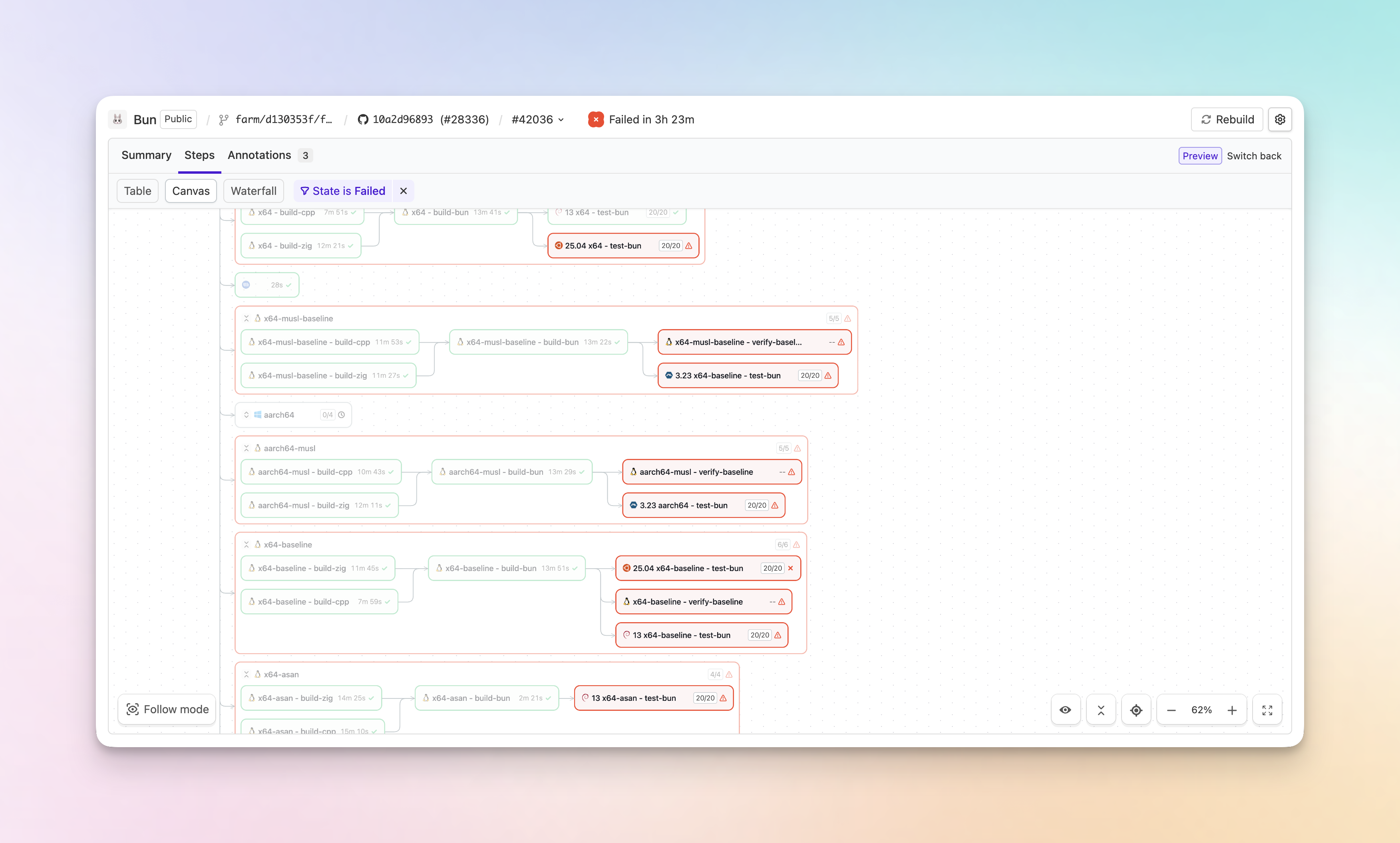
You can still expand or collapse individual group steps by clicking on them.
Chris

