Build CI pipelines that think like software
Most CI tools treat your pipeline like a list of instructions. Buildkite lets you define logic that evolves as your build runs—just like your code. To prove it, we built a CI pipeline that plays Doom.
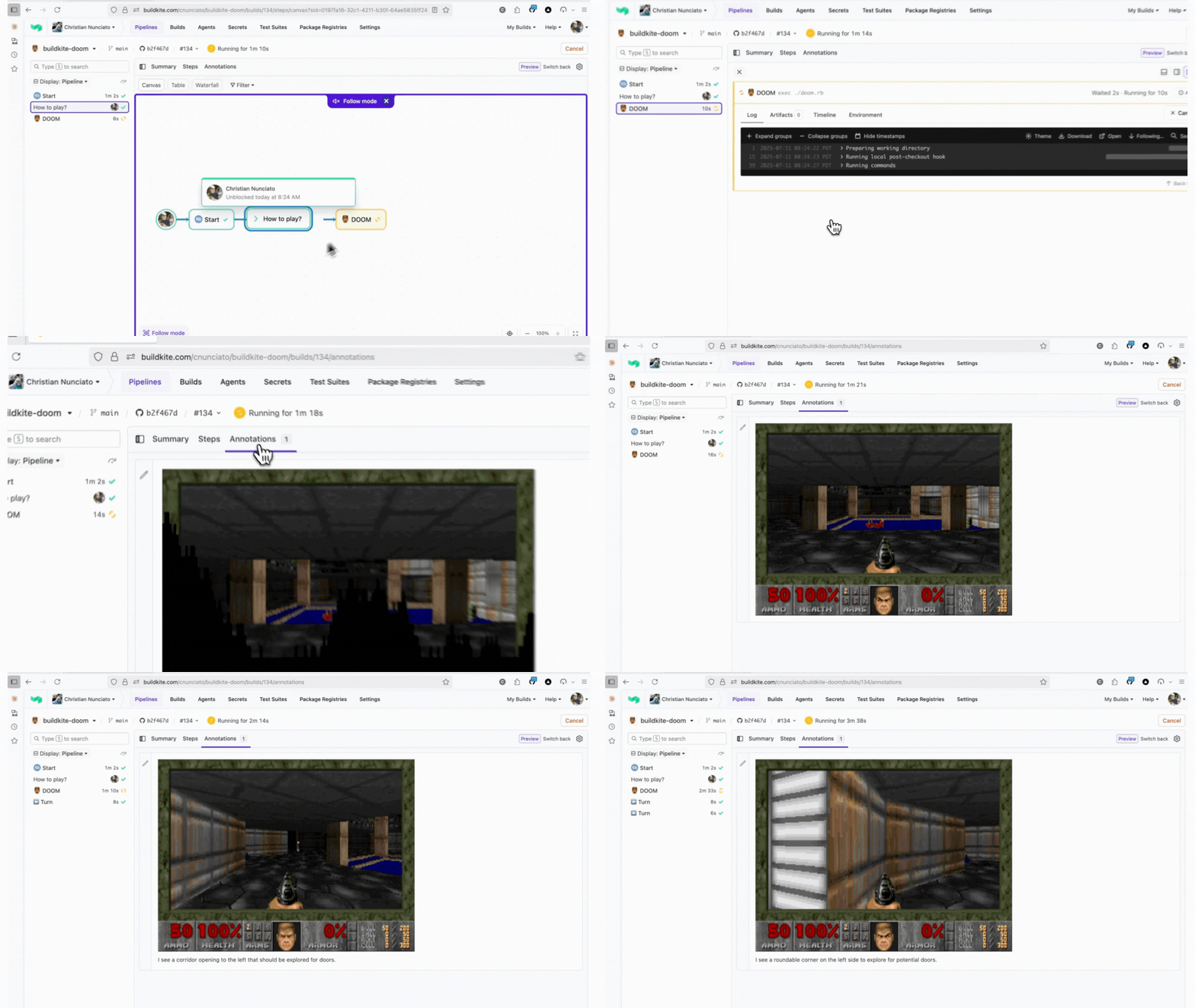
Yes, this is a real Buildkite pipeline.
This is what programmable CI actually looks like
Every time Doom makes a move, the pipeline dynamically generates the next job.
- 🧵 Steps are injected while the build is still running
- 📦 Each frame is saved as a build artifact
- 🤖 Claude (yes, the LLM) can read the output and decide what happens next
Trusted by teams building serious systems
The same mechanics behind the Doom pipeline are used by real engineering teams to:
- Retry flaky tests based on artifact state
- Run ML training loops with step-by-step orchestration
- Triage failures using external logic or LLMs
What makes Buildkite different
Feature
In the Doom Demo
In Your Pipelines
Dynamic Pipelines
Jobs are created mid-build
CI that responds to runtime conditions
Infra Control
Runs across your own agents
No shared runners; full flexibility
Artifact Handling
Frames are logged and visible in the UI
Debug with visual traceability built in
When CI becomes programmable
How it works
Claude plays Doom by analyzing each frame and triggering the next move. That move becomes a new job—added live to the pipeline as it runs.
Use your logic
Replace the game logic with your own API, script, or model. This is how you inject decision-making, dynamic flow control, and real feedback loops into CI. No brittle hacks required.
If your CI can’t do this, what else is it blocking?
Get started with Buildkite
The Doom pipeline is just one example. With Buildkite, every pipeline can be dynamic. Shaped by real logic. Running on your infrastructure. Built to adapt.

