---
name: "Starter pipeline"
description: "An example pipeline for launching a rocket that shows how Buildkite works."
author: "buildkite"
repo: "starter-pipeline-example"
stars: 11
demo: "https://buildkite.com/buildkite/starter-pipeline-example/builds/latest?branch=main"
---
# Buildkite Starter Pipeline Example
This repository is a friendly starting point for learning how [Buildkite](https://buildkite.com/) pipelines work.
See the full [Getting Started Guide](https://buildkite.com/docs/guides/getting-started) for step-by-step instructions on how to get this running.
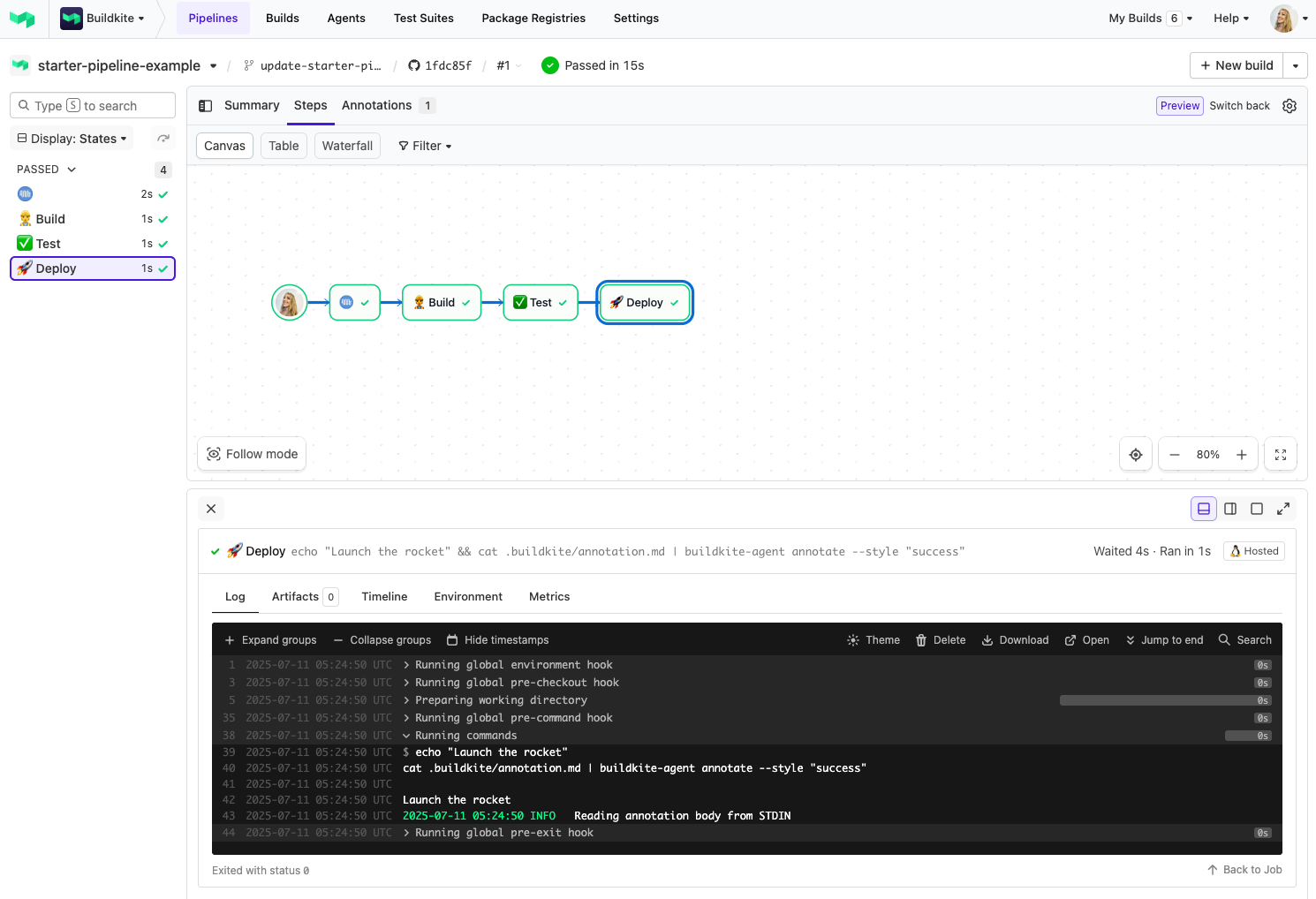 > 📸 **Screenshot 1:** A simple 3-step pipeline in action - building, testing, and deploying your rocket 🚀
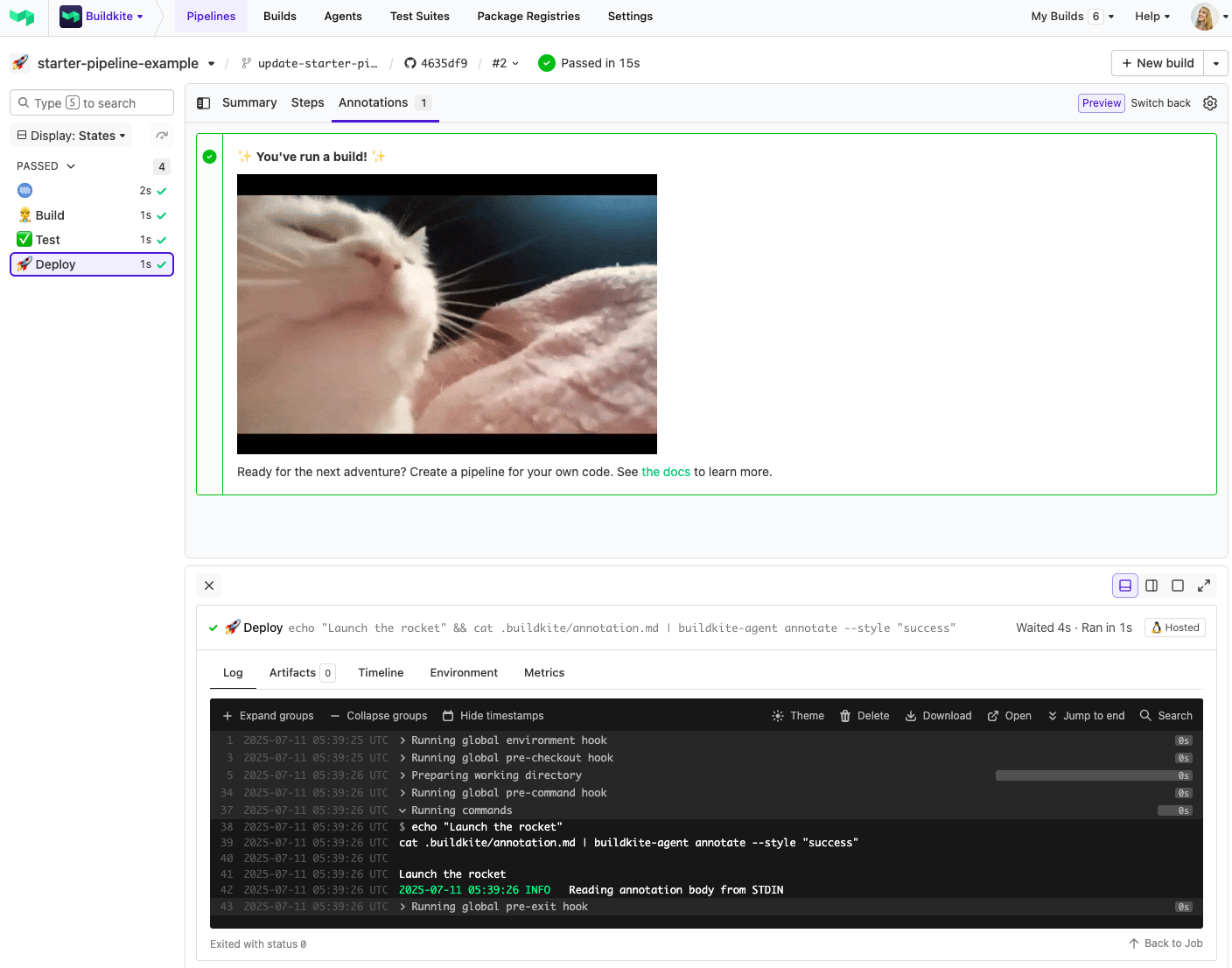 > 📸 **Screenshot 2:** The final deploy step adds a success annotation to your build - and yes, you can add GIFs too!
## 🛠 How it works
The pipeline is platform agnostic, which means it can run on any infrastructure. Its behavior is defined in [.buildkite/pipeline.yml](https://github.com/buildkite/starter-pipeline-example/blob/HEAD/.buildkite/pipeline.yml), including steps to build, test, and deploy. These steps describe launching a shiny new rocket to the moon. 🚀🌕
This pipeline demonstrates a typical Buildkite flow:
1. **Build** step - placeholder command to "build the rocket"
2. **Test** step - placeholder test stage, depends on `build`
3. **Deploy** step - echoes a launch message and uses `buildkite-agent annotate` to display an annotation
You can replace each of these steps with real commands suited to your own project.
## Create a pipeline
If you need help setting up Buildkite, see [Getting started](https://buildkite.com/docs/tutorials/getting-started).
With Buildkite setup, you can quickly create a new pipeline by selecting **Add to Buildkite**. This prefills the pipeline details using [template.yml](https://github.com/buildkite/starter-pipeline-example/blob/HEAD/.buildkite/template.yml) and includes a command to upload the pipeline definition in [pipeline.yml](https://github.com/buildkite/starter-pipeline-example/blob/HEAD/.buildkite/pipeline.yml).
## Requirements
None! This example runs on Buildkite-hosted agents, so there's nothing to install or configure.
Just click **Add to Buildkite** above and you’re ready to go.
> 💡 If you’d like to run this on your own infrastructure instead, see [Buildkite Agent setup](https://buildkite.com/docs/agent).
## License
See [LICENSE](https://github.com/buildkite/starter-pipeline-example/blob/HEAD/LICENSE) (MIT)
> 📸 **Screenshot 2:** The final deploy step adds a success annotation to your build - and yes, you can add GIFs too!
## 🛠 How it works
The pipeline is platform agnostic, which means it can run on any infrastructure. Its behavior is defined in [.buildkite/pipeline.yml](https://github.com/buildkite/starter-pipeline-example/blob/HEAD/.buildkite/pipeline.yml), including steps to build, test, and deploy. These steps describe launching a shiny new rocket to the moon. 🚀🌕
This pipeline demonstrates a typical Buildkite flow:
1. **Build** step - placeholder command to "build the rocket"
2. **Test** step - placeholder test stage, depends on `build`
3. **Deploy** step - echoes a launch message and uses `buildkite-agent annotate` to display an annotation
You can replace each of these steps with real commands suited to your own project.
## Create a pipeline
If you need help setting up Buildkite, see [Getting started](https://buildkite.com/docs/tutorials/getting-started).
With Buildkite setup, you can quickly create a new pipeline by selecting **Add to Buildkite**. This prefills the pipeline details using [template.yml](https://github.com/buildkite/starter-pipeline-example/blob/HEAD/.buildkite/template.yml) and includes a command to upload the pipeline definition in [pipeline.yml](https://github.com/buildkite/starter-pipeline-example/blob/HEAD/.buildkite/pipeline.yml).
## Requirements
None! This example runs on Buildkite-hosted agents, so there's nothing to install or configure.
Just click **Add to Buildkite** above and you’re ready to go.
> 💡 If you’d like to run this on your own infrastructure instead, see [Buildkite Agent setup](https://buildkite.com/docs/agent).
## License
See [LICENSE](https://github.com/buildkite/starter-pipeline-example/blob/HEAD/LICENSE) (MIT)