---
name: "Build & Publish NuGet Package To Buildkite Package Registries"
description: "An example Buildkite pipeline to build a NuGet package from a Microsoft dotnet project, and publish to a Buildkite Package Regitries."
author: "buildkite"
repo: "packages-nuget-example"
stars: 0
demo: "https://buildkite.com/buildkite/packages-nuget-example/builds/latest?branch=main"
---
# Build Hello.Buildkite example NuGet package and publish to Buildkite Package Registries
This Github repo is configured to use Buildkite to build a NuGet packet and publish it to a NuGet registry on Buildkite Package Registries.
See the full [Getting Started Guide](https://buildkite.com/docs/guides/getting-started) for step-by-step instructions on how to get this running.
* Buildkite Packages NuGet Example Pipeline
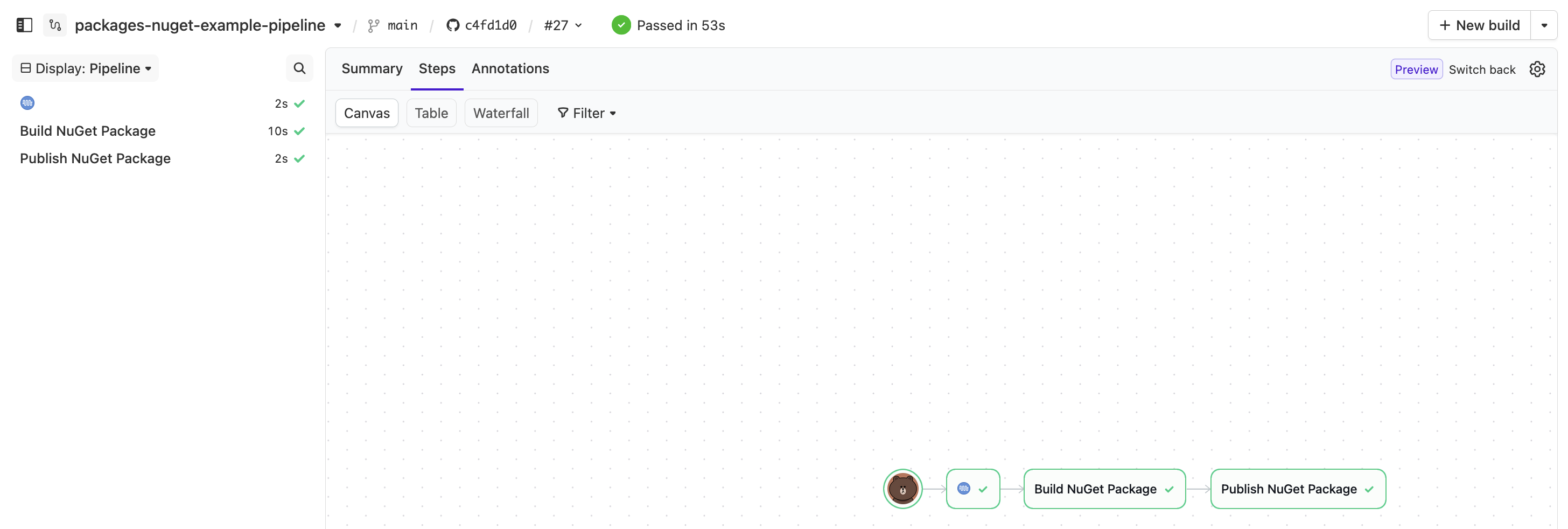 * Buildkite Packages NuGet Example 'Publish NuGet Package' Log
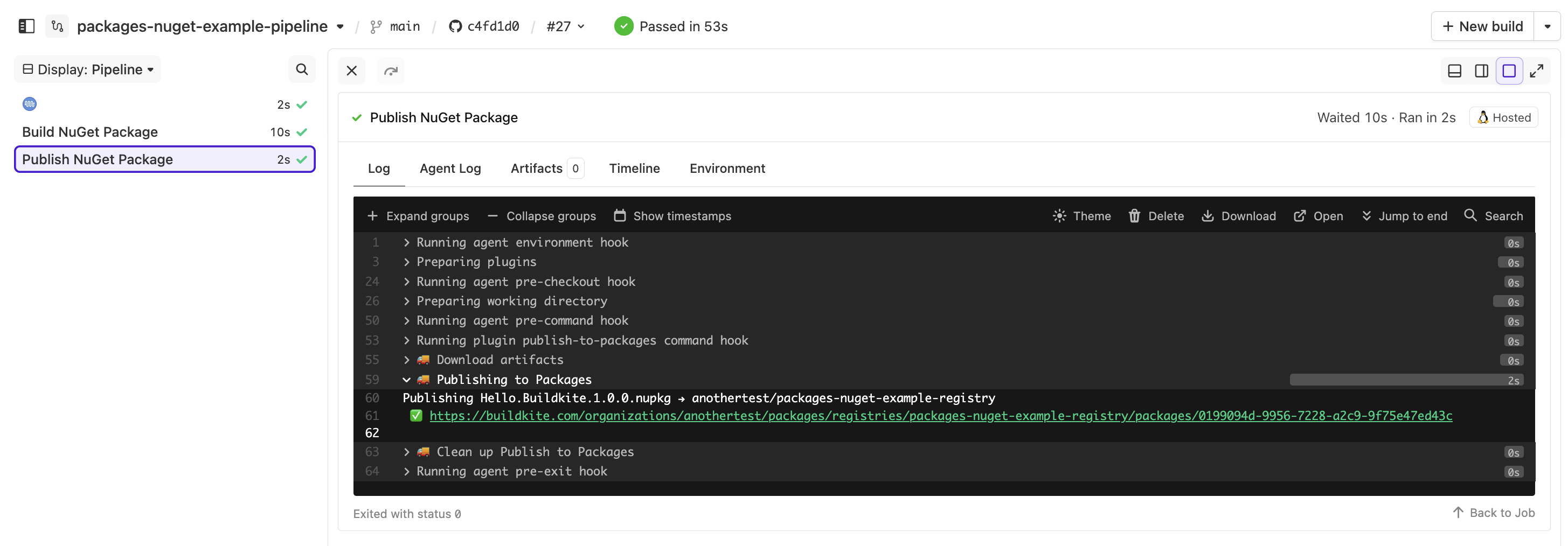 * Buildkite Packages Registry With Published NuGet Package'
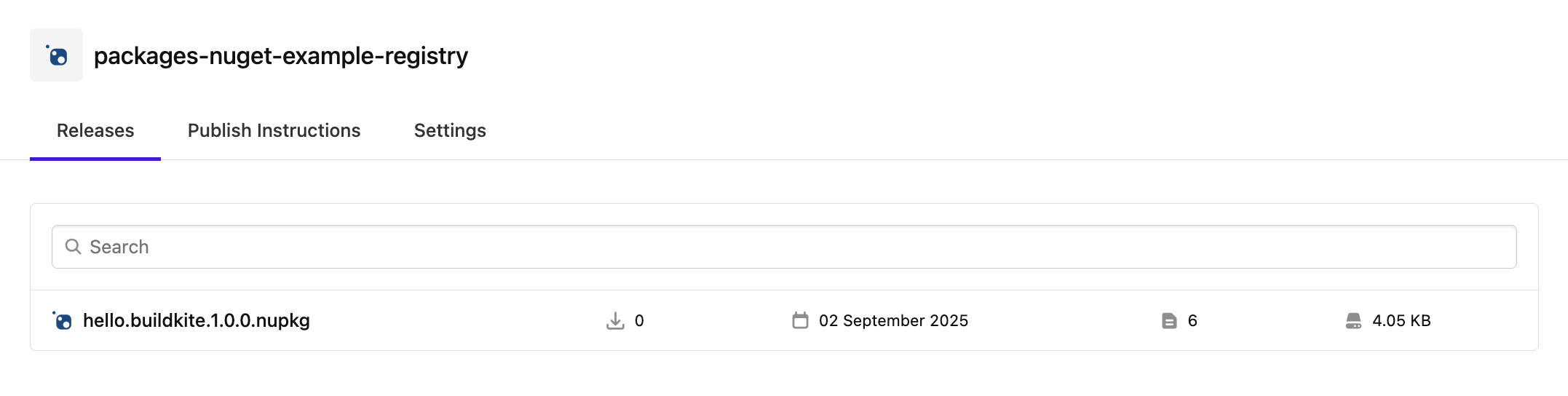 ## Quick Start
* Create NuGet registry in Buildkite Package Registries
* Name the registry: 'packages-nuget-example-registry'
* Change '.buildkite/pipeline.yml'
* The `publish-to-packages` plugin 'registry' should point to you `/`
```
- publish-to-packages#v2.2.0:
...
registry: "anothertest/packages-nuget-example-registry" <==== CHANGE
...
```
* Add 'OIDC' policy to the NuGet registry
* https://buildkite.com/docs/package-registries/security/oidc
```
- iss: https://agent.buildkite.com
scopes:
- read_packages
- write_packages
claims:
organization_slug:
equals: anothertest
pipeline_slug:
in:
- packages-nuget-example-pipeline
build_branch:
matches:
- main
- feature/*
```
## Details
### Main Files
Contains the NuGet package project files that we will build.
* README.md
* This file
* Program.cs
* The program written in C# that we will build
* Hello.Buildkite.csproj
* dotnet build configuration file
### '.buildkite/' Folder
Contains Buildkite setup/configuration to build the project into a NuGet package and publish to Buildkite Package Registries.
* docker-compose.yml
* Since NuGet package build requires 'dotnet' we use 'docker-compose.yml' so we can pull/instantiate a OCI image with 'dotnet' pre-installed
* The alternative is a build a base image containing 'dotnet' that Buildkite agent can use, but this involves setup that cannot be captured in this Github repo
* pipeline.yml
* The file defining the steps in the Buildkite pipeline
## References
* Buildkite 'publish to packages' plugin
* Plugin Page: https://buildkite.com/resources/plugins/buildkite-plugins/publish-to-packages-buildkite-plugin/
* Github Repo: https://github.com/buildkite-plugins/publish-to-packages-buildkite-plugin
* Add 'OIDC' policy
* Reference: https://buildkite.com/docs/package-registries/security/oidc
## License
See [LICENSE.md](https://github.com/buildkite/packages-nuget-example/blob/HEAD/LICENSE.md) (MIT)
## Quick Start
* Create NuGet registry in Buildkite Package Registries
* Name the registry: 'packages-nuget-example-registry'
* Change '.buildkite/pipeline.yml'
* The `publish-to-packages` plugin 'registry' should point to you `/`
```
- publish-to-packages#v2.2.0:
...
registry: "anothertest/packages-nuget-example-registry" <==== CHANGE
...
```
* Add 'OIDC' policy to the NuGet registry
* https://buildkite.com/docs/package-registries/security/oidc
```
- iss: https://agent.buildkite.com
scopes:
- read_packages
- write_packages
claims:
organization_slug:
equals: anothertest
pipeline_slug:
in:
- packages-nuget-example-pipeline
build_branch:
matches:
- main
- feature/*
```
## Details
### Main Files
Contains the NuGet package project files that we will build.
* README.md
* This file
* Program.cs
* The program written in C# that we will build
* Hello.Buildkite.csproj
* dotnet build configuration file
### '.buildkite/' Folder
Contains Buildkite setup/configuration to build the project into a NuGet package and publish to Buildkite Package Registries.
* docker-compose.yml
* Since NuGet package build requires 'dotnet' we use 'docker-compose.yml' so we can pull/instantiate a OCI image with 'dotnet' pre-installed
* The alternative is a build a base image containing 'dotnet' that Buildkite agent can use, but this involves setup that cannot be captured in this Github repo
* pipeline.yml
* The file defining the steps in the Buildkite pipeline
## References
* Buildkite 'publish to packages' plugin
* Plugin Page: https://buildkite.com/resources/plugins/buildkite-plugins/publish-to-packages-buildkite-plugin/
* Github Repo: https://github.com/buildkite-plugins/publish-to-packages-buildkite-plugin
* Add 'OIDC' policy
* Reference: https://buildkite.com/docs/package-registries/security/oidc
## License
See [LICENSE.md](https://github.com/buildkite/packages-nuget-example/blob/HEAD/LICENSE.md) (MIT)