---
name: "Block Step Pipeline"
description: "Demonstrates how to use a block step to pause a build for manual input."
author: "buildkite"
repo: "block-step-example"
stars: 12
demo: "https://buildkite.com/buildkite/block-step-example/builds/latest?branch=main"
---

# Buildkite Block Step Example


This repository is an example [Buildkite](https://buildkite.com/) pipeline that demonstrates how to use a [Block Step](https://buildkite.com/docs/pipelines/block-step-example) to pause a build and prompt for manual input.


See the full [Getting Started Guide](https://buildkite.com/docs/guides/getting-started) for step-by-step instructions on how to get this running.


<a href="https://buildkite.com/buildkite/block-step-example/builds/latest?branch=main">
  <img width="2400" alt="The build is paused at the first block step, prompting for release details" src="https://raw.githubusercontent.com/buildkite/block-step-example/main/.buildkite/screenshot-1.png" />
</a>
<p align="left"><em>The build is paused at the first block step, prompting for release details</em></p>

<a href="https://buildkite.com/buildkite/block-step-example/builds/latest?branch=main">
  <img width="2400" alt="The release form with fields for name, changelog, and release type" src="https://raw.githubusercontent.com/buildkite/block-step-example/main/.buildkite/screenshot-2.png" />
</a>
<p align="left"><em>The release form with fields for name, changelog, and release type</em></p>

<a href="https://buildkite.com/buildkite/block-step-example/builds/latest?branch=main">
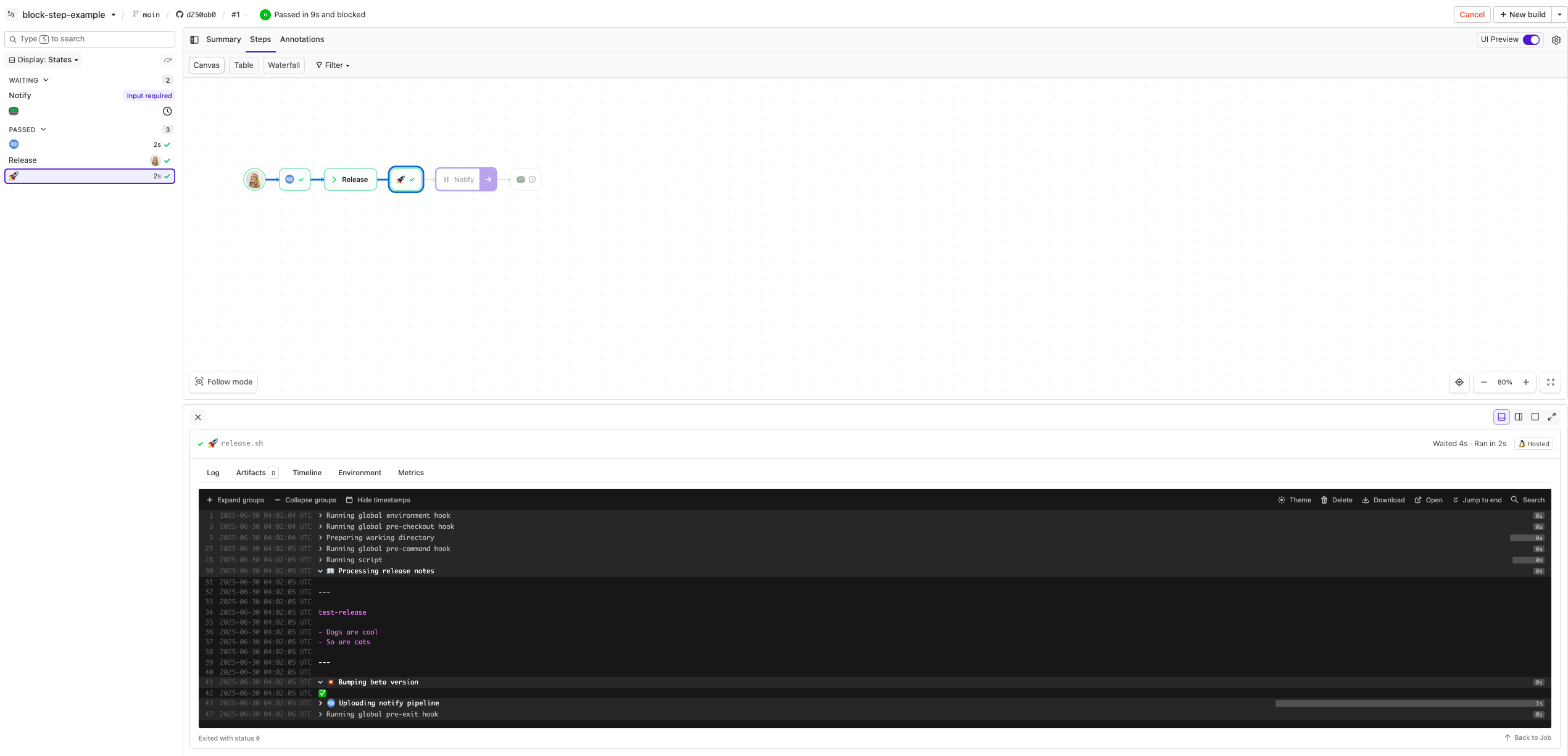
  <img width="2400" alt="The pipeline resumes after the first block step, with the notify step next in the build" src="https://raw.githubusercontent.com/buildkite/block-step-example/main/.buildkite/screenshot-3.png" />
</a>
<p align="left"><em>The pipeline resumes after the first block step, with the notify step next in the build</em></p>

<a href="https://buildkite.com/buildkite/block-step-example/builds/latest?branch=main">
  <img width="2400" alt="The notify input dialog prompting for which team should be notified" src="https://raw.githubusercontent.com/buildkite/block-step-example/main/.buildkite/screenshot-4.png" />
</a>
<p align="left"><em>The notify input dialog prompting for which team should be notified</em></p>

<a href="https://buildkite.com/buildkite/block-step-example/builds/latest?branch=main">
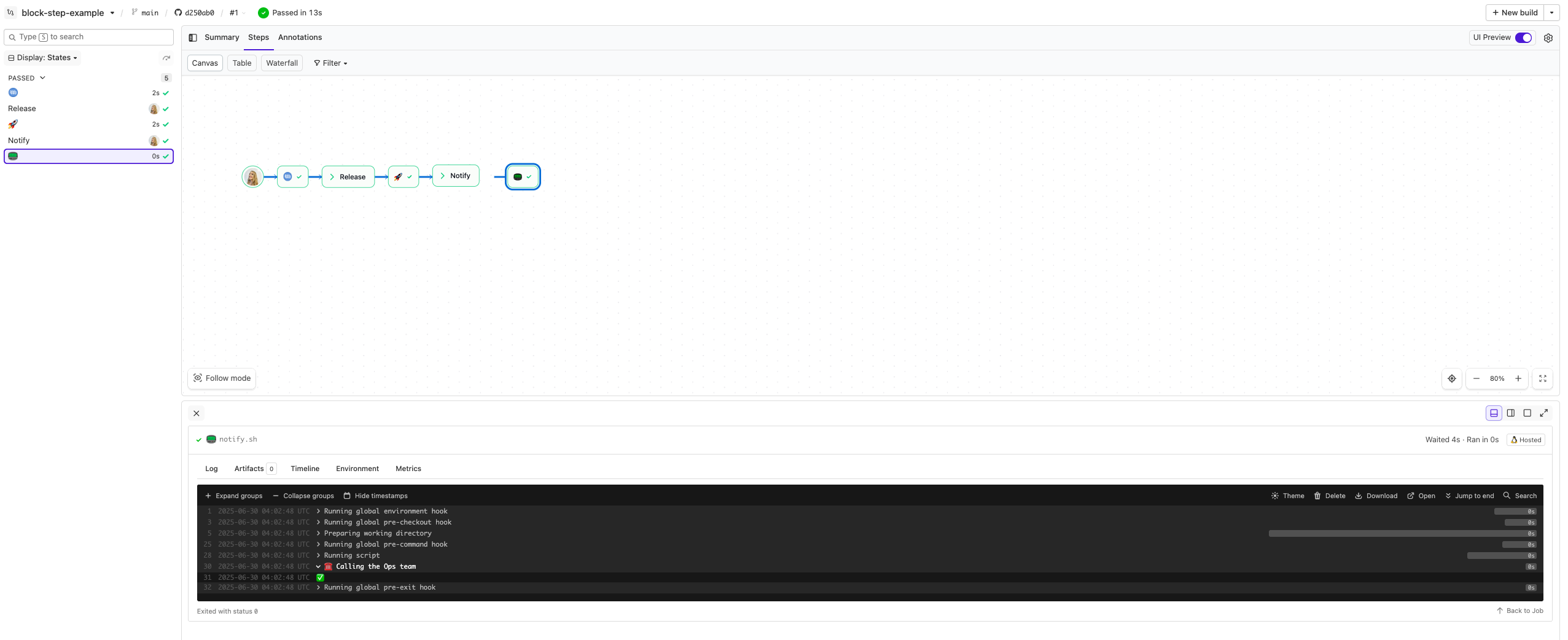
  <img width="2400" alt="The pipeline completes, and the release script logs all submitted input values" src="https://raw.githubusercontent.com/buildkite/block-step-example/main/.buildkite/screenshot-5.png" />
</a>
<p align="left"><em>The pipeline completes, and the release script logs all submitted input values</em></p>

---
<!-- docs:start -->
## How it works

This example:
- Uses a [Block Step](https://buildkite.com/docs/pipelines/block-step) with custom input fields.
- Includes a [`release.sh`](https://github.com/buildkite/block-step-example/blob/HEAD/release.sh) script that reads values entered during the block step.
- Dynamically generates prompt fields using [`generate-notify-pipeline.sh`](https://github.com/buildkite/block-step-example/blob/HEAD/generate-notify-pipeline.sh).

<!-- docs:end -->
---

## License

See [LICENSE](https://github.com/buildkite/block-step-example/blob/HEAD/LICENSE.md) (MIT)