---
title: "Status Badges and Environment Variables"
date: "2014-08-25"
author: "Tim Lucas"
readingTime: "1 minute read"
---

# Status Badges and Environment Variables

Today we’re announcing two new project-related features: 🐝 <strong>project environment variables</strong>, and the much anticipated 🐼 <strong>build status badges</strong>.

<div><p>Today we’re announcing two new project-related features: 🐝 <strong>project environment variables</strong>, and the much anticipated 🐼 <strong>build status badges</strong>.</p>

<h2>Project Environment Variables</h2>
<p>One of the first lessons in automation wizardy 101 🎩 is refactoring your build pipeline’s large monolithic build steps into smaller, more isolated build steps. Smaller build steps can be more easily distributed across multiple build agents, help to isolate and debug build flakiness, and are easier to optimize.</p>
<p>To help you keep things <a href="http://en.wikipedia.org/wiki/Don't_repeat_yourself">DRY</a> you can now define environment variables not just on each build step, but across an entire project’s build pipeline.</p>
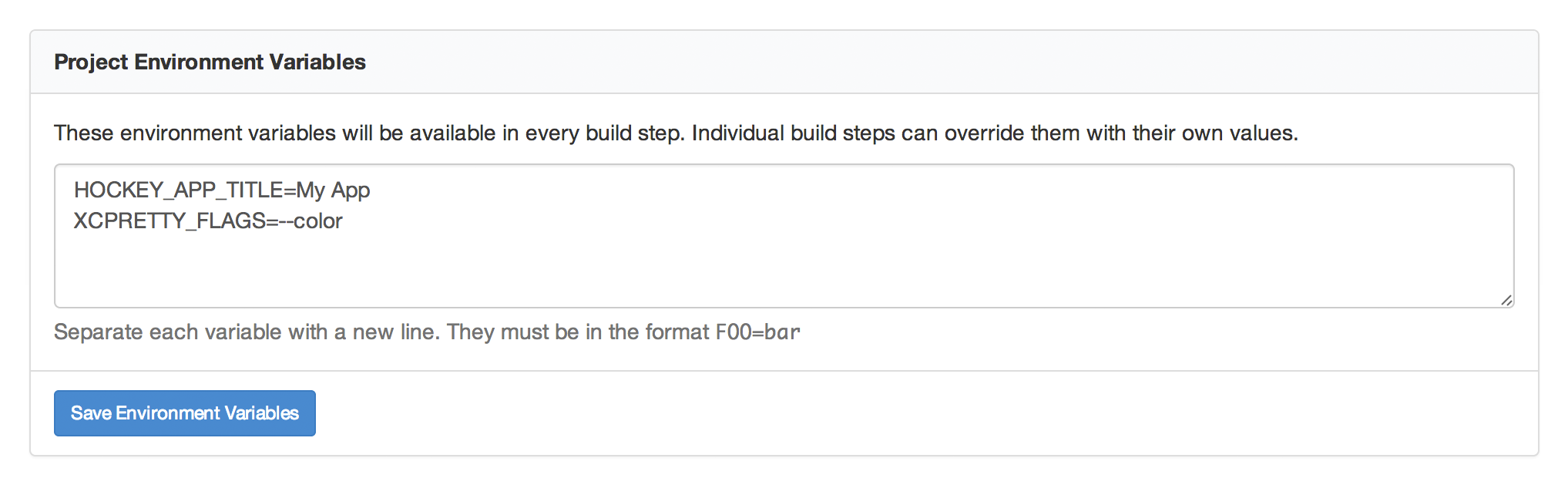
<p>You can set <strong>Project Environment Variables</strong> on the <strong>Project Settings</strong> page:</p>

![Project Settings button](https://www.datocms-assets.com/29977/1597036975-build-status-badge-project-settings-button-7649799fa10312fe3fae17c158f301a3266d935ed7097e88299fb5410b409a66.png) *Where to find Project Settings*

![Project environment variables](https://www.datocms-assets.com/29977/1597036657-project-environment-variables-95d75b3efe9a0c5974aaca0ae1793d28153eba67690ee948ee15e59f47c76f68.png#shadowless)

<h2>Build Status Badges</h2>
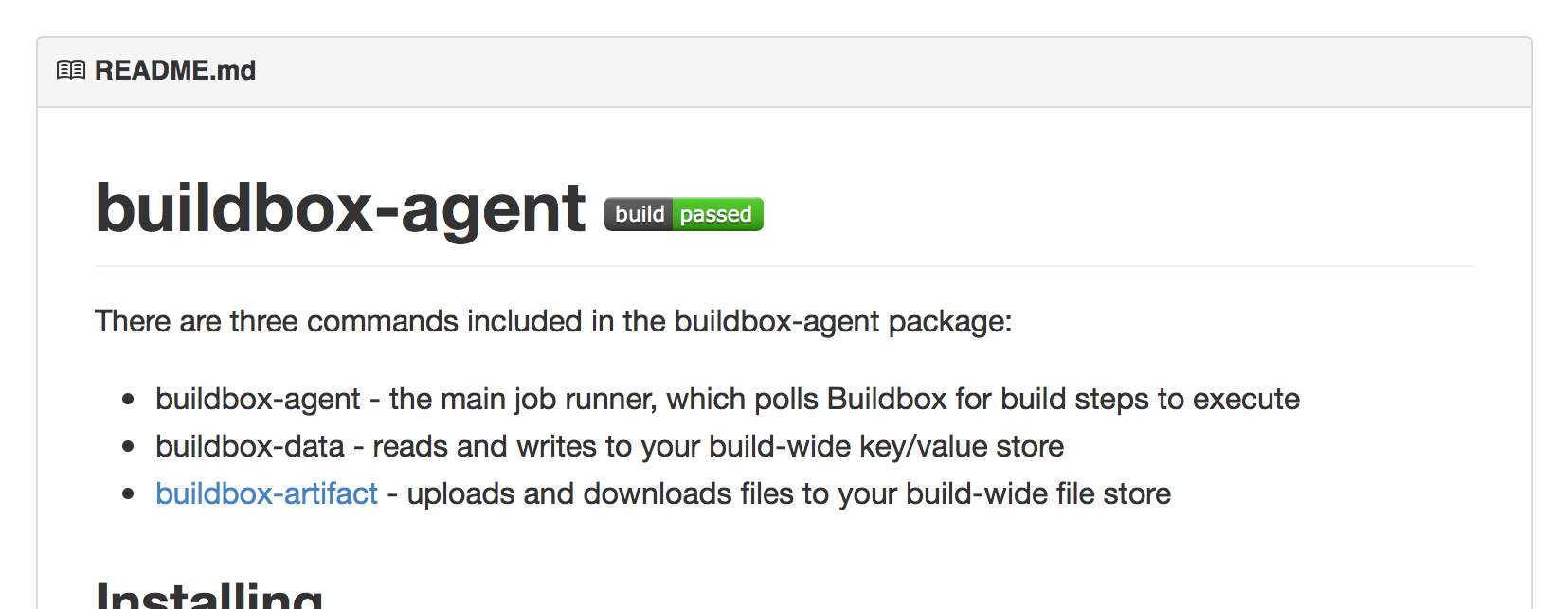
<p>Show off your project’s current build status (or provide some extra team motivation to keep it green 😉) with a project <a href="https://buildkite.com/docs/guides/build-status-badges">build status badge</a>. You can see it here on the newly revamped <a href="https://github.com/buildbox/agent#readme">buildbox-agent readme</a>:</p>

![](https://www.datocms-assets.com/29977/1597036634-build-status-badge-agent-readme-517321d80be1f1ce4017333907f86689f3a28b4736caebd897f4603cba24efd6.png#shadowless)
	
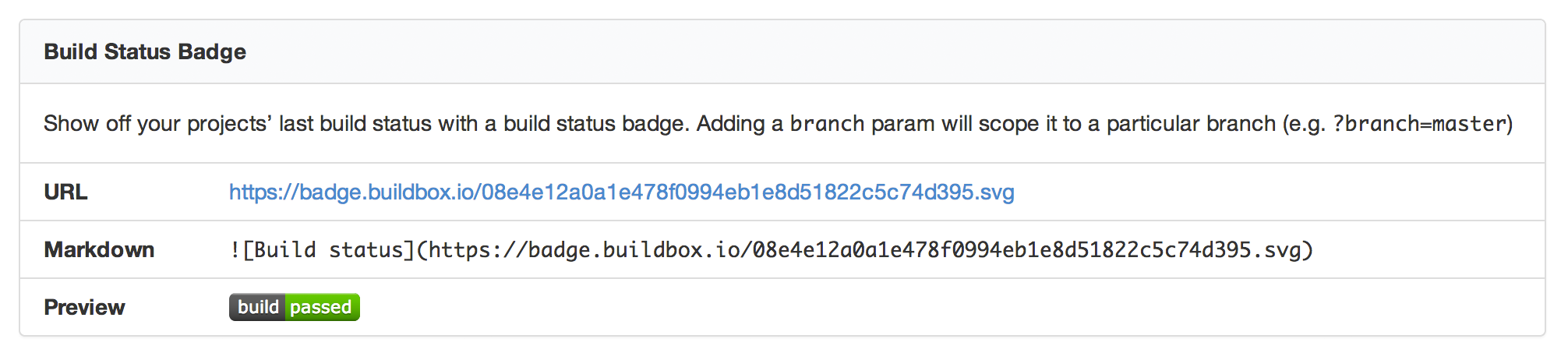
<p>The badge shows the status of your project’s last build. You can scope it to a specific branch by adding a <code>branch</code> param to the end of the URL, for example: <code>?branch=master</code></p>
<p>Grab your project’s <strong>Build Status Badge</strong> on the <strong>Project Settings</strong> page:</p>
![Project Settings button](https://www.datocms-assets.com/29977/1597036975-build-status-badge-project-settings-button-7649799fa10312fe3fae17c158f301a3266d935ed7097e88299fb5410b409a66.png)*Where to find Project Settings*

![The Build Status Badge section in Project Settings](https://www.datocms-assets.com/29977/1597036642-build-status-badge-project-settings-6436e9b20c823a35430f9182a6421bc05c650cbdbf78d5269df3c627f4ec4168.png#shadowless)

<p>We’ve also written up <a href="https://buildkite.com/docs/guides/build-status-badges">a new guide</a> which covers how to use the badges, how to customise their colours (there’s themes for Slack, GitHub, and more), and how to <a href="https://github.com/buildbox/build-status-badge-themes">contribute new themes via GitHub</a>.</p>

<p>Thanks to everyone who provided such great feedback. Keep it coming, and happy building! 👷‍♀️ 🔨 🚀 </p></div>