You can now easily use the [GitHub Deployments API](https://developer.github.com/v3/repos/deployments/) to trigger your Buildkite deployment pipelines 🚀
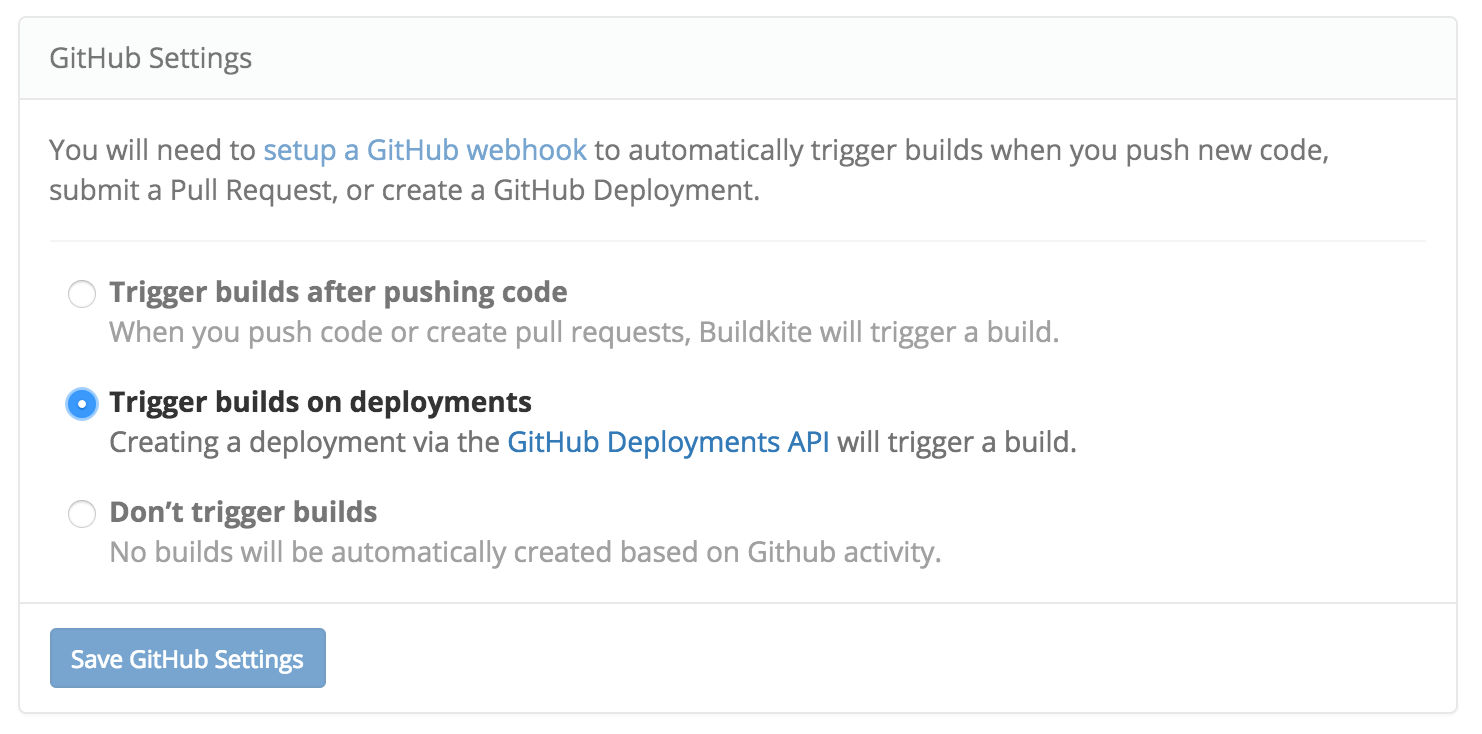*GitHub Deployment Builds*
The GitHub Deployments API is designed to be used with your own deployment tool (such as [`hubot-deploy`](https://github.com/atmos/hubot-deploy)) and supports options such as `required_contexts` to validate that other services and Buildkite pipelines must have succeeded on a commit before allowing a deploy.
How deployments work with the GitHub API and your Buildkite project can be tough to wrap your head around at first, so here’s a look at the sequence of events that happen after you create a GitHub deployment using a tool such as hubot-deploy:
+--------------+         +--------+             +-----------+      +-----------------+
| hubot-deploy |         | GitHub |             | Buildkite |      | Buildkite Agent |
+--------------+         +--------+             +-----------+      +-----------------+
       |                      |                       |                     |
       |  Create Deployment   |                       |                     |
       |--------------------->|                       |                     |
                              |                       |                     |
                              |   Deployment Event    |                     |
                              |---------------------->|                     |
                              |                       |    Build Starts     |
                              |                       |-------------------->|
                              |                       |                     |
                              |   Deployment Status   |                     |
                              |<----------------------|                     |
                              |                       |                     |
                              |                       |    Build Finishes   |
                              |                       |<--------------------|
                              |                       |
                              |   Deployment Status   |
                              |<----------------------|
A deployment build triggered from GitHub is the same as any other build, but has four additional environment variables:
```bash
BUILDKITE_GITHUB_DEPLOYMENT_ID="125875"
BUILDKITE_GITHUB_DEPLOYMENT_TASK="deploy"
BUILDKITE_GITHUB_DEPLOYMENT_ENVIRONMENT="production"
BUILDKITE_GITHUB_DEPLOYMENT_PAYLOAD="{\"user\":\"keithpitt\"}"
```
When a deployment build starts, a [Deployment Status](https://developer.github.com/v3/repos/deployments/#deployment-statuses) is created on the commit so you can see the build status, and link to the Buildkite build, right there in your pull request:
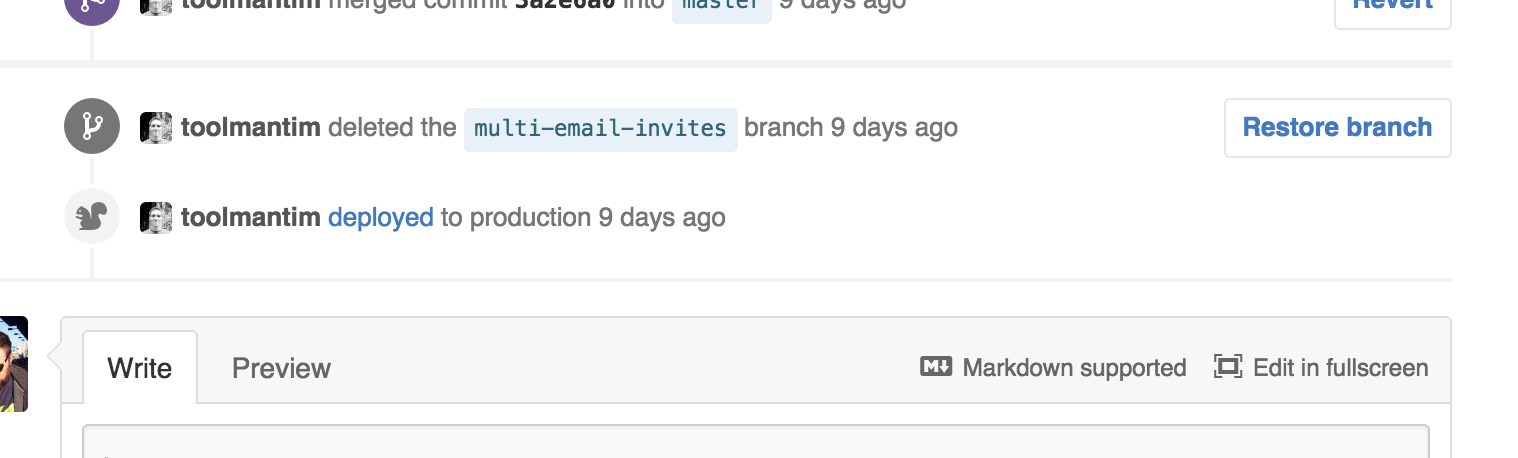*Note that if the commit you’re deploying is outside of a pull request (such as a master commit, or a pull request merge commit) it currently won’t appear anywhere in GitHub’s web interface. It still works, it’s just not visible.*
Buildkite supports having multiple projects with the same GitHub repository, and we recommend you take advantage of this to set up a separate deployment project. A separate deployment project gives you visibility and control of your deployment builds separate to your regular test and CI builds.
If you’re looking to use GitHub to control and track your deployments we hope this new integration adds more ✨ to your deployments! :shipit: