# Artifactory
There are many ways to use [Artifactory](https://jfrog.com/artifactory/) with Buildkite. This document covers how to configure the Buildkite agent's built-in Artifactory support, as well as how to use Artifactory's package management features in your Buildkite pipelines.
## Buildkite agent's Artifactory support
The Buildkite agent can upload and download artifacts directly from Artifactory. Export the following environment variables in your [Agent environment hook](/docs/agent/hooks) to configure the Agent's Artifactory support.
See the [Managing pipeline secrets](/docs/pipelines/security/secrets/managing) documentation for how to securely set up these environment variables.
Required environment vars:
| `BUILDKITE_ARTIFACT_UPLOAD_DESTINATION` | The Artifactory repository and path that will be used to upload and download artifacts, starting with an rt:// prefix _Example:_ `"rt://some-repo/build-$BUILDKITE_BUILD_NUMBER/$BUILDKITE_JOB_ID/"` |
| --- | --- |
| `BUILDKITE_ARTIFACTORY_URL` | Your Artifactory instance URL, including the `/artifactory` suffix _Example:_ `https://my-artifactory-server/artifactory` |
| `BUILDKITE_ARTIFACTORY_USER` | The username of a user configured in your Artifactory instance _Example:_ `some-user` |
| `BUILDKITE_ARTIFACTORY_PASSWORD` | The [API Key](https://jfrog.com/help/r/jfrog-platform-administration-documentation/api-key), [Access Token](https://jfrog.com/help/r/jfrog-platform-administration-documentation/access-tokens), or password for your Artifactory user _Example:_ `AKCp5dKiQ9syTzu9GFhpF3iTzDcFhYAa4...` |
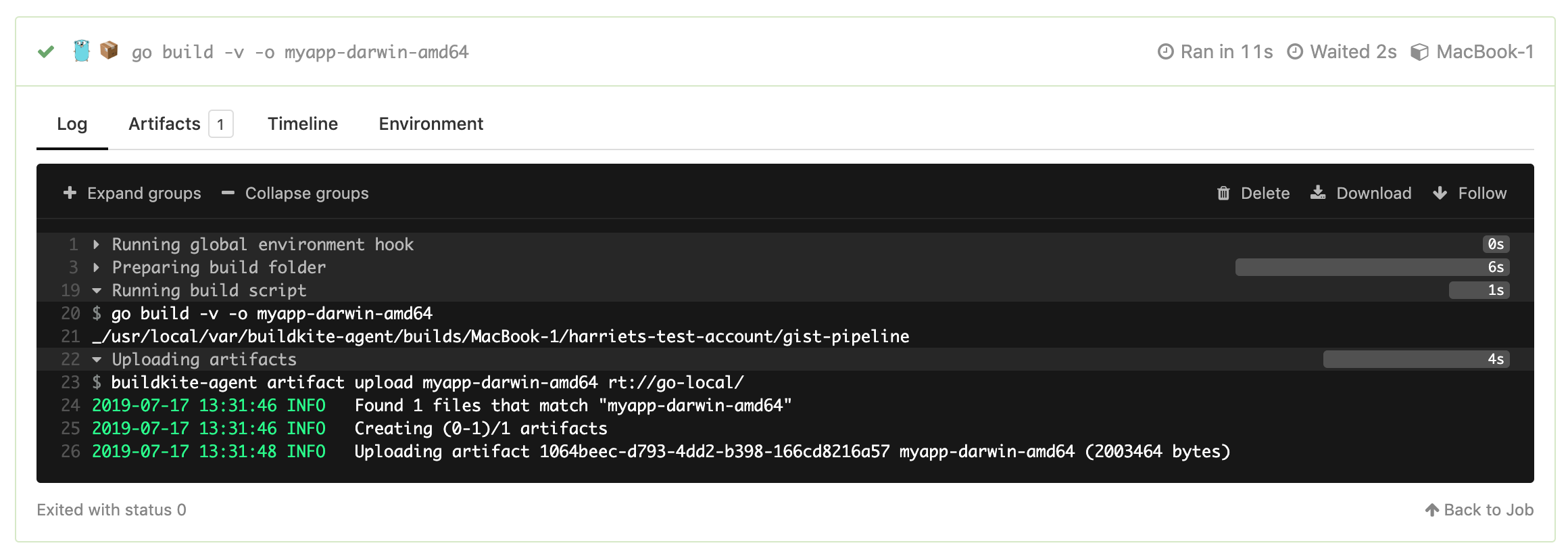
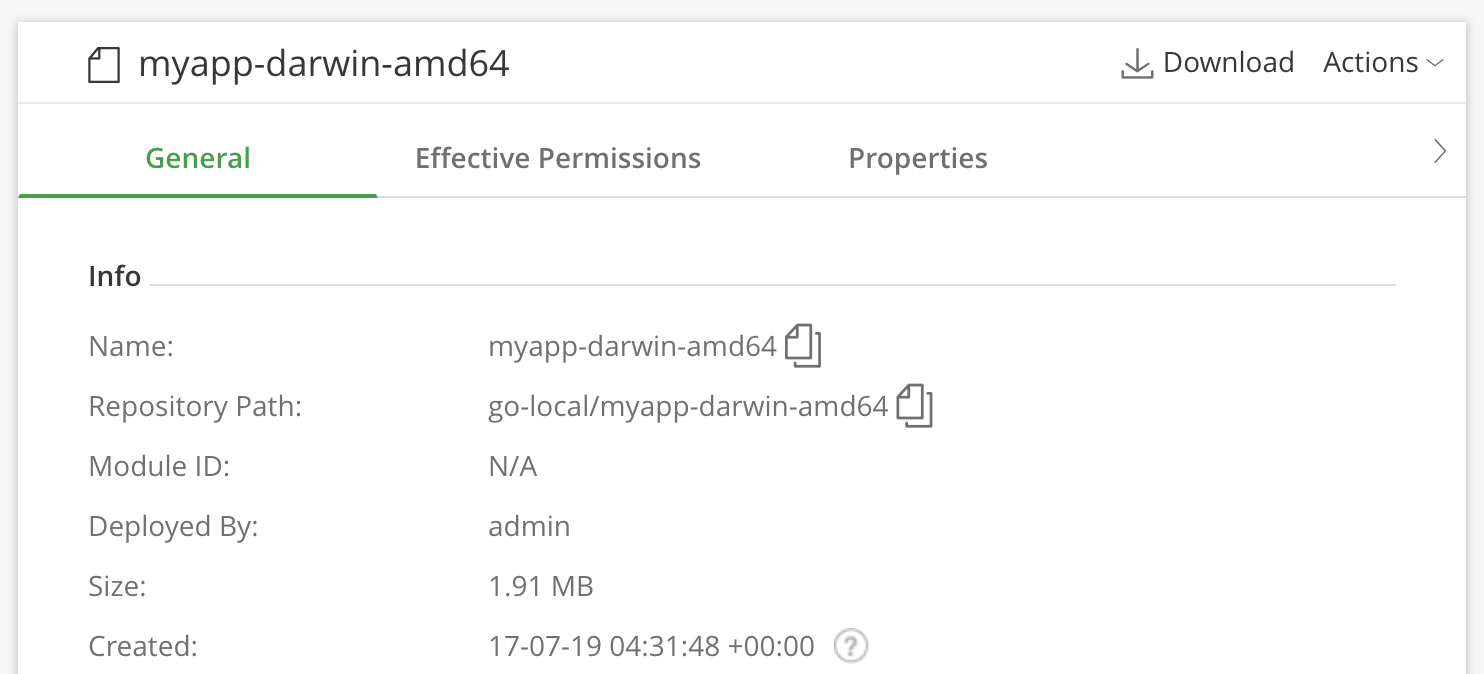
Once the above environment variables are configured, all artifact uploads and downloads will use Artifactory. For example, the following [command step](/docs/pipelines/configure/step-types/command-step) will build a binary and upload it to Artifactory using the `artifact_paths` attribute:
```yml
steps:
- label: "\:golang\: \:package\:"
command: "go build -v -o myapp-darwin-amd64"
artifact_paths: "myapp-darwin-amd64"
plugins:
- docker#v5.13.0:
image: "golang:1.11"
```
{: codeblock-file="pipeline.yml"}
> 📘 Retrieving artifacts using the Buildkite agent
> The Buildkite agent uses Buildkite's APIs to fetch the correct URLs to download artifacts from Artifactory. By default, the agent searches for artifacts uploaded within the same build. To download artifacts that were uploaded in different builds using [`buildkite-agent artifact download`](/docs/agent/cli/reference/artifact#downloading-artifacts) or [artifacts-buildkite-plugin](https://github.com/buildkite-plugins/artifacts-buildkite-plugin), pass the [`BUILDKITE_BUILD_ID`](/docs/agent/cli/reference/artifact#downloading-artifacts-options) of the job through which the artifact was uploaded, as additional information to the `--build` option's argument.
## Using Artifactory for package management
To help cache and secure your build dependencies, you can use [Artifactory's package management](https://jfrog.com/help/r/jfrog-artifactory-documentation/package-management) features in your Buildkite pipelines. Each package management platform is configured differently.
For example, to use an [Artifactory NPM repository](https://jfrog.com/help/r/jfrog-artifactory-documentation/npm-repositories) in your build steps, you can configure the following [Agent environment hook](/docs/agent/hooks) to instruct the [npm command](https://docs.npmjs.com/cli/npm) to use Artifactory instead of npmjs.com:
```bash
export NPM_CONFIG_REGISTRY="https://${BUILDKITE_ARTIFACTORY_USER}:${BUILDKITE_ARTIFACTORY_PASSWORD}@my-artifactory-server/artifactory/api/npm/npm-local/"
```
You can use this same approach for [Ruby gem repositories](https://jfrog.com/help/r/jfrog-artifactory-documentation/rubygems-repositories), [Docker repositories](https://jfrog.com/help/r/jfrog-artifactory-documentation/docker-repositories), and any other Artifactory supported package managers.
If you're running build steps in a Docker container, you'll need to ensure the package management configuration is available inside the container. For example, if you're testing Node in a container, you'll need to pass through the above `NPM_CONFIG_REGISTRY` environment variable into the container:
```yml
steps:
- label: "\:node\: \:hammer\:"
commands:
- npm install
- npm test
plugins:
docker#v5.13.0:
image: "node:11"
environment:
- NPM_CONFIG_REGISTRY
```
{: codeblock-file="pipeline.yml"}