# Tags
Tags is a Test Engine feature that adds dimensions to test execution metadata so tests and executions can be better filtered, aggregated, and compared in Test Engine visualizations.
Tagging can be used to observe aggregated data points—for example, to observe aggregated performance across several tests, and (optionally) narrow the dataset further based on specific constraints.
Tags are `key:value` pairs containing two parts:
- The tag's `key` is the identifier, which can only exist once on each test, and is case sensitive.
- The tag's `value` is the specific data or information associated with the `key`.
## Core tags
The following core tags are vital to helping you understand and improve the performance of your test suite. These tags are included in the [managed tests](/docs/pipelines/glossary#managed-test) price.
Where possible, Test Engine will automatically ingest this data on your behalf.
| Tag key | Use case |
| --- | --- |
| `build.id` | Filtering and aggregating based on the build identifier. |
| `build.job_id` | Filtering and aggregating based on the job identifier. |
| `build.step_id` | Filtering and aggregating based on the step identifier. |
| `cloud.provider` | Filtering and aggregating based on your cloud provider to compare cloud provider performance and reliability in your test suite. _Example:_ `aws` vs `gcp`. |
| `cloud.region` | Filtering and aggregating based on your cloud region to compare region performance and reliability in your test suite. _Example:_ `us-east-1` vs `us-east-2`. |
| `code.file.path` | Filtering and aggregating based on the file path or subsection of the file path. |
| `collector.name` | Filtering and aggregating based on the Test Engine collector you are using. Useful when onboarding or updating your Test Engine collector. |
| `collector.version` | Filtering and aggregating based on the Test Engine collector version you are using. Useful when onboarding or updating your Test Engine collector. |
| `host.arch` | Filtering and aggregating based on the architecture to compare architecture performance and reliability in your test suite. _Example:_ `arm64` vs `x86_64`. |
| `host.type` | Filtering and aggregating based on the instance type to compare instance performance and reliability in your test suite. _Example:_ `m4.large` vs `m5.large`. |
| `language.name` | Filtering and aggregating based on the programming language to compare language performance and reliability in your test suite. _Example:_ `python` vs `javascript`. |
| `language.version` | Filtering and aggregating based on the language version to compare version performance and reliability in your test suite. _Example:_ `3.0.2` vs `2.5.3`. |
| `scm.branch` | Filtering and aggregating based on source code branch to compare branch performance and reliability. For example you might be rolling out a new dependency and you are testing this in a branch. |
| `scm.commit_sha` | Filtering and aggregating based on commit_sha to compare specific commit performance and reliability. |
| `test.framework.name` | Filtering and aggregating based on testing framework to compare performance and reliability. |
| `test.framework.version` | Filtering and aggregating based on testing framework version to compare performance and reliability. |
## Custom tags
In addition to the [core tags](#core-tags), you can tag executions with your own custom tags. Test Engine customers can tag executions with an additional 10 custom tags beyond the included core tags.
### Defining tags
Test Engine has the following tagging requirements:
- Up to 10 tags may be specified at the upload level (applying to all executions), per upload.
- Up to 10 tags may be specified on each execution.
#### Tag keys
- Must not be blank.
- Must begin with a letter, and may contain letters, numbers, underscores, hyphens and periods.
- Must be less than 64 bytes of UTF-8 text.
- Must not be a dot-separated prefix of another key. If a key like `service.instance.id` exists, you cannot create keys for its prefixes such as `service.instance` or `service`.
#### Tag values
- Must not be blank.
- Must be less than 128 bytes of UTF-8 text.
### Tagging methods
Tags may be assigned using the following collection methods:
- [Java (using JUnit XML import)](/docs/pipelines/configure/tests/test-collection/importing-junit-xml)
- [JavaScript (Jest, Cypress, Playwright, Mocha, Jasmine, Vitest)](/docs/pipelines/configure/tests/test-collection/javascript-collectors#upload-custom-tags-for-test-executions)
- [Python (PyTest)](/docs/pipelines/configure/tests/test-collection/python-collectors#pytest-collector-upload-custom-tags-for-test-executions)
- [Ruby (RSpec, minitest)](/docs/pipelines/configure/tests/test-collection/ruby-collectors#upload-custom-tags-for-test-executions)
- [Importing JSON](/docs/pipelines/configure/tests/test-collection/importing-json#json-test-results-data-reference-execution-level-custom-tags)
## Usage
After you have assigned tags at the test collection level, start using them to filter and group your test results. Tags are used in the following areas of the Buildkite Platform.
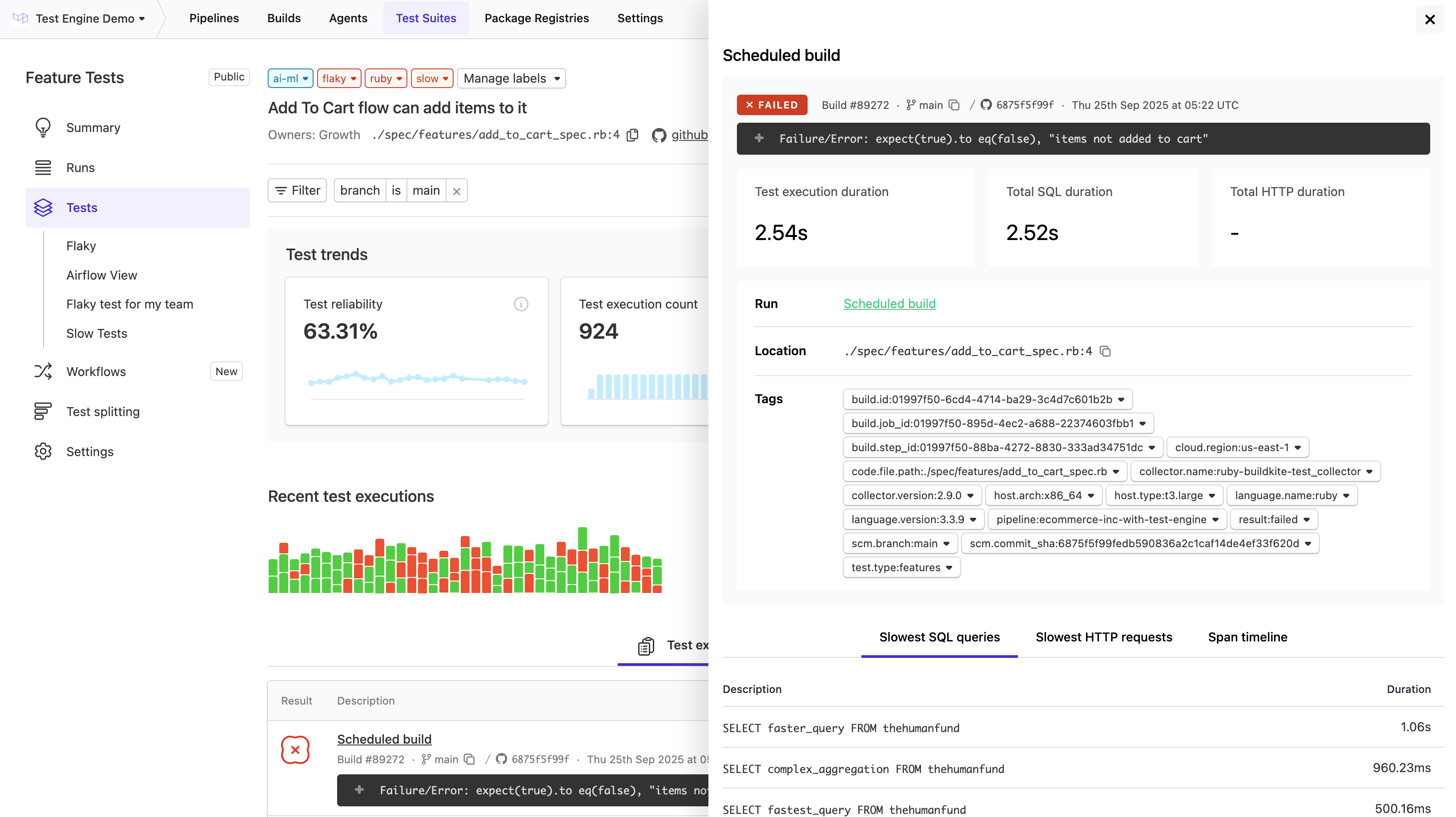
### Test execution drawer
On the test page, you can open the execution drawer by selection an execution.
This presents all the tags which have been applied to the test execution.
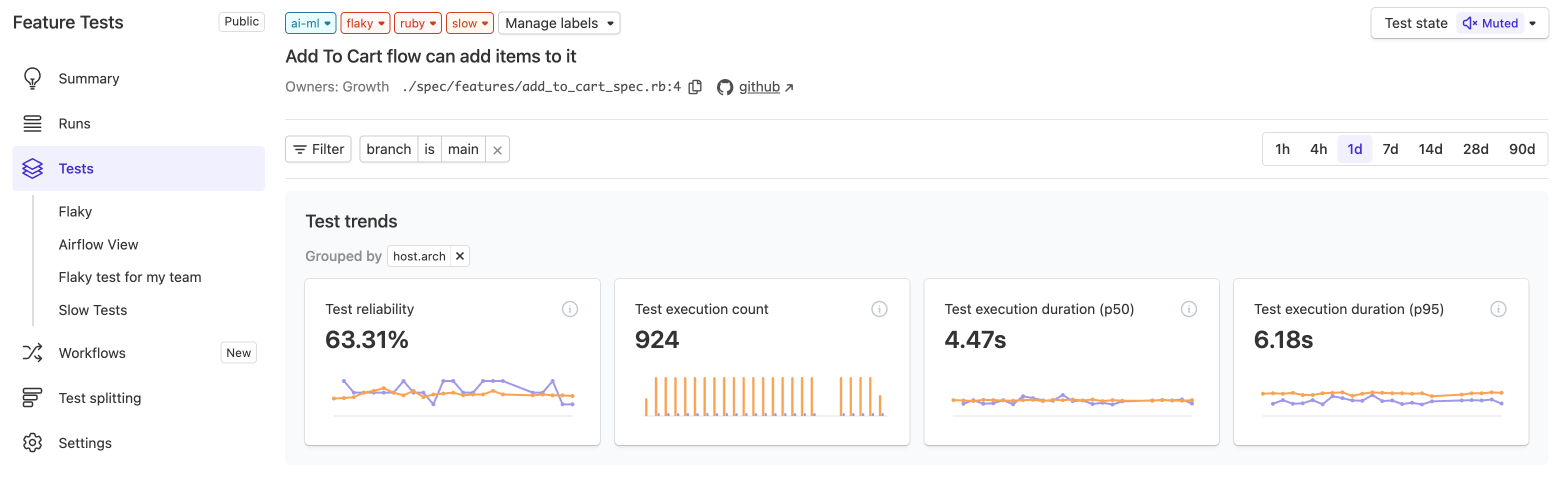
### Group by tag
Grouping by tag on the test page breaks down the test reliability and duration (p50, p95), so that you can compare performance across the tag values.
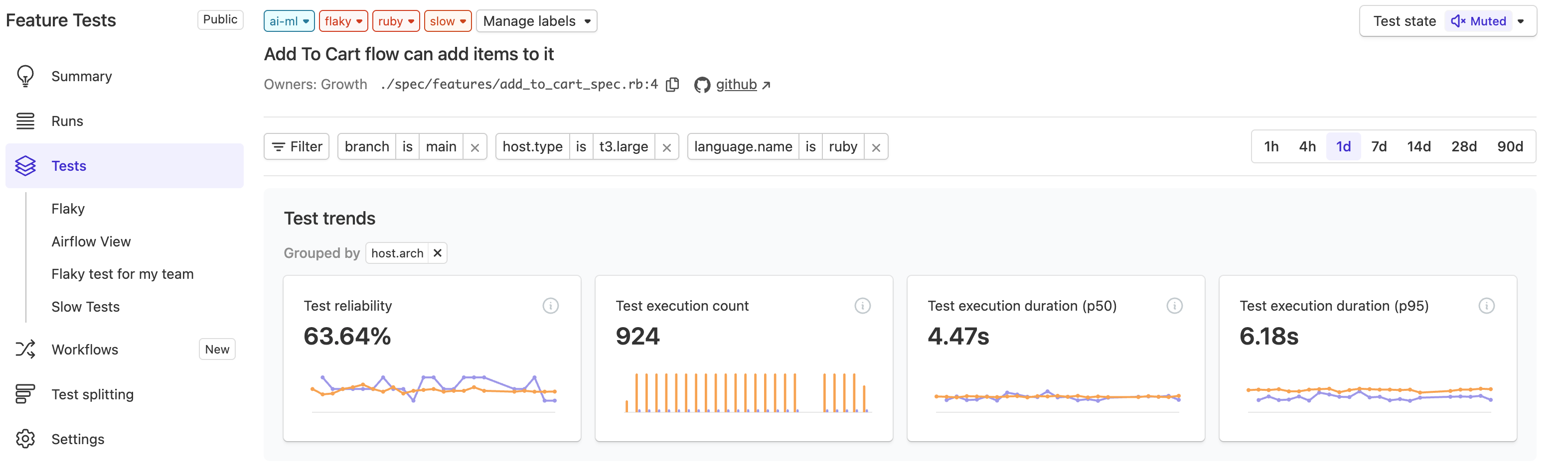
### Filter by tag
Filtering by tag on the test page will constrain all executions for the test which match the filter conditions.
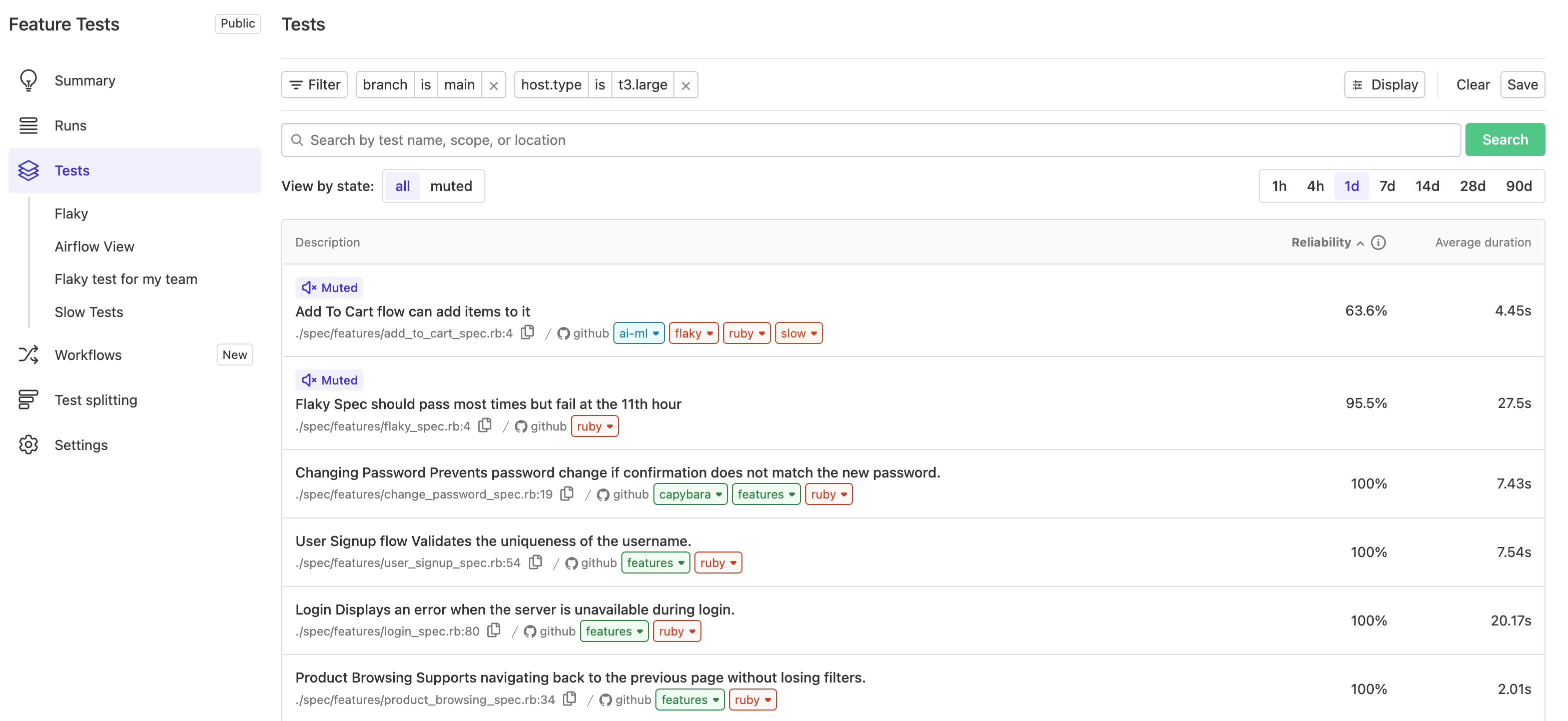
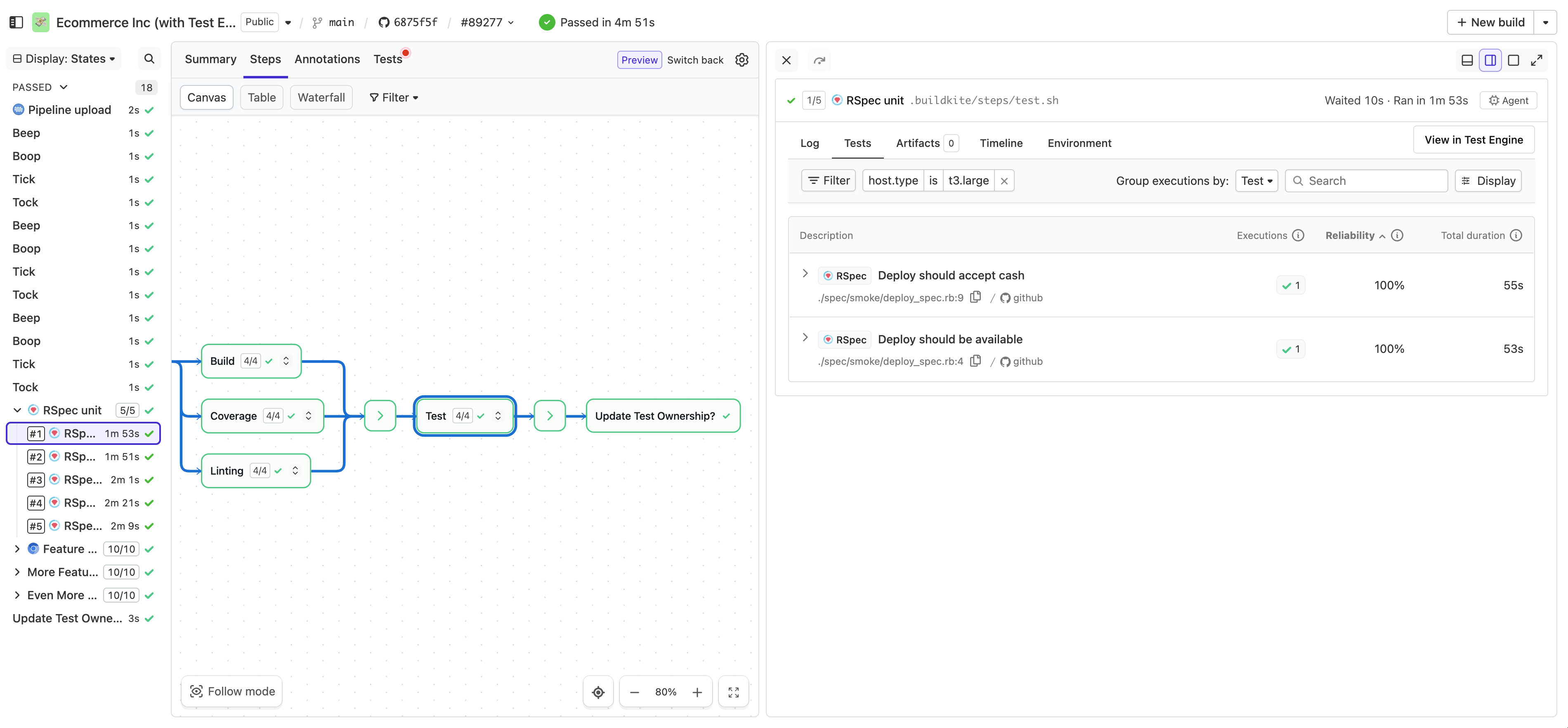
Filtering by tag on the test index page will constrain all tests to those that had executions matching the conditions of the filter. In the following case all tests that ran on the `t3.large` instance type.
You can filter by tag using the **Filter** dropdown.
### Test tab
To filter tests by tags in [Pipelines](/docs/pipelines), select the **Tests** tab in either the job or build interface and apply your desired filters.