# Labels
Labels allow you to:
- Organize tests to be more meaningful to your team and organization.
- Categorize tests, and therefore, can be used to filter tests within Test Engine.
Labels are created at the [test suite](/docs/pipelines/glossary#test-suite) level. Therefore, labels belonging to one test suite will not impact the labels associated with other test suites.
## Label a test
Labels may be applied to or removed from tests:
- Manually through the [Buildkite interface](#label-a-test-using-the-buildkite-interface).
- Automatically through the [workflow](#label-a-test-using-workflows) or [test execution tags](#label-a-test-using-execution-tags) features.
- The [REST API](#label-a-test-using-the-rest-api).
### Using the Buildkite interface
From the details page of a test (accessible through its test suite's **Test** page), select **Add labels** and either:
- Select a label from the list of existing used in the test's suite.
- Specify a **New label**, select its **Label color**, and select **Save**.
> 📘
> To remove a label from a test, select **Add labels** from the test's details page, and from its dropdown, clear the checkbox next to the label.
### Using workflows
Using [workflows](/docs/pipelines/configure/tests/workflows), you can automate the addition and removal of labels when a workflow [monitor](/docs/pipelines/configure/tests/workflows/monitors) condition is met.
### Using execution tags
A test execution [tag](/docs/pipelines/glossary#tag) value can be applied as a label on a test.
Also, when Test Engine detects a change to such a tag's value, its label on the respective test is also updated to this value.
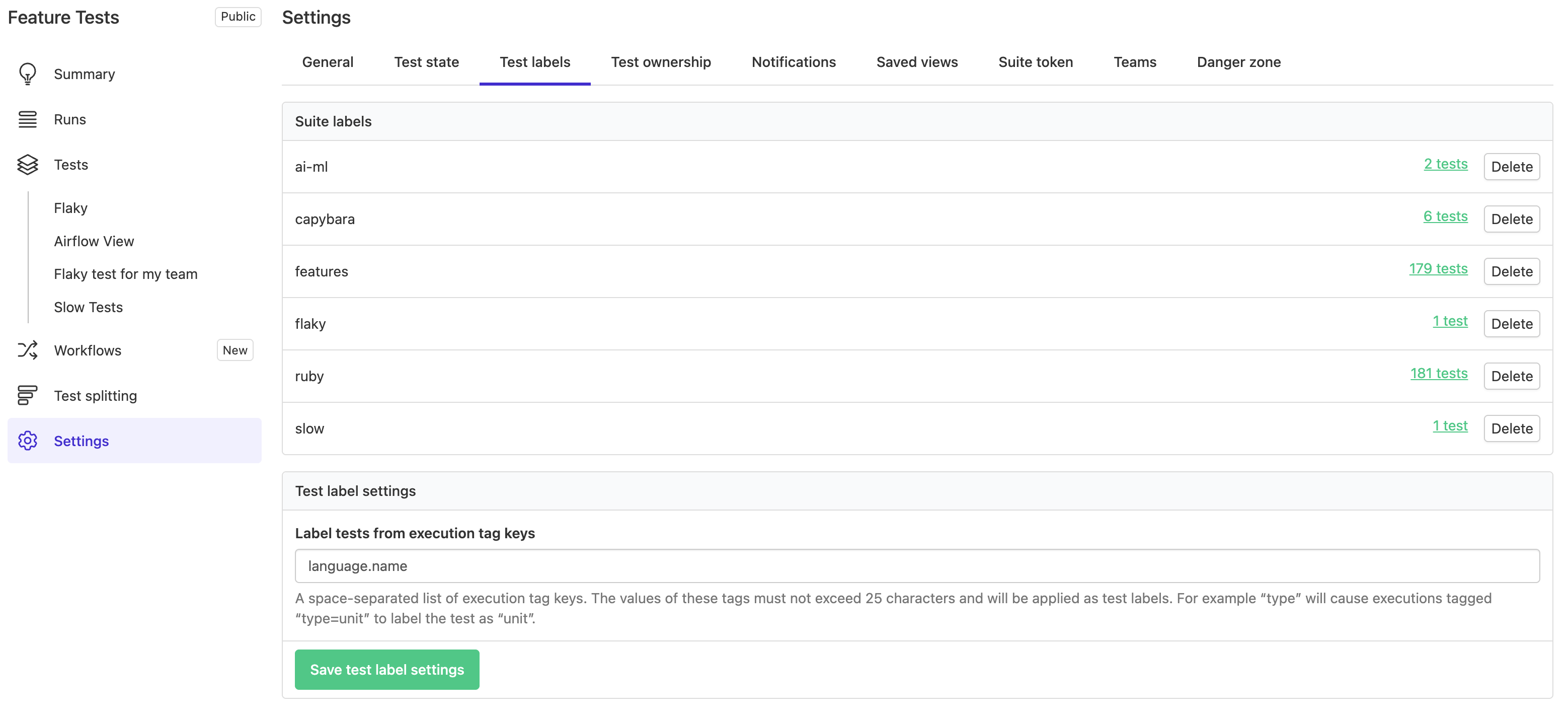
Test Engine only labels tests from execution tag values when their test suite is configured to do so in the suite's **Settings** > **Test labels** (tab) page.
Learn more about test execution tagging in [Tags](/docs/pipelines/configure/tests/test-suites/tags).
> 📘
> A label added to a test through a test execution tag is automatically removed when the tag is removed from the test execution.
> Labels are only applied from execution tags for tests run on the configured default branch. Tests running on other branches (such as feature branches) will not have labels automatically applied from their execution tags.
### Using the REST API
You can label tests using the [REST API](/docs/apis/rest-api) with the [Tests API](/docs/apis/rest-api/test-engine/tests) endpoint. Learn more about this in [Add/remove labels from a test](/docs/apis/rest-api/test-engine/tests#add-or-remove-labels-from-a-test).
## Filter tests
You can filter tests using labels through the [Buildkite interface](#filter-tests-using-the-buildkite-interface) or [REST API](#filter-tests-using-the-rest-api).
### Using the Buildkite interface
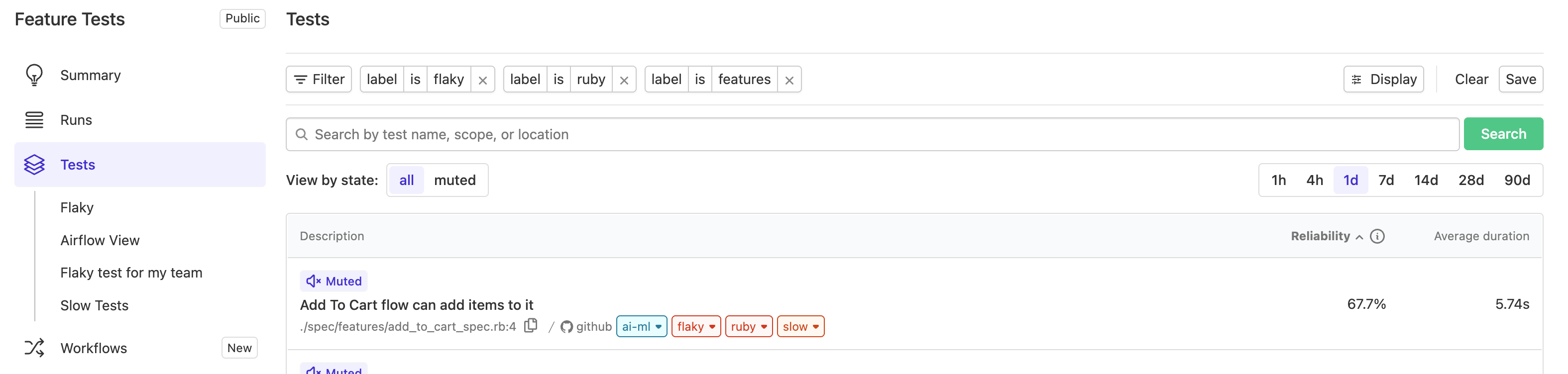
On the test suite's **Tests** page, or a build page's **Tests** tab, either:
- Select **Filter**, then **Label**, and select or search for your label.
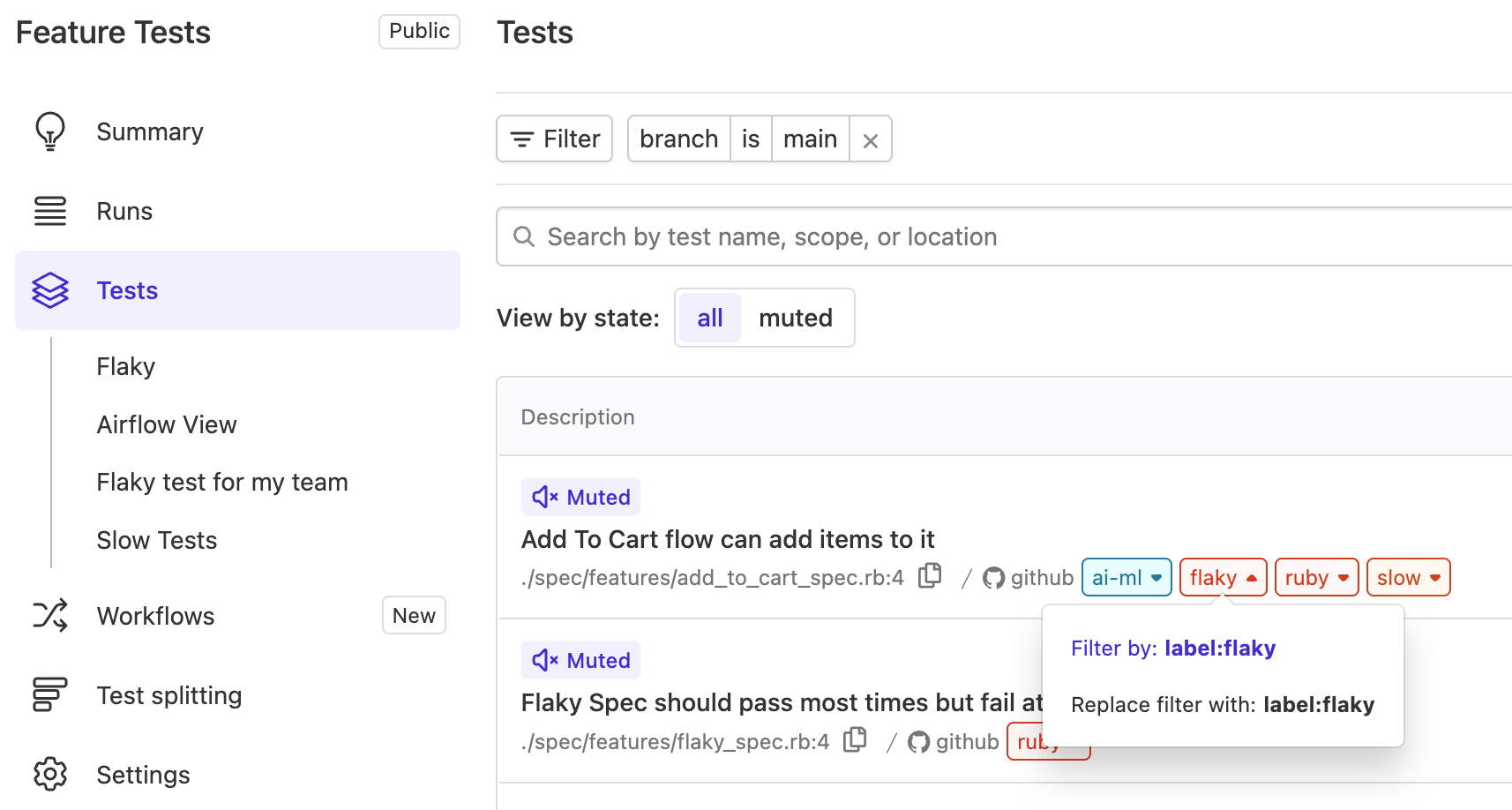
- For any existing test with at least one label applied to it, select the test's label > **Filter by** from its drop down to filter the test suite for all tests with that label applied to them.
[add image of build test tab]
### Using the REST API
You can fetch all tests with a label using the [REST API](/docs/apis/rest-api) with the [Tests API](/docs/apis/rest-api/test-engine/tests) endpoint. Learn more about this in [List tests](/docs/apis/rest-api/test-engine/tests#list-tests), and by specifying the optional `label` query string parameter.