# Depends on
All steps in pipelines have _implicit dependencies_, usually managed with [wait and block](#implicit-dependencies-with-wait-and-block) steps. However, you can manually change the dependency structure of your steps, by defining _explicit dependencies_ using the [`depends_on` attribute](#defining-explicit-dependencies).
## Implicit dependencies with wait and block
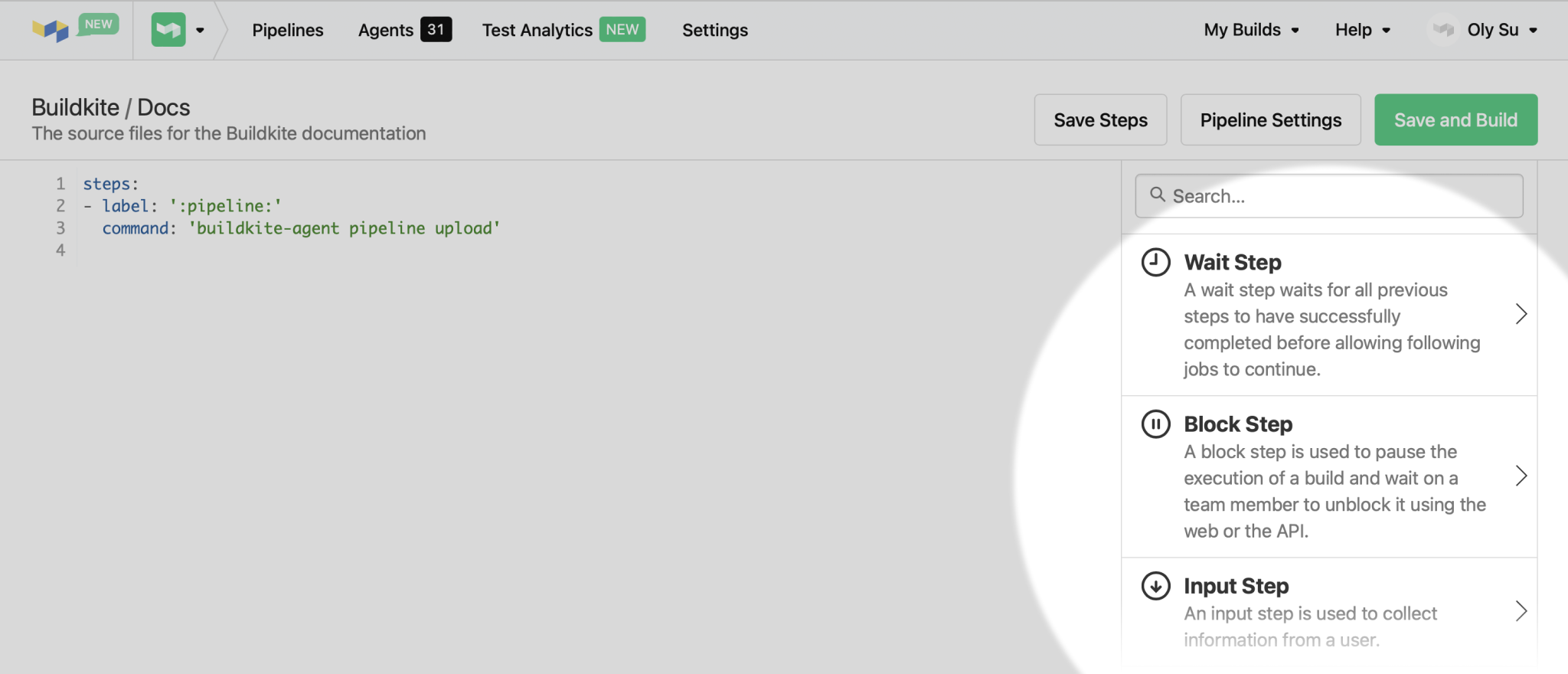
[Wait](/docs/pipelines/configure/step-types/wait-step) and [block](/docs/pipelines/configure/step-types/block-step) steps provide an implicit dependency structure to your pipeline.
By adding these steps to your pipeline, the Buildkite scheduler will automatically know which steps need to be run in serial and which can be run in parallel.
A [wait step](/docs/pipelines/configure/step-types/wait-step), in the following example, is dependent on all previous steps completing successfully. The `wait` won't proceed until all steps defined above it have passed. All steps following the wait step are dependent on this wait step—none of them will run until the wait step is satisfied.
```yml
steps:
- command: "one.sh"
- command: "two.sh"
- wait: ~
- command: "three.sh"
- command: "four.sh"
```
{: codeblock-file="pipeline.yml"}
A [block step](/docs/pipelines/configure/step-types/block-step) performs the same function, but also requires unblocking either manually or using an API call before the subsequent steps can be run.
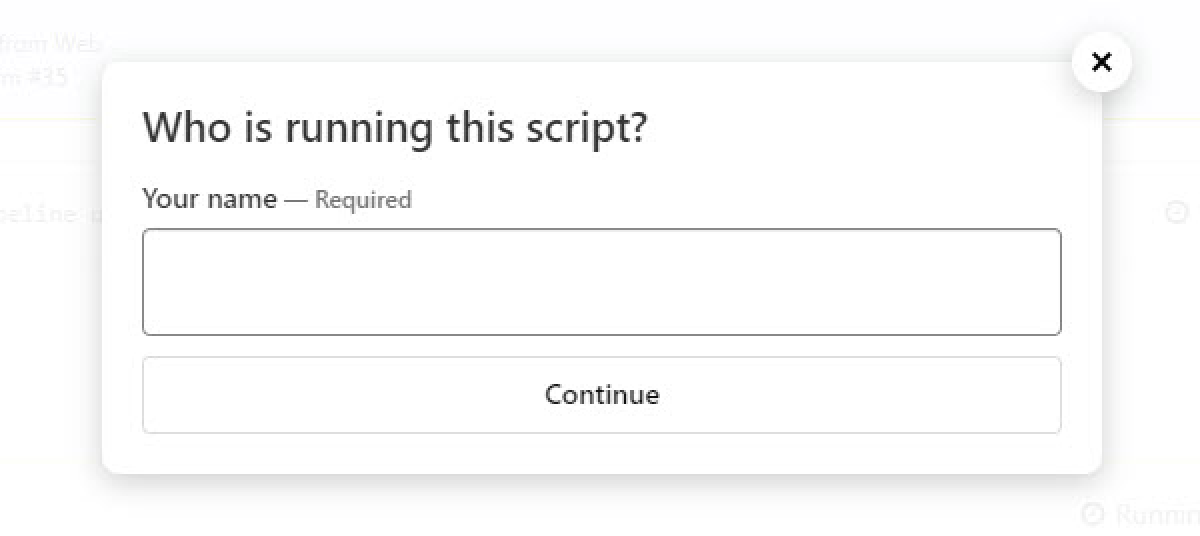
If you are collecting information with your block steps using the `prompt` or `fields` attributes but don't want it to implicitly depend on the steps around it, you can use an [input step](/docs/pipelines/configure/step-types/input-step).
```yml
steps:
- input: "Who is running this script?"
fields:
- text: "Your name"
key: "name"
```
{: codeblock-file="pipeline.yml"}
## Defining explicit dependencies
The `depends_on` attribute can be added to all step types.
To add a dependency on another step, add the `depends_on` attribute with the `key` of the step you're depending on:
```yml
steps:
- command: "tests.sh"
key: "tests"
- command: "build.sh"
key: "build"
depends_on: "tests"
```
{: codeblock-file="pipeline.yml"}
In this example, the second command step (`build.sh`) will not run until the first command step (`tests.sh`) has completed. Without the `depends_on` attribute, and given enough agents, these steps would run in parallel.
> 🚧 `depends_on` and `block` / `wait`
> Note that a step with an explicit dependency specified with the `depends_on` attribute will run immediately after the dependency step has completed, without waiting for `block` or `wait` steps unless those are also explicit dependencies.
Dependencies can also be added as a list of strings, or a list of steps. Both formats use the step `key` to refer to the step.
```yml
steps:
- command: "test-suite.sh"
key: "test-suite"
- command: "another-thing.sh"
key: "another-thing"
- command: "tests.sh"
depends_on:
- "test-suite"
- "another-thing"
```
{: codeblock-file="pipeline.yml"}
Or alternatively:
```yml
steps:
- command: "test-suite.sh"
key: "test-suite"
- command: "another-thing.sh"
key: "another-thing"
- command: "tests.sh"
depends_on:
- step: "test-suite"
- step: "another-thing"
```
{: codeblock-file="pipeline.yml"}
> 🚧 Explicit dependencies in uploaded steps
> If a step depends on an upload step, then all steps uploaded by that step become dependencies of the original step. For example, if step B depends on step A, and step A uploads step C, then step B will also depend on step C.
To ensure that a step is not dependent on any other step, add an explicit empty dependency with the `~` character (YAML), `null` (JSON) or `[]` (JSON and YAML). This also ensures that the step will run immediately regardless of [implicit dependencies](#implicit-dependencies-with-wait-and-block). For example:
In YAML:
```yml
steps:
- command: "tests.sh"
- wait: ~
- command: "lint.sh"
depends_on: ~
```
Or alternatively:
```yml
steps:
- command: "tests.sh"
- wait: ~
- command: "lint.sh"
depends_on: []
```
In JSON:
```json
{
"steps": [
{
"command": "tests.sh"
},
{
"wait": null
},
{
"command": "lint.sh",
"depends_on": []
}
]
}
```
{: codeblock-file="pipeline.yml"}
While the second command step in these examples is defined after a wait step, its empty dependency directs this command to not depend on the `wait` step, so that both commands steps are available to run immediately at the start of the build.
Explicit dependencies on block steps can be added without setting additional input values. You can use this to define a **Deploy** button, for example.
```yml
steps:
- command: "build.sh"
key: "built"
- block: "\:rocket\: Release!"
key: "blocked-deploy"
depends_on:
- "built"
- command: "release.sh"
depends_on:
- "built"
- "blocked-deploy"
```
{: codeblock-file="pipeline.yml"}
## Order of operations
There are three step attributes that can each affect when a step is able to run:
* `if`/`branches`
* `depends_on`
* `concurrency_group`
If the step you're dependent on doesn't exist, the build will fail without running the step that is waiting for the dependency.
However, if the step you're dependent on is excluded from the build due to an `if` condition, the dependency will be ignored and the step that depends on it will run once any other dependencies are satisfied.
Steps that are in a `concurrency_group` run in the order they are created in and can be delayed in running by the `concurrency` attribute. If your step has a dependency on a step that is in a `concurrency_group`, there is an implicit dependency on the rest of the steps in the group. For more information about concurrency groups, see the [Controlling concurrency guide](/docs/pipelines/configure/workflows/controlling-concurrency#concurrency-groups).
## Allowing dependency failures
You can add the `allow_dependency_failure` attribute to any step that has dependencies. The step will then run when the depended-on jobs complete, fail, or do not run. However, if you cancel a job, any subsequent steps with `allow_dependency_failure: true` do not execute. Note that even if you continue to run the next step, the build will still fail if there are any failures.
```yml
steps:
- command: "tests.sh"
key: "tests"
- command: "build.sh"
key: "build"
depends_on: "tests"
allow_dependency_failure: true
```
{: codeblock-file="pipeline.yml"}
For finer control, you can explicitly allow or deny failures on an individual dependency basis using the `allow_failure` attribute with a step dependency.
```yml
steps:
- command: "tests.sh"
depends_on:
- step: "test-suite"
allow_failure: true
- step: "another-thing"
allow_failure: false
```
{: codeblock-file="pipeline.yml"}
This pattern is often used to run steps like code coverage or annotations to the build log that will give insight into what failed.
## How skipped steps affect dependencies
When a step is skipped (due to an `if` condition returning `false`), any steps that depend on that step will still run. Skipped steps are treated as "satisfied" dependencies.
> 🚧 Skipped dependencies are treated as satisfied
> When a step that another step depends on is skipped due to a conditional, the dependency is treated as satisfied and dependent steps will run. Skipped dependencies are treated as passing, which is different from failed or canceled steps that block dependent steps, unless `allow_dependency_failure` is used.
The following table shows how different step states affect dependencies:
| Step State | Dependency Result | Dependent Steps Behavior |
|------------|------------------|---------------------------|
| **Passed** | ✅ Satisfied | Run normally |
| **Skipped** (due to `if` condition) | ✅ Satisfied | **Run normally** |
| **Failed** (with `allow_failure: true`) | ✅ Satisfied | Run normally |
| **Failed** (no `allow_failure`) | ❌ Failed | Don't run |
| **Blocked** | ⏸️ Blocked | Wait for unblocking |
| **Canceled/Expired** | ❌ Failed | Don't run |
### Skipped dependency behavior
In this example, when building a branch other than `main`, the **Conditional Step** will be skipped but the **Dependent Step** will still run because the skipped dependency is satisfied.
```yaml
steps:
- label: "Conditional Step"
key: "conditional"
command: "echo 'This only runs on main'"
if: build.branch == "main"
- label: "Dependent Step"
command: "echo 'This always runs'"
depends_on: "conditional"
```
{: codeblock-file="pipeline.yml"}
## Allowed failure and soft fail
Setting [`soft_fail`](/docs/pipelines/configure/step-types/command-step#soft-fail-attributes) on a step will also allow steps that depend upon it to run, even when [`allow_dependency_failure: false`](/docs/pipelines/configure/depends-on#allowing-dependency-failures) is set on the subsequent step.
In the following example, `step-b` will run because `step-a` is soft failing. If `step-a` were to to fail with a different exit code, `step-b` would not run.
```yml
steps:
- key: "step-a"
command: echo "soft fail" && exit 42
soft_fail:
- exit_status: 42
- key: "step-b"
command: echo "Running"
depends_on:
- "step-a"
allow_dependency_failure: false
```
{: codeblock-file="pipeline.yml"}
## Allowed failure and waiting states
Note that steps which do not run due to failed dependencies are in the `waiting_failed` state, which is included in the scope of `allow_failure` when that is set. For example:
```yml
steps:
- command: echo "step-a fails" && exit 1
key: step-a
- command: echo "step-b does not run" && exit 0
key: step-b
depends_on:
- step: step-a
- command: echo "step-c runs even when step-b does not"
key: step-c
depends_on:
- step: step-b
allow_failure: true
```